

Last updated on October 31st, 2026 at 02:47 am
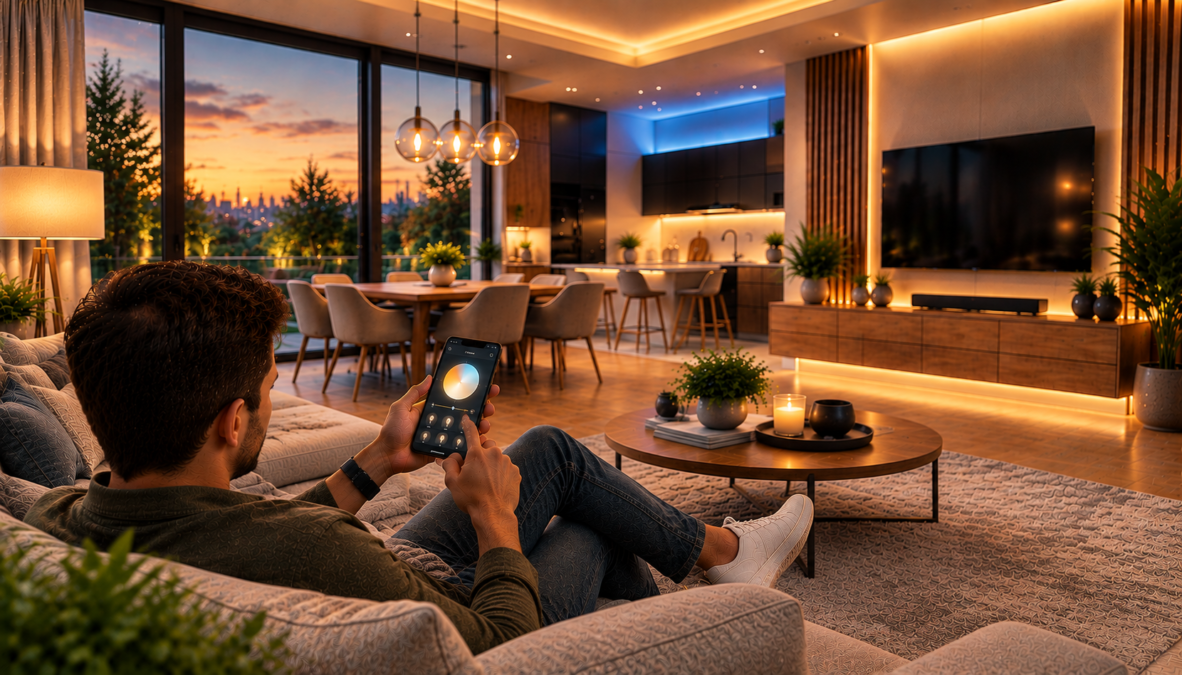
Smart lighting is a connected lighting system that lets you control lights remotely, adjust brightness or color, and automate when lights turn on or off.
Depending on the equipment, it can use schedules, sensors, wireless networks, and smart home platforms to make everyday lighting more convenient and responsive.
A traditional light switch provides straightforward manual control. Smart lighting adds options such as turning on a hallway light after sunset, dimming living room lights for movie night, or switching off selected lights when a household leaves home.
However, smart lighting involves more than connecting a bulb to a phone. Different systems use Wi-Fi, Bluetooth, Zigbee, or Thread, and some require a dedicated bridge or controller. These differences affect compatibility, remote access, reliability, and which features remain available during an internet outage.
Understanding these fundamentals helps you choose an appropriate setup, troubleshoot common problems, and see how lighting fits into a broader smart home device ecosystem.
What Is Smart Lighting?
Smart lighting refers to lighting equipment that provides digital control beyond a conventional wall switch. Depending on the device, users can switch lights on or off, adjust brightness, change white-light color temperature, select colors, or create automated routines.
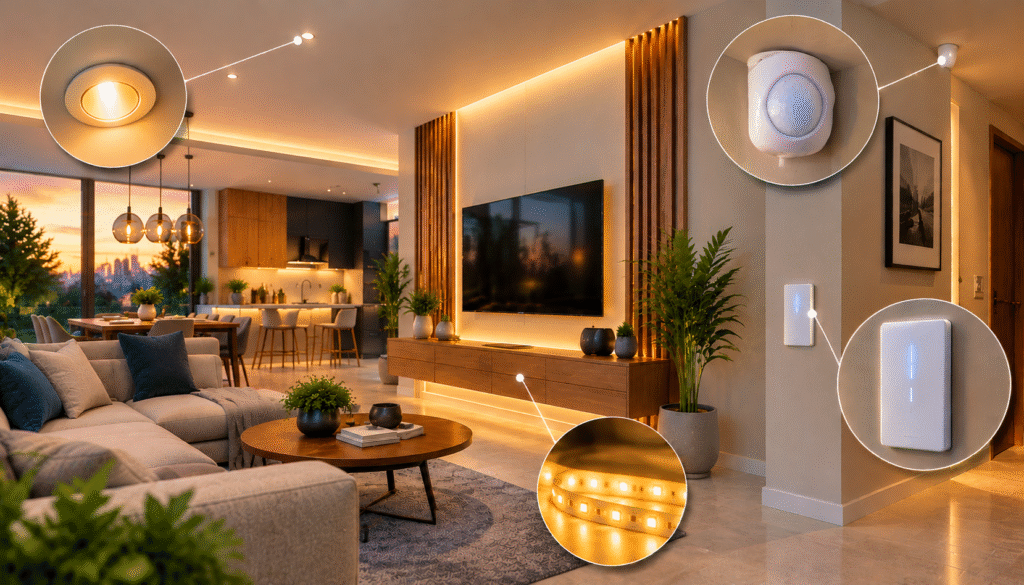
A smart lighting system may include connected LED bulbs, smart switches, dimmers, LED strips, motion sensors, and a compatible app or home automation platform. Not every setup needs all these components, and individual products support different features.
How Smart Lighting Differs From Traditional Lighting
Traditional lighting generally depends on a physical switch and, where available, a compatible dimmer. Smart lighting adds software-based controls and the ability to connect lighting to schedules, sensors, and other devices.
| Capability | Traditional lighting | Smart lighting |
|---|---|---|
| On/off control | Physical switch | Switch, app, or supported automation |
| Brightness adjustment | Compatible dimmer | Supported digital controls or dimmer |
| Scheduling | Separate timer may be needed | Often available through an app |
| Color adjustment | Depends on the bulb | Available on compatible models |
| Motion-triggered lighting | Usually requires separate equipment | Can integrate with compatible sensors |
| Remote access | Not normally available by itself | Available on supported connected systems |
| Integration with other devices | Usually limited | Possible through compatible platforms |
Smart lighting does not automatically mean every light can change color or respond to voice commands. The actual capabilities depend on the bulb, fixture, control method, and software integration.
What Makes a Light Smart?
Three capabilities help explain the technology:
- Connectivity: The device communicates with an app, controller, or compatible network.
- Digital control: A user or supported platform can change the light’s state or settings.
- Automation: The system can perform an action based on a schedule, command, or supported trigger.
Turning on a light through an app is remote control. Programming it to turn on at sunset is automation. Connecting it to a compatible motion sensor so it illuminates a hallway when someone enters adds event-based control.
Smart lighting does not necessarily require artificial intelligence. Many useful routines rely on straightforward rules that execute once configured.
How Smart Lighting Systems Work
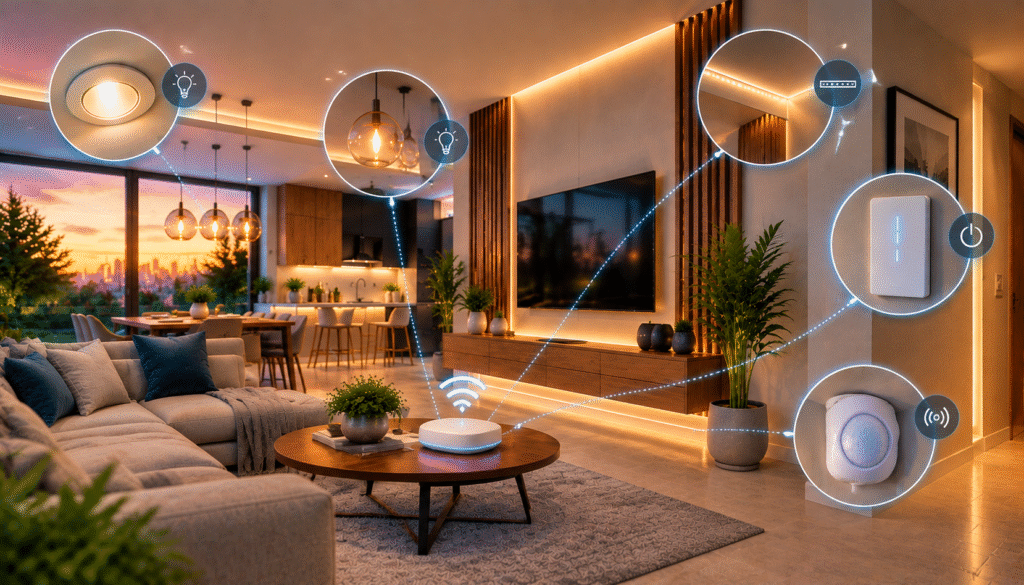
A smart lighting system combines a light source, a communication method, and software that processes commands or automation rules. When you tap a button in an app, a command travels through the system to the bulb or controller. The light changes state if it has power and supports the requested function.
The Main Components of a Smart Lighting System
Most installations use some combination of the following components.
- Smart bulbs or fixtures: Produce light and receive supported commands for switching, dimming, or color adjustment.
- Smart switches and dimmers: Control compatible lighting circuits and may bring existing fixtures into an automation system.
- Wireless network: Carries commands between devices, controllers, and apps.
- Hub or smart home controller: Coordinates compatible devices and may enable additional integrations or local automation.
- App or voice assistant: Provides the interface for manual control, schedules, scenes, and routines.
- Sensors: Detect conditions such as motion or ambient brightness and can trigger lighting actions.
A single connected bulb may need no separate hub. A larger installation with several rooms, sensors, and multiple device types may require additional networking or controller equipment.
What Happens When You Turn On a Smart Light?
Consider a living room light controlled through a smartphone.
- You select the light in the app and tap the on button.
- The app sends a command through the configured connection.
- The bulb or controller receives and processes the request.
- The light turns on if power is available and the command is supported.
- The app may update its displayed status when the system reports the change.
Automation follows a similar process, except a schedule or sensor event initiates the command instead of a person tapping the app.
A sensor does not necessarily communicate directly with the bulb. Some systems route events through a hub or software platform, which then activates the appropriate light.
Types of Smart Lighting
Different types of smart lighting serve different purposes. The right approach depends on whether you want to control individual bulbs, an entire lighting circuit, accent lighting, or lights that respond to activity.
Smart Lighting Bulbs
Smart bulbs replace compatible conventional bulbs and add connected controls. Depending on the model, they may support remote switching, dimming, adjustable white color temperature, or color-changing effects.
They are often convenient for bedside lamps, floor lamps, and individual fixtures where changing the bulb is simpler than modifying the electrical installation.
One important limitation is that most smart bulbs need continuous power. If someone switches off the wall switch supplying the bulb, app and voice commands may no longer work until power is restored.
Smart Lighting Switches and Dimmers
Smart switches control compatible lighting circuits rather than relying on a connected bulb in every fixture. They can be useful when several conventional lights operate together.
Smart dimmers provide brightness adjustment when the connected lights and electrical setup support dimming. Compatibility matters: an unsuitable dimmer can cause flickering, buzzing, or inconsistent operation.
Some smart switches require a neutral wire, and installation requirements vary. Follow the manufacturer’s instructions and use a qualified electrician if you are unsure about electrical wiring.
Smart plugs offer another way to control compatible plug-in lamps, although they generally switch power rather than provide the brightness and color adjustments available with suitable smart bulbs.
Smart LED Strips and Accent Lighting
Smart LED strips provide localized or indirect illumination behind televisions, under kitchen cabinets, around shelves, and along desks.
Their purpose is often different from that of a ceiling fixture. A kitchen may use ceiling lights for general illumination and under-cabinet strips to light work surfaces. A living room may use indirect LED lighting to create a softer atmosphere.
Before installing a strip, check its power requirements, length limits, mounting surface, and whether it can be cut or extended. Use outdoor-rated products when the intended location requires weather resistance.
Smart Fixtures and Outdoor Lighting
Some fixtures include connected controls directly, eliminating the need for a separate smart bulb. Outdoor smart lighting may support schedules, remote control, or motion-triggered operation around entrances, garages, and patios.
Check the product’s environmental rating and installation requirements before using a fixture outdoors. An indoor-rated device should not be assumed suitable for exposed exterior locations.
Smart Lighting Sensors
Sensors allow lighting to respond to conditions rather than relying entirely on schedules or manual commands.
- Motion sensors detect movement and can trigger lights in hallways, entryways, and utility rooms.
- Occupancy sensors are intended to determine whether a space is being used, depending on the sensor technology.
- Ambient-light sensors measure surrounding brightness and may prevent lights from turning on when natural illumination is sufficient.
These sensors behave differently. A motion sensor may stop detecting someone who remains still, while an ambient-light sensor does not necessarily detect human presence. The automation must be configured around the capabilities of the actual device.
Motion detection is also an important feature in home monitoring systems. Understanding how security cameras detect movement and monitor activity can help homeowners build a more connected approach to lighting automation and home security.
Smart Lighting Connectivity: Wi-Fi, Bluetooth, Zigbee, Thread, and Matter
Connectivity affects how devices communicate, how much infrastructure they need, and how reliably they operate throughout the home. No single technology is ideal for every installation.
Wi-Fi Smart Lighting
Wi-Fi smart lights communicate through a compatible wireless network. Many connect directly to a home router, allowing control through a manufacturer’s app or integrated platform.
The advantage is familiarity: many homes already have Wi-Fi, so a separate lighting hub may not be necessary for basic functions. However, coverage, router configuration, interference, and network congestion can affect reliability.
Some products also require a particular Wi-Fi band during setup. Check the manufacturer’s instructions if a bulb cannot connect rather than assuming every Wi-Fi device has identical requirements.
Bluetooth Smart Lighting
Bluetooth lighting can communicate directly with a nearby phone or compatible controller. This can be useful for individual lamps or smaller spaces where local control is sufficient.
Its main limitation is range. Walls, floors, and other obstacles can reduce the effective connection distance. Some Bluetooth lighting systems offer a bridge or controller for expanded functionality, so remote access depends on the specific system.
Zigbee Smart Lighting
Zigbee is a low-power wireless protocol used by many smart home devices. Compatible powered devices can help relay messages through a mesh network, which can be useful in larger installations.
A Zigbee bulb generally needs a compatible coordinator, bridge, or hub to connect to the selected control platform.
Zigbee is not the same as Matter. A Zigbee device does not become natively Matter-compatible simply because both technologies are used in smart homes. A compatible bridge may expose supported Zigbee devices to a Matter ecosystem.
Thread and Matter Explained
Thread and Matter are often mentioned together, but they perform different roles.
Thread is a low-power networking technology. Matter is a smart home interoperability standard that defines how compatible devices communicate and expose supported functions.
Matter can operate over supported IP-based technologies, including Wi-Fi and Thread. Bluetooth Low Energy can be used during setup, but it is not the sole operational transport for a Matter device.
The Connectivity Standards Alliance’s Matter FAQ explains the standard’s role in connecting compatible devices across supported smart home ecosystems.
Matter can simplify mixed-brand installations, but it does not guarantee that every advanced feature will be available in every app. Device capabilities, firmware, controller requirements, and platform support still matter.
Smart Lighting Connectivity Compared
| Technology | Main role | Common benefit | Important limitation |
|---|---|---|---|
| Wi-Fi | Connects devices to a local network | Often avoids a dedicated lighting hub | Coverage and configuration matter |
| Bluetooth | Short-range communication | Useful for nearby control | Direct control is range-dependent |
| Zigbee | Low-power smart home networking | Supports hub-based mesh lighting | Usually needs a compatible coordinator or bridge |
| Thread | Low-power IP-based mesh networking | Supports connected devices with low-power communication | Requires compatible Thread infrastructure |
| Matter | Smart home interoperability | Helps compatible products work across supported platforms | Does not replace the underlying network |
Do Smart Lights Need a Hub or Internet Connection?
Not always. Some smart lights connect directly to Wi-Fi, while others use Bluetooth or a compatible smart home controller. Certain products require a bridge or hub for their full feature set.
Internet access is a separate consideration. A light may communicate with a local controller even when the internet is unavailable, but remote access and cloud-dependent features may stop working. Some schedules run locally, while others rely on cloud services.
Check the manufacturer’s documentation for offline behavior, local automation support, and remote-access requirements. Do not assume that all smart lighting systems behave the same way during an outage.
How Smart Lighting Automation Works at Home
Smart lighting automation uses rules, schedules, or device events to control lights without requiring a separate manual command every time.
A routine usually combines a trigger with one or more actions. The trigger might be a time of day, a voice command, or a supported sensor event. The action might turn on a light, adjust brightness, or activate a scene.
Everyday Smart Lighting Examples
Morning routine: Bedroom lights turn on at a scheduled time.
Evening lighting: Living room lights switch to a softer setting at a chosen time.
Motion-triggered hallway lighting: A compatible sensor turns on a hallway light when movement is detected and switches it off after a configured period.
Away mode: Selected lights turn off when the household leaves or follow a schedule while the home is empty.
Movie scene: Several compatible lights change brightness together when a user activates a saved scene.
These examples use different automation methods. A schedule uses time, a motion routine uses a sensor event, and a scene groups multiple lighting settings into one action.
Smart Lighting With Alexa and Google Home
Compatible smart lights can integrate with voice assistants and home automation apps, depending on the product and supported ecosystem.
With Amazon Alexa, users can configure Alexa Routines to group actions such as controlling compatible lights at a particular time or in response to a supported trigger.
Google Home can also control compatible lighting devices. Its official setup guidance explains how third-party smart devices and Matter-enabled products can be connected.
Compatibility should be checked before setup. A device may work in its manufacturer’s app but require an additional account link or controller to work with a voice assistant.
Lighting Scenes and Whole-Home Automation
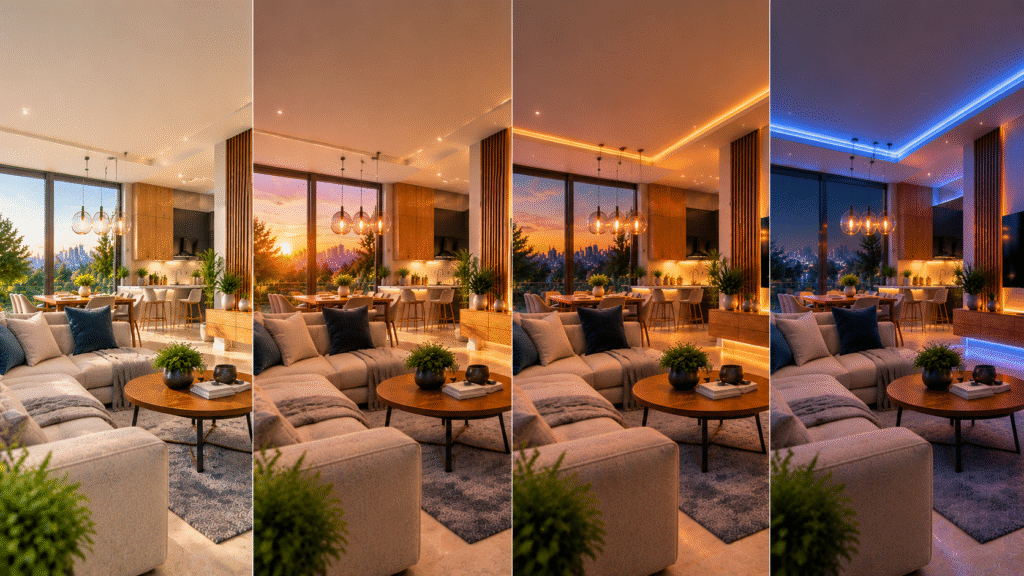
A lighting scene is a saved combination of settings that can be activated with one command. Instead of adjusting several lights individually, a compatible platform can apply predefined brightness, color, and on/off settings across a group of devices.
Scenes are useful because lighting needs change throughout the day. The same living room may require brighter light for cleaning, comfortable illumination for watching television, and lower-intensity lighting in the evening.
Smart lighting can also work alongside compatible door sensors, smart plugs, and other devices. However, devices do not automatically control one another simply because they connect to the same network. They need compatible integrations and properly configured routines.
For a broader overview of how connected devices work together, see the Smart Gadget Wave guide to building a smart home setup from scratch.
Common Smart Lighting Automation Mistakes
- Creating too many routines at once: Start with one simple automation and test it before adding complexity.
- Using overly short sensor timeouts: Adjust the timeout to match how the room is used.
- Ignoring physical switches: A switch that cuts power can disconnect a smart bulb.
- Assuming every device supports every feature: Verify the functions exposed through the chosen platform.
- Failing to test offline behavior: Determine which functions depend on cloud services and which can operate locally.
Smart Lighting Efficiency, Privacy, and Security
Smart lighting can improve convenience and help manage electricity use, but the benefits depend on the equipment and how the system is used.
Can Smart Lighting Reduce Energy Consumption?
Smart lighting can reduce electricity use when automation prevents lights from operating unnecessarily. Scheduling, occupancy sensors, daylight-based control, and remote shutoff can help limit wasted lighting hours.
However, connected lighting does not automatically consume less electricity simply because it is smart. Actual results depend on bulb efficiency, operating time, brightness, standby power, and household habits.
The U.S. Department of Energy’s guidance on LED lighting explains why LEDs generally use substantially less energy than traditional incandescent lighting. Smart controls can complement that efficiency by reducing unnecessary operating time.
How to Estimate Lighting Energy Use
The basic formula is:
Energy consumed in kilowatt-hours (kWh) = Power in watts × Operating hours ÷ 1,000
For example, a 10-watt LED operating for five hours per day uses:
10 × 5 ÷ 1,000 = 0.05 kWh per day.
Over 30 days, that equals approximately 1.5 kWh. The actual cost depends on the electricity rate charged by the utility.
If automation reduces operating time, consumption may fall. Connected bulbs and controllers can also use standby power, and dimming behavior varies by product. Compare actual usage rather than assuming a fixed percentage of savings.
Smart Lighting Privacy and Security
Depending on the system, connected lighting platforms may process device identifiers, connection status, account settings, schedules, sensor events, and diagnostic information.
Lighting routines can also reveal patterns of activity within a home. Review the manufacturer’s privacy policy to understand what information is collected, why it is processed, and whether it is shared with connected services.
Practical security measures include:
- Protecting the associated account with a strong password and available multifactor authentication.
- Installing firmware and app updates according to the manufacturer’s guidance.
- Reviewing connected services and removing integrations that are no longer needed.
- Securing the home network and keeping router software updated.
- Understanding which functions depend on cloud services and which can operate locally.
Local control may reduce certain dependencies, but it does not eliminate every privacy or security risk. Security depends on the device, firmware, account, network, controller, and associated services.
Common Smart Lighting Problems and How to Fix Them
Most smart lighting problems can be investigated by checking power, connectivity, compatibility, and automation settings in a logical order.
| Problem | Possible cause | What to check |
|---|---|---|
| Light appears offline | Power loss or network issue | Physical switch, power supply, wireless coverage |
| Voice command fails | Account linking or naming issue | Assistant integration and device name |
| Automation does not run | Incorrect schedule, trigger, or condition | Time zone, sensor status, routine settings |
| Bulb flickers | Incompatible dimmer or electrical issue | Bulb and dimmer compatibility |
| Remote access fails | Internet or platform connection issue | Network status and service connection |
| App control stops after using the wall switch | Power to the bulb has been interrupted | Switch position and control design |
Why Smart Lights Appear Offline
A light may appear offline because it has lost power, disconnected from the network, or become unreachable by the controller.
Check the physical switch first. If the light has power, verify network coverage and connection status in the manufacturer’s app. Follow the manufacturer’s reconnection procedure if needed.
Avoid repeatedly resetting a device before checking simpler causes. A factory reset may erase configuration and require the light to be set up again.
Why Automation Sometimes Fails
A routine may fail because its trigger, schedule, condition, or device integration is incorrect.
Confirm that the light responds manually, verify the trigger, and check whether the routine is enabled. If the platform provides execution history or diagnostic logs, use them to identify whether the trigger occurred.
Test each component separately before resetting the entire system. This helps distinguish a lighting problem from an automation or integration problem.
What Happens During an Internet Outage?
The result depends on the system. Some lights and controllers can continue operating locally, while cloud-dependent features may stop working. Remote access may also become unavailable.
If reliable offline behavior matters, check the manufacturer’s documentation and test the specific routines you depend on. Keep a practical way to operate essential lighting manually.
Conclusion: Building a More Useful Smart Lighting System
Smart lighting combines connected bulbs, switches, sensors, communication technologies, and automation rules to make everyday lighting more adaptable. It can simplify routine tasks, provide flexible control, and help reduce unnecessary lighting use when configured thoughtfully.
The most effective setup is not necessarily the most complex. Start with a specific need, such as scheduling bedroom lights, controlling a living room remotely, or illuminating a hallway when movement is detected.
Understand the connection method, device compatibility, energy implications, and privacy settings before expanding the system.
Test one useful automation, confirm that it behaves reliably, and add features only when they solve a genuine problem. Smart lighting works best when the technology fits naturally into the household’s routines.
Frequently Asked Questions About Smart Lighting
What is smart lighting, and how does it work?
Smart lighting uses connected bulbs, switches, fixtures, and controllers to provide digital control over lights. Depending on the system, users can operate lights through apps, voice assistants, schedules, or sensors. Devices communicate through supported technologies such as Wi-Fi, Bluetooth, Zigbee, or Thread, while Matter helps compatible products work across supported smart home platforms.
Does smart lighting work without Wi-Fi?
Some smart lighting systems can operate without Wi-Fi, but their capabilities depend on the device and network architecture. Bluetooth products may support nearby control, while hub-based systems may provide local control through a compatible controller. Remote access and cloud-dependent functions may become unavailable when the internet connection fails.
Can smart lighting reduce electricity bills?
Smart lighting can help reduce electricity consumption by limiting unnecessary operating hours through schedules, occupancy sensors, and remote shutoff. Actual savings depend on bulb power ratings, operating time, electricity rates, and automation settings. Smart controls do not guarantee savings, and connected equipment may also consume standby power.
What is the difference between smart lighting and home automation?
Smart lighting refers to connected lighting equipment and its digital controls. Home automation is the broader concept of using programmed rules to coordinate devices and actions. Smart lighting becomes part of home automation when lights respond automatically to schedules, sensors, or events from other compatible devices.
Can smart lighting work with Alexa and Google Home?
Compatible smart lighting products can work with Alexa or Google Home when the required integrations and functions are supported. Setup may involve linking a manufacturer’s account, connecting a compatible controller, or configuring a Matter-enabled device. Not every advanced lighting feature is necessarily available through every platform.
Do smart lights need to stay powered on?
Most smart bulbs need continuous electrical power to remain connected and respond to digital commands. Switching off the wall switch generally disconnects the bulb until power is restored. Compatible smart switches, wireless controls, or alternative system designs can help preserve convenient control, depending on the installation.
Is smart lighting secure and private?
Smart lighting security depends on device firmware, account protection, network configuration, and the manufacturer’s data practices. Users should install updates, secure their accounts, review connected-service permissions, and understand which functions rely on cloud services. Local control can reduce certain dependencies but does not eliminate every privacy or security risk.

I’m a Technology Editor at SmartGadgetWave with a passion for innovation, AI, and consumer technology. I enjoy exploring the latest gadgets, smart home devices, and wearable tech. My goal is to make technology easy to understand by sharing practical insights, honest perspectives, and helpful product comparisons so readers can make smarter tech decisions.


