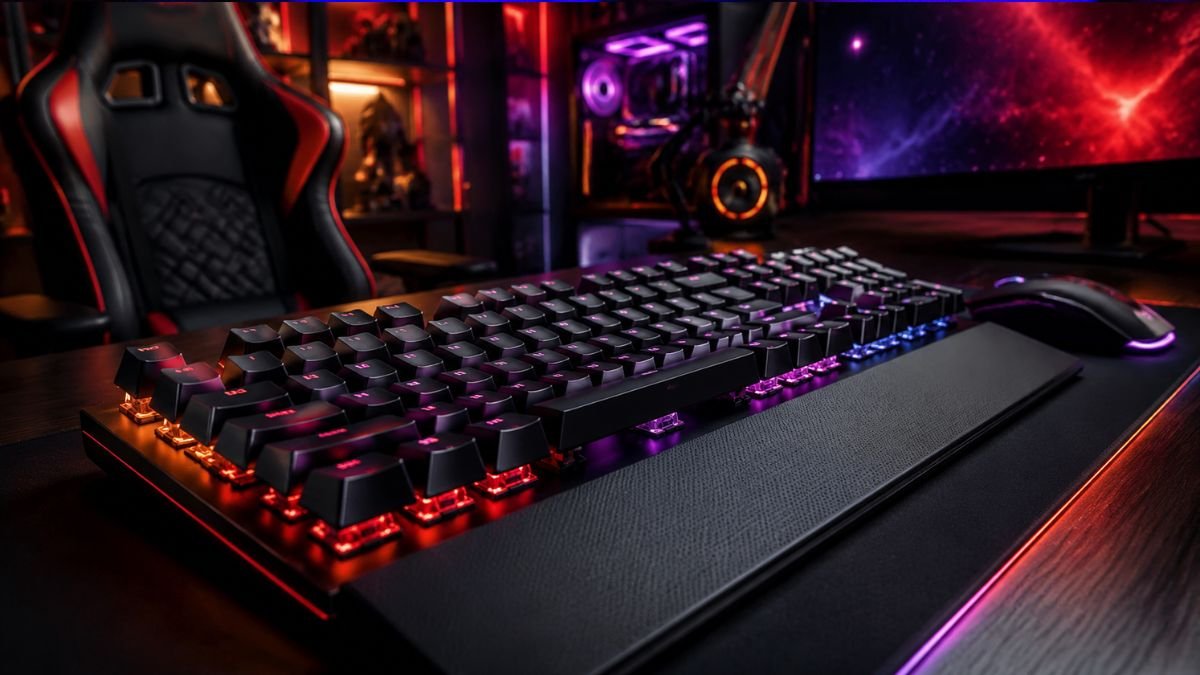
Gaming keyboard features determine how a keyboard performs during gameplay, from faster key responses and mechanical switches to anti-ghosting technology, customization options, and different keyboard sizes.
A gaming keyboard is designed to provide better control, durability, and comfort compared with many standard keyboards, especially during fast-paced games.
Choosing a gaming keyboard can feel confusing for beginners because manufacturers often highlight dozens of specifications: mechanical switches, RGB lighting, polling rates, macro keys, hot-swappable designs, and different layouts.
But not every feature improves the gaming experience.
Some features provide real advantages during gameplay, while others are mainly focused on appearance or personalization. Understanding the difference helps gamers avoid spending money on features they do not need.
The global gaming accessories market continues expanding as more people play PC games, esports titles, and online multiplayer games.
According to data from Statista Gaming Market Insights, gaming has become one of the largest digital entertainment industries worldwide, increasing demand for specialized accessories.
A keyboard is one of the most important connections between a player and a computer. Every movement, command, shortcut, and ability activation depends on how quickly and accurately the keyboard registers input.
Understanding gaming keyboard features helps beginners choose equipment based on their actual needs instead of marketing claims.
For a broader look at switches, layouts, and keyboard technology, see our complete guide to Mechanical Gaming Keyboards Explained: Types, Features & Switches.
What Makes a Gaming Keyboard Different From a Regular Keyboard?
A gaming keyboard is designed around speed, durability, customization, and reliability.
A traditional office keyboard is usually created for typing tasks such as documents, emails, and browsing. A gaming keyboard focuses more on repeated key presses, quick reactions, and long gaming sessions.
The main differences include:
| Feature | Regular Keyboard | Gaming Keyboard |
|---|---|---|
| Switch technology | Usually membrane | Mechanical or advanced membrane |
| Response speed | Standard | Optimized for faster input |
| Durability | Designed for normal use | Built for repeated key presses |
| Customization | Limited | RGB, macros, software controls |
| Anti-ghosting | Basic or unavailable | Common feature |
| Layout options | Mostly full size | Full size, TKL, 70%, compact |
A gaming keyboard does not automatically make someone a better player. However, the right features can make gameplay more comfortable and consistent.
One of the biggest differences between gaming keyboards is the technology beneath the keys. Our Mechanical vs Membrane Keyboard comparison explains how these two designs differ in feel, sound, durability, and gaming use.
Key Gaming Keyboard Features Explained
Mechanical Switches
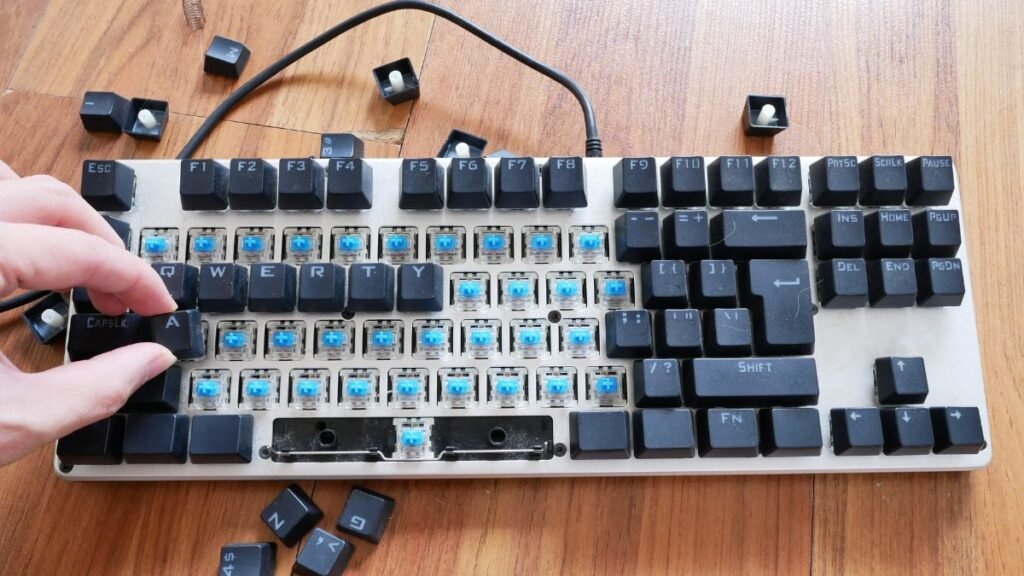
Mechanical switches are one of the most important gaming keyboard features.
To understand switch types in more detail, explore our guide about mechanical keyboard switches.
Unlike membrane keyboards that use a rubber layer beneath keys, mechanical keyboards use individual switches under each key.
Each switch contains moving mechanical components that register key presses.
According to Cherry MX Mechanical Switch Technology, mechanical switches are designed around different characteristics including actuation force, travel distance, and feedback.
Different switch types create different experiences:
| Switch Type | Feeling | Common Use |
|---|---|---|
| Linear | Smooth and consistent | Fast-paced gaming |
| Tactile | Noticeable bump | Gaming and typing |
| Clicky | Tactile with sound | Users who enjoy feedback |
Why Switches Matter for Gaming
Switches affect:
- How quickly a key activates
- How much pressure is required
- The overall typing and gaming feeling
- Long-term durability
For competitive games, many players prefer switches with faster actuation because small timing differences can affect reactions.
RGB Lighting: Useful Feature or Just Decoration?
RGB lighting is one of the most recognizable gaming keyboard features, but it is also one of the most misunderstood.
RGB means the keyboard can display different colors using red, green, and blue light combinations. Many gaming keyboards allow users to customize lighting effects through software.
Although RGB does not improve reaction speed or accuracy, it can provide practical benefits:
- Helps identify keys in low-light environments
- Allows users to create visual profiles for different games
- Makes gaming setups more personalized
- Can highlight frequently used keys
For example, a player might create a different lighting profile for a strategy game where important shortcut keys are highlighted.
According to Logitech G Gaming Keyboard Technology, modern gaming keyboards often combine RGB customization with software that allows users to configure lighting, macros, and performance settings.
The important point is that RGB is mainly a customization feature, not a performance upgrade.
Anti-Ghosting and Key Rollover Explained
One of the most important technical gaming keyboard features is anti-ghosting.
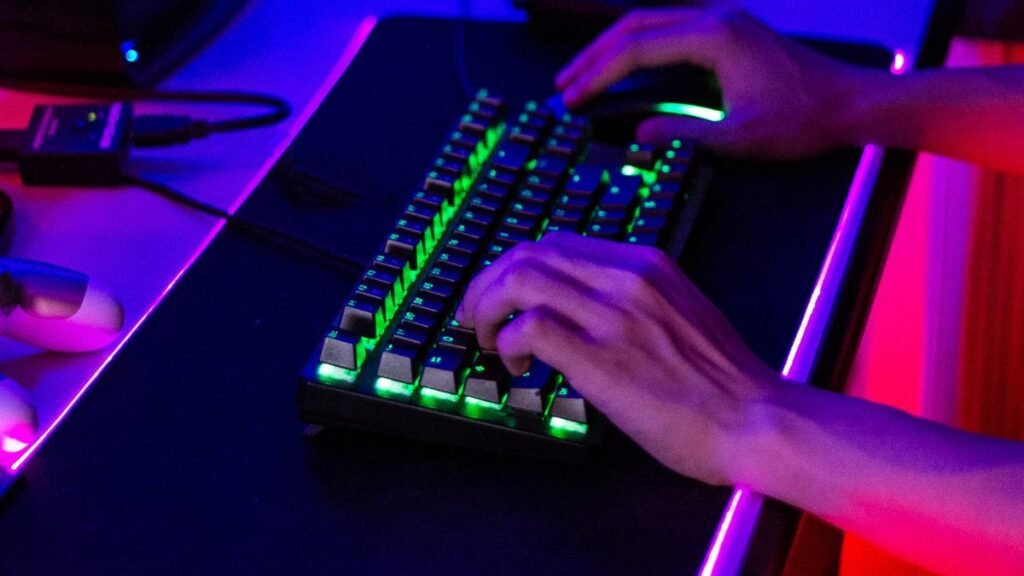
Ghosting happens when a keyboard fails to correctly register multiple keys pressed at the same time.
This can become a problem during gaming because many actions require combinations of keys.
Example:
A player in a first-person shooter may press:
- W to move forward
- Shift to sprint
- Space to jump
- A or D to move sideways
A keyboard with poor key rollover may miss one of these inputs.
What Is Key Rollover?
Key rollover describes how many keys a keyboard can recognize simultaneously.
Common types include:
| Type | Meaning |
|---|---|
| 2-key rollover | Recognizes two simultaneous keys |
| 6-key rollover | Recognizes up to six keys |
| N-key rollover | Registers every key pressed |
For gaming, especially competitive games, N-key rollover provides the most reliable experience.
Polling Rate and Response Time
Another gaming keyboard feature beginners often see is polling rate.
Polling rate describes how frequently a keyboard communicates with the computer.
It is measured in Hertz (Hz).
Example:
| Polling Rate | Communication Frequency |
|---|---|
| 125Hz | 125 updates per second |
| 500Hz | 500 updates per second |
| 1000Hz | 1000 updates per second |
A higher polling rate can reduce input delay, although the difference is usually more noticeable for competitive gamers than casual players.
For everyday gaming, factors like switch quality, comfort, and reliability often matter more.
Gaming Keyboard Size Explained
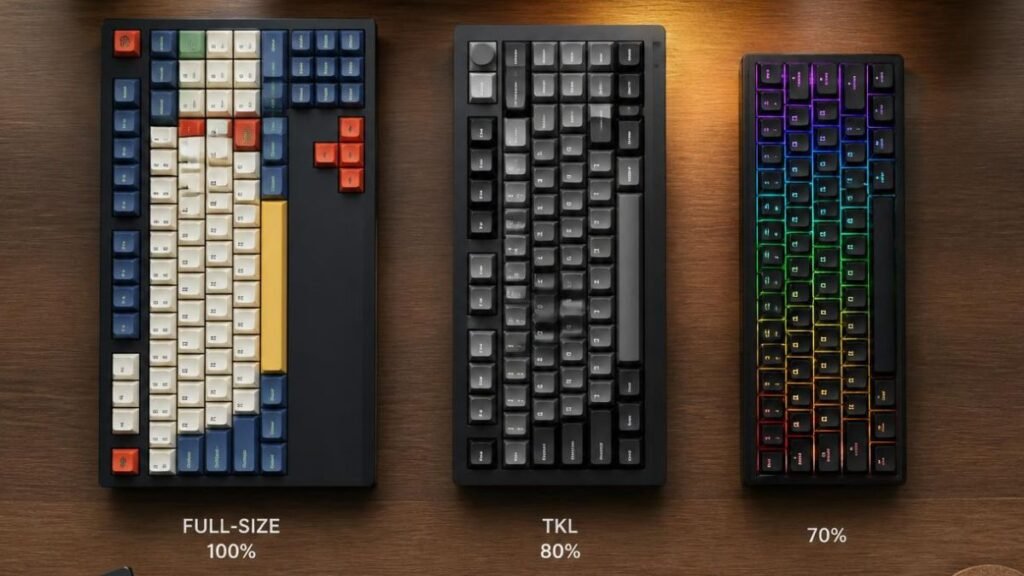
Gaming keyboards come in different sizes. The right choice depends on available desk space, gaming style, and whether users need extra keys.
Full Size Gaming Keyboard
A full-size gaming keyboard includes:
- Main typing area
- Function keys
- Arrow keys
- Number pad
This layout is useful for:
- MMO games
- Productivity work
- Data entry
- Users who frequently use numbers
A gaming keyboard full size model provides the most complete experience but requires more desk space.
Tenkeyless (TKL) Keyboard
A TKL keyboard removes the number pad while keeping most other keys.
Advantages:
- More mouse movement space
- Smaller desk footprint
- Comfortable for FPS gamers
Many competitive players prefer TKL layouts because the mouse has more room for wide movements.
70 Percent Gaming Keyboard
A gaming keyboard 70 percent layout removes additional keys while keeping essential gaming controls.
Usually included:
- Letter keys
- Numbers
- Function layer
- Arrow controls through shortcuts
Advantages:
- Compact design
- Portable
- More desk space
A gaming keyboard 70 percent is popular among users who prefer minimalist setups.
Keyboard Size Comparison
| Keyboard Size | Best For | Main Advantage |
|---|---|---|
| Full Size | MMO, work, mixed use | Includes every key |
| TKL | FPS gaming | More mouse space |
| 70% | Minimal setups | Compact and portable |
| 60% | Enthusiasts | Maximum desk space |
What Makes a Good Gaming Keyboard?
A good gaming keyboard is not defined by price or appearance. The most important features depend on how the keyboard will be used.
The features that usually matter most are:
- Reliable switches
- Good key rollover
- Comfortable key spacing
- Durable construction
- Low input delay
- Customization options
- Software support
A beginner playing Minecraft may value different features than someone playing competitive esports titles.
Gaming Keyboard Features for Minecraft Players
Minecraft is a good example of how keyboard features connect with real gameplay.
Players frequently use:
- Movement keys
- Inventory shortcuts
- Building controls
- Number keys
- Function commands
Useful features for Minecraft include:
Mechanical Switches
Building and movement require thousands of repeated key presses. Mechanical switches can provide consistent feedback.
Custom Key Mapping
Some gaming keyboards allow users to assign commands or shortcuts.
Comfortable Layout
Long building sessions benefit from a keyboard that feels comfortable over several hours.
Macro Support
Some players use macros for repetitive tasks, although multiplayer servers may restrict certain automation features.
Mechanical Keyboard Function Keys Explained
Function keys (F1–F12) are located at the top of most full-size and larger keyboards.
They can perform commands such as:
- Adjusting volume
- Changing lighting
- Controlling media
- Activating game functions
Some modern compact mechanical keyboards remove physical function keys and access them through key combinations.
Mechanical Keyboard With Function Keys on Left Side
Some specialized keyboards place function keys on the left side.
This unusual layout can benefit users who want:
- Extra programmable buttons
- Faster access to commands
- Easier macro activation
However, these keyboards require adjustment because most users are familiar with traditional layouts.
Gaming Keyboard Features That Are Mostly Marketing
Not every advertised feature creates a noticeable improvement.
Some features that may be less important for beginners include:
Excessive RGB Effects
More lighting patterns do not improve gameplay.
Extremely High Polling Rates
Very high polling rates may provide minimal noticeable improvement for casual users.
Extra Macro Keys
Macro keys are useful for some games but unnecessary for many players.
Gaming Branding
A keyboard labeled “gaming” does not automatically mean better performance.
The actual specifications matter more than the name.
How to Choose Gaming Keyboard Features Based on Your Needs
Instead of choosing based on appearance, consider your gaming habits.
Casual Gamers
Prioritize:
- Comfortable switches
- Affordable durability
- Good layout
- Basic customization
Competitive Players
Prioritize:
- Fast switches
- Low latency
- Reliable rollover
- Comfortable positioning
Streamers and Content Creators
Prioritize:
- Customization software
- Macro support
- Media controls
- RGB profiles
What Makes a Gaming Keyboard a Gaming Keyboard?
A gaming keyboard is a keyboard designed with features that improve control, durability, customization, and responsiveness during gameplay. The most important differences usually come from switches, rollover technology, layout design, and software customization rather than appearance alone.
Common Gaming Keyboard Problems Beginners Should Know
Even high-quality gaming keyboards have limitations.
Common issues include:
- Loud mechanical switches
- Learning curve with compact layouts
- Software compatibility problems
- Higher cost compared with basic keyboards
- Different switch preferences between users
A mechanical keyboard that feels perfect for one gamer may feel uncomfortable for another.
Conclusion
Understanding gaming keyboard features helps beginners make smarter decisions when building a gaming setup. Features such as mechanical switches, anti-ghosting, key rollover, keyboard size, and customization software can affect comfort and performance.
Knowing your gaming setup cost can also help you decide how much to invest in keyboard features while balancing your overall setup budget.
However, the best gaming keyboard is not necessarily the one with the most features. It is the one that matches the user’s games, workspace, and preferences.
Learning what each feature does makes it easier to separate useful technology from unnecessary marketing.
However, creating a complete gaming experience also depends on how well your peripherals work together. Proper gaming cable management helps keep your setup organized and creates a cleaner workspace.
FAQ: Gaming Keyboard Features
What are the most important gaming keyboard features?
The most important gaming keyboard features are mechanical switches, reliable key rollover, comfortable layout, durability, and low input delay. RGB lighting and extra customization options are useful but usually do not directly improve gaming performance.
Are mechanical keyboards better for gaming?
Mechanical keyboards are popular for gaming because they provide consistent key registration, durability, and different switch options. However, the best choice depends on personal preference and gaming style.
Is a full-size gaming keyboard better than a smaller keyboard?
A full-size gaming keyboard is better for users who need a number pad and complete functionality. Smaller keyboards can be better for gamers who want more mouse space and a cleaner desk setup.
What gaming keyboard features help Minecraft players?
Minecraft players often benefit from comfortable mechanical switches, customizable keys, reliable movement controls, and layouts that provide quick access to frequently used commands.
Does RGB improve gaming performance?
RGB lighting does not directly improve gaming performance. Its main benefits are customization, visibility in dark environments, and creating personalized gaming setups.
What is the difference between a gaming keyboard and a normal keyboard?
Gaming keyboards usually include features such as faster switches, anti-ghosting, customizable software, stronger durability, and gaming-focused layouts that regular keyboards may not provide.