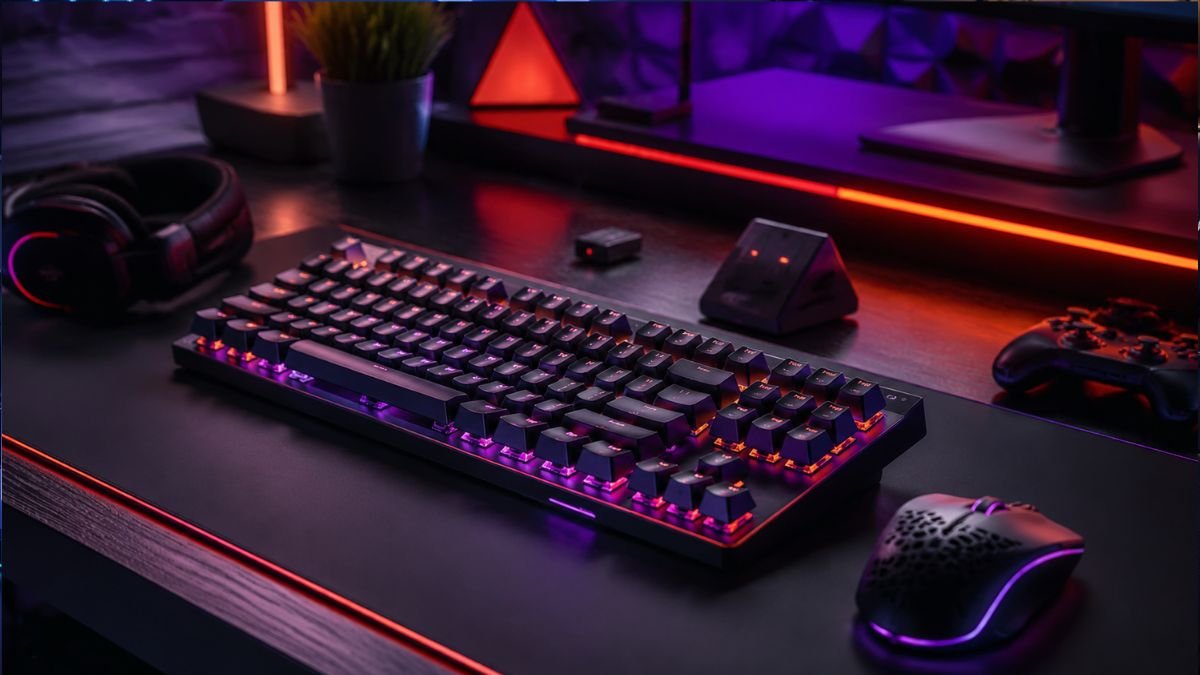
Wireless gaming keyboards are keyboards designed for gaming that connect to computers without a physical cable, using technologies such as 2.4GHz wireless or Bluetooth.
Modern wireless gaming keyboards can provide fast response times, mechanical switches, RGB lighting, and long battery life, making them suitable for both casual and competitive gaming.
For many years, serious gamers avoided wireless keyboards because of concerns about slow response times, connection problems, and unreliable performance. Wired keyboards were considered the only dependable option for competitive gaming because a direct cable connection appeared faster and more stable.
However, wireless gaming keyboards have changed significantly. Advances in wireless communication technology, battery efficiency, and mechanical keyboard design have made cable-free gaming setups much more practical.
According to research from organizations such as the IEEE, improvements in wireless communication standards have helped reduce latency and improve reliability across many consumer electronics categories.
Today, gamers can choose from wireless mechanical keyboards, tenkeyless designs, compact layouts, RGB models, and keyboards designed for different operating systems, including Windows and macOS.
The important question is no longer simply whether wireless keyboards work for gaming. The real question is understanding which wireless technology, features, and limitations matter for your specific gaming needs.
Wireless keyboards can help create cleaner environments, but understanding the complete gaming setup is important when choosing the right combination of accessories.
This guide explains how wireless gaming keyboards work, their advantages, common limitations, and the features that influence real-world performance.
What Are Wireless Gaming Keyboards?
A wireless gaming keyboard is a keyboard designed specifically for gaming that communicates with a computer or gaming device through a wireless connection instead of a physical USB cable.
For a broader understanding of gaming keyboard technology, including switches, layouts, and key features, see our complete guide to Mechanical Gaming Keyboards Explained: Types, Features & Switches.
The keyboard sends keystroke information through a wireless signal to a receiver connected to the device. Modern models usually rely on two main connection methods:
- 2.4GHz wireless connection
- Bluetooth connection
Some keyboards support both options, allowing users to switch between gaming devices and everyday computers.
Unlike basic wireless office keyboards, gaming-focused models usually include features designed for faster and more precise input, such as:
- Mechanical switches
- Higher polling rates
- Anti-ghosting technology
- Programmable keys
- RGB lighting
- Gaming software customization
How Wireless Gaming Keyboards Work
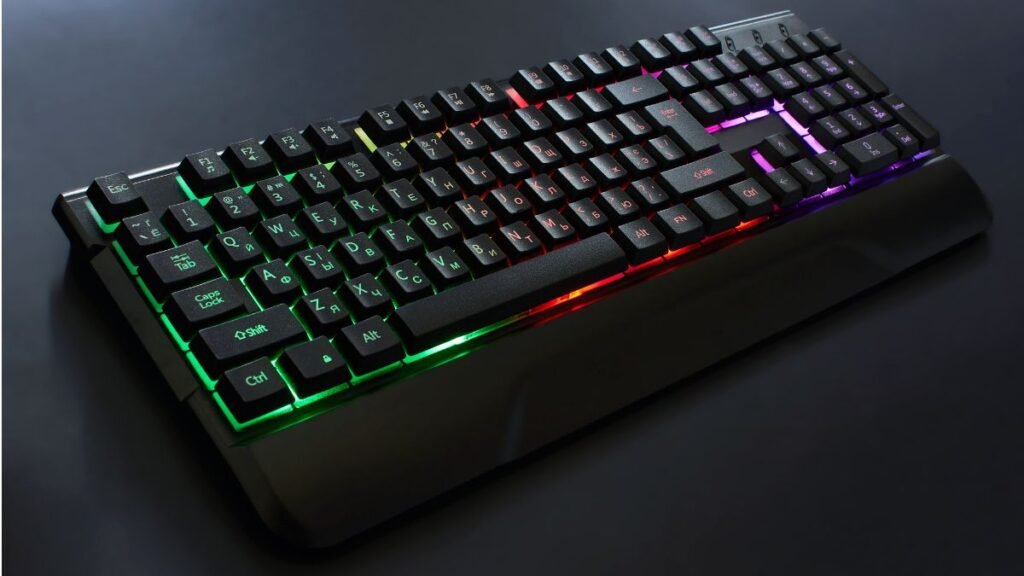
When a player presses a key, several processes happen before the action appears inside a game.
The basic signal path looks like this:
Key press → Keyboard processor → Wireless transmission → Receiver → Computer processing → Game response
Each stage contributes to total input latency.
Modern wireless gaming keyboards reduce delay through optimized hardware and dedicated wireless protocols.
For example, dedicated 2.4GHz connections often use a USB receiver designed specifically for gaming performance, while Bluetooth connections prioritize compatibility and energy efficiency.
Wireless Gaming Keyboard Connection Types Explained
| Connection Type | Main Advantage | Common Use |
|---|---|---|
| 2.4GHz Wireless | Lower latency and gaming-focused performance | PC gaming |
| Bluetooth | Wide compatibility and lower power usage | Multiple devices, laptops, tablets |
| Wired USB Mode | Maximum consistency and charging support | Competitive gaming |
2.4GHz Wireless
Most gaming enthusiasts prefer 2.4GHz wireless connections because they are designed for speed.
These keyboards typically include a small USB receiver that communicates directly with the keyboard.
Advantages include:
- Lower latency compared with standard Bluetooth
- Stable connection
- Gaming-focused optimization
- Better support for high polling rates
Companies such as Logitech and Razer use proprietary wireless technologies in many gaming peripherals to improve responsiveness.
Bluetooth Wireless
Bluetooth is useful because it works with many devices without requiring a dedicated receiver.
A wireless mechanical keyboard with Bluetooth can easily connect to:
- Laptops
- Tablets
- Smartphones
- Multiple computers
However, Bluetooth is usually not the preferred choice for competitive gaming because it may introduce additional latency depending on the hardware implementation and operating environment.
Does Wireless Latency Matter for Gaming?
Latency is one of the biggest concerns when people consider switching from a wired keyboard to a wireless gaming keyboard.
Keyboard latency refers to the time between pressing a key and the computer registering that input. For gaming, especially fast-paced competitive games, even small delays can influence the experience.
However, modern wireless gaming keyboards have improved significantly. Many premium models using dedicated 2.4GHz wireless connections achieve response times that are close to wired alternatives.
The actual gaming experience depends on several factors:
- Wireless technology used
- Polling rate
- Keyboard processor
- Switch type
- Computer performance
- Game engine optimization
A wireless gaming keyboard using a dedicated receiver is generally very different from older wireless keyboards that were designed mainly for office work.
Wired vs Wireless Gaming Keyboards
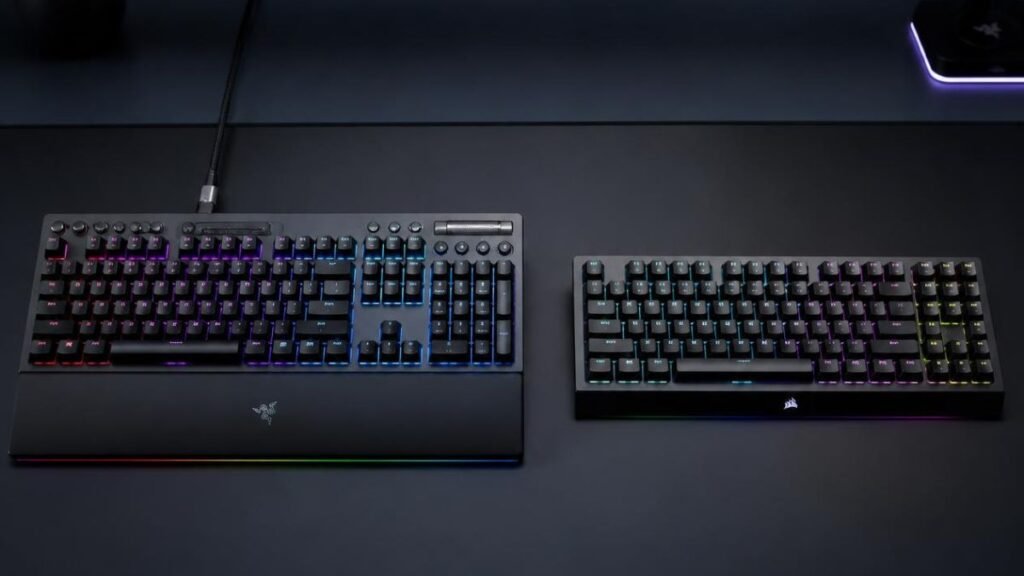
Both wired and wireless gaming keyboards can provide excellent gaming performance. The right choice depends on priorities such as convenience, portability, and competitive requirements.
| Feature | Wired Gaming Keyboard | Wireless Gaming Keyboard |
|---|---|---|
| Connection | USB cable | 2.4GHz or Bluetooth |
| Latency | Extremely consistent | Very low on modern gaming models |
| Battery Requirement | None | Requires charging |
| Desk Setup | More cables | Cleaner appearance |
| Portability | Limited | Easier to move |
| Compatibility | Usually PC focused | PC, laptops, tablets, multiple devices |
| Price Range | Often lower | Usually higher |
| Maintenance | Simple plug-and-play | Requires battery management |
For professional esports environments where every millisecond matters, wired keyboards are still commonly preferred because they eliminate battery concerns and wireless interference variables.
For most home gamers, however, modern wireless gaming keyboards provide performance that is more than sufficient.
Key Features That Matter in Wireless Gaming Keyboards
Not every feature advertised on a gaming keyboard creates a meaningful difference. Some specifications improve the actual gaming experience, while others mainly serve marketing purposes.
Understanding the important features helps consumers make better decisions.
Mechanical Switches
Many wireless gaming keyboards use mechanical switches because they provide:
- Faster actuation
- Better durability
- More consistent key presses
- Different typing sensations
A mechanical switch contains individual components for each key instead of using a single membrane layer.
Popular switch categories include:
| Switch Type | Feel | Common Preference |
|---|---|---|
| Linear switches | Smooth and quiet | Fast-paced gaming |
| Tactile switches | Noticeable bump | Gaming and typing balance |
| Clicky switches | Audible feedback | Users who enjoy feedback |
Mechanical wireless keyboards are especially popular because they combine gaming performance with premium typing comfort.
Polling Rate and Response Speed
Polling rate describes how frequently a keyboard reports its status to the computer.
It is measured in Hertz (Hz).
For example:
- 125Hz = reports 125 times per second
- 1000Hz = reports 1000 times per second
Higher polling rates can reduce input reporting intervals, although the practical difference depends on the game, hardware, and player sensitivity.
Many modern gaming keyboards support high polling rates designed for competitive gaming scenarios.
Battery Life in Wireless Gaming Keyboards
Battery life is one of the biggest differences between wired and wireless gaming keyboards.
A wireless gaming keyboard must balance performance features with energy consumption.
Battery usage is affected by:
- RGB lighting brightness
- Wireless mode
- Polling rate
- Usage hours per day
- Battery capacity
A keyboard with RGB lighting running at maximum brightness will usually consume more power than one using static lighting or no lighting.
Typical Wireless Gaming Keyboard Battery Expectations
| Keyboard Type | Expected Battery Range |
|---|---|
| Basic wireless keyboard | Several months |
| RGB wireless gaming keyboard | Several days to several weeks |
| Premium wireless mechanical keyboard | Weeks to months depending on settings |
Manufacturers often publish battery estimates based on specific conditions.
For example, a keyboard tested without RGB lighting may achieve significantly longer battery life than the same model used with maximum lighting effects.
Does RGB Lighting Reduce Battery Life?
Yes, RGB lighting can noticeably reduce battery performance.
RGB systems require additional LEDs under each key, increasing power consumption.
The impact depends on:
- Brightness level
- Lighting effects
- Number of illuminated keys
- Automatic sleep settings
For users who prioritize long battery life, reducing RGB brightness or using static lighting can significantly extend usage time.
Wireless Mechanical Keyboard Sizes Explained
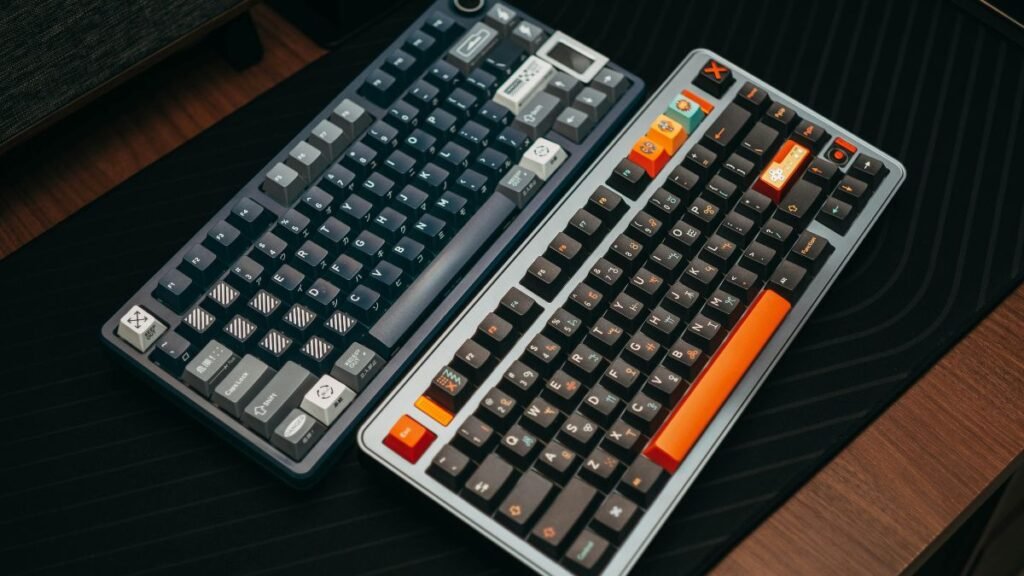
Wireless gaming keyboards are available in multiple layouts designed for different users.
The most common formats include:
Full-Size Wireless Gaming Keyboards
A full-size keyboard includes:
- Standard keys
- Function row
- Arrow keys
- Dedicated number pad
Advantages:
- Best for productivity
- Useful for spreadsheet work
- Comfortable for users who need numeric input
The downside is the larger desk footprint.
Tenkeyless Wireless Mechanical Keyboards (TKL)
A wireless mechanical keyboard TKL removes the number pad while keeping the main gaming keys.
Benefits include:
- More mouse movement space
- Smaller desk footprint
- Easier transportation
- Popular gaming layout
Many PC gamers prefer TKL designs because they provide a balance between functionality and compactness.
Compact Wireless Gaming Keyboards
Compact layouts remove additional keys to maximize portability.
Common sizes include:
- 75%
- 65%
- 60%
These keyboards are popular among users who prefer minimalist desk setups.
Wireless Mechanical Keyboard Compatibility With Mac
A wireless mechanical keyboard Mac setup can work well, especially with keyboards that support multiple operating systems.
Important compatibility features include:
- macOS key mapping
- Bluetooth support
- Multi-device switching
- Custom software compatibility
Some gaming keyboards are designed primarily for Windows, so Mac users should verify software support before choosing a model.
Common Limitations of Wireless Gaming Keyboards
Although wireless technology has improved, there are still some limitations users should understand.
Battery Management
Unlike wired keyboards, wireless models require charging or battery replacement.
Forgetting to charge before an important gaming session can interrupt gameplay.
Many modern keyboards solve this problem through:
- Battery indicators
- Low-power modes
- USB charging while playing
Wireless Interference
Wireless signals can sometimes experience interference from:
- Other wireless devices
- USB hubs
- Routers
- Nearby electronics
Most gaming-focused 2.4GHz keyboards handle this well, but placement of the receiver can still influence reliability.
Higher Cost
Wireless gaming keyboards often cost more than comparable wired models because they require:
- Battery systems
- Wireless chips
- Additional engineering
- Connectivity hardware
The price difference has decreased over time as wireless technology has become more common.
Slightly More Maintenance
Wireless keyboards require occasional attention:
- Charging batteries
- Updating firmware
- Managing connection settings
Wired keyboards usually require less maintenance because they receive constant power through the USB connection.
Choosing Between Different Wireless Gaming Keyboard Types
The ideal wireless gaming keyboard depends on how you use your setup.
A well-organized workspace also improves the overall experience, and proper gaming cable management helps keep your desk cleaner by managing remaining connections from your gaming devices.
| User Type | Recommended Keyboard Style |
|---|---|
| Competitive PC gamer | 2.4GHz mechanical keyboard |
| Casual gamer | Bluetooth or hybrid wireless keyboard |
| Small desk setup | TKL or compact keyboard |
| Productivity + gaming | Full-size wireless mechanical keyboard |
| Multi-device user | Bluetooth multi-device keyboard |
How to Choose a Wireless Gaming Keyboard
Choosing a wireless gaming keyboard is not only about selecting the model with the highest specifications. The right choice depends on your gaming style, workspace, devices, and personal preferences.
Before choosing a keyboard, consider the following factors.
1. Choose the Right Wireless Technology
The connection method has a major impact on gaming performance.
For gaming-focused use, a dedicated 2.4GHz wireless connection is usually the preferred option because it offers:
- Lower latency
- More stable performance
- Better support for competitive gaming
Bluetooth is more useful for flexibility because it works with many devices, including laptops, tablets, and smartphones.
A hybrid wireless gaming keyboard that supports both technologies can provide the best balance between gaming and everyday use.
2. Consider Keyboard Size and Layout
The ideal layout depends on how much space you have and how you use your computer.
A gamer who mainly plays FPS titles may prefer a compact or tenkeyless design because it leaves more room for mouse movement.
A user who combines gaming with work may prefer a full-size wireless mechanical keyboard with a number pad.
The right layout improves comfort because your hands naturally stay in a better position during long sessions.
3. Understand Mechanical Switch Preferences
Mechanical switches influence:
- Typing feel
- Noise level
- Response sensation
- Gaming comfort
There is no universally perfect switch.
A competitive player may prefer smooth linear switches, while someone who writes frequently may prefer tactile feedback.
The best choice depends on personal preference rather than marketing claims.
4. Check Battery Expectations
Battery life should match your routine.
Ask yourself:
- How many hours do you game per day?
- Do you use RGB lighting?
- Do you travel with your keyboard?
- Do you prefer rechargeable batteries?
A wireless gaming keyboard with strong battery management can provide weeks of usage, but heavy RGB use may reduce that significantly.
Features That Matter vs Marketing Features
Gaming accessories often advertise many specifications, but not every feature creates a noticeable improvement.
Understanding the difference helps consumers focus on what actually affects their experience.
| Feature | Real Impact | Importance |
|---|---|---|
| Low-latency wireless connection | Faster response | High |
| Mechanical switches | Better feel and durability | High |
| Battery indicator | Easier maintenance | Medium |
| RGB lighting | Appearance customization | Medium |
| Extremely high polling rates | Small performance improvements | Depends on user |
| Extra macro keys | Useful for specific games | Depends on user |
Are Wireless Gaming Keyboards Future-Proof?
Wireless gaming keyboards are likely to become even more common as wireless technology continues improving.
Several trends are shaping the future of gaming keyboards:
Better Battery Efficiency
Manufacturers continue improving power management, allowing brighter RGB lighting and longer usage times.
Future keyboards may include smarter battery systems that automatically adjust performance based on usage.
Improved Wireless Performance
Wireless protocols continue evolving with better:
- Signal stability
- Latency reduction
- Device switching
- Energy efficiency
Companies such as Razer and Logitech continue developing gaming peripherals focused on reducing the gap between wired and wireless performance.
More Multi-Device Features
Modern users often switch between:
- Gaming PCs
- Work laptops
- Tablets
- Smart devices
Future wireless mechanical keyboards will likely focus more on seamless device switching and cross-platform compatibility.
Wireless Gaming Keyboards: Main Advantages and Limitations
Advantages
Wireless gaming keyboards provide several practical benefits:
- Cleaner desk setups
- Easier portability
- Less cable management
- Flexible device connections
- Modern gaming performance
- More comfortable workspace organization
For many home users, removing cables creates a better overall computing experience.
Limitations
However, wireless keyboards are not perfect.
Users should consider:
- Charging requirements
- Higher prices
- Possible signal interference
- Battery degradation over time
- Additional setup considerations
Understanding these limitations helps users choose realistically instead of expecting wireless technology to behave exactly like a cable connection in every situation.
Final Thoughts: Are Wireless Gaming Keyboards Worth Considering?
Wireless gaming keyboards have evolved from a convenience-focused accessory into a serious gaming option.
Modern models can provide fast response times, mechanical switches, and many of the gaming keyboard features found in wired models, while maintaining reliable wireless connections.
For competitive esports players who require maximum consistency, wired keyboards may still have advantages. However, for everyday gamers, content creators, and users who value a clean workspace, wireless gaming keyboards offer an excellent balance between performance and convenience.
Understanding connection types, battery requirements, keyboard layouts, and important features allows consumers to make smarter technology decisions.
FAQ: Wireless Gaming Keyboards
Are wireless gaming keyboards good for gaming?
Yes, wireless gaming keyboards are good for gaming when they use modern low-latency wireless technology. Many current models provide fast response times, reliable connections, mechanical switches, and gaming-focused features that make them suitable for casual and competitive gaming.
Do wireless gaming keyboards have more delay than wired keyboards?
Modern wireless gaming keyboards using dedicated 2.4GHz connections usually have very low latency. While wired keyboards still provide the most direct connection, the difference is often difficult for most users to notice during normal gaming.
What is the best connection type for wireless gaming keyboards?
The best connection type for gaming is usually 2.4GHz wireless because it is designed for low latency and stable performance. Bluetooth is better suited for flexibility and connecting multiple everyday devices.
How long does a wireless gaming keyboard battery last?
Battery life varies depending on the model, RGB usage, brightness settings, and wireless mode. Some wireless gaming keyboards last several days with heavy RGB use, while others can operate for weeks or months with optimized settings.
Are wireless mechanical keyboards worth it?
Wireless mechanical keyboards can be worth it for users who want a premium typing experience combined with gaming performance and a cleaner desk setup. They are especially useful for people who switch between gaming, work, and multiple devices.
Can a wireless gaming keyboard work with Mac?
Many wireless gaming keyboards work with Mac computers, especially models with Bluetooth support or multi-platform compatibility. Users should check macOS support and available customization software before choosing a specific keyboard.
Are TKL wireless gaming keyboards better for gaming?
TKL wireless gaming keyboards are popular because they remove the number pad, creating more space for mouse movement while keeping essential gaming keys. They are often preferred by FPS and competitive gamers who value desk space.