Mechanical vs membrane keyboard technology differs mainly in how each keyboard detects a key press. Mechanical keyboards use individual switches under every key, offering customizable feedback, durability, and consistent response.
Membrane keyboards use rubber-based layers that are quieter and more affordable. The better option depends on how you use your computer, including gaming, typing, programming, and everyday tasks.
A keyboard is one of the most frequently used computer accessories, yet many people rarely think about the technology underneath each key.
For years, membrane keyboards dominated the market because they were inexpensive, lightweight, and easy for manufacturers to produce. They became the standard choice for office computers, laptops, and affordable desktop setups.
However, mechanical keyboards have gained significant popularity among gamers, programmers, writers, and technology enthusiasts. The growth of gaming culture and customization-focused PC accessories has made mechanical switches a major part of modern keyboard discussions.
Companies such as Logitech and Razer now offer extensive mechanical keyboard product lines because users increasingly value features such as switch choice, customization, durability, and improved typing feedback.
But does a mechanical keyboard automatically provide a better experience?
Not necessarily.
The right choice depends on several factors:
- How often you type.
- Whether you play competitive games.
- Your preference for sound and feedback.
- Your budget.
- Your workspace environment.
Understanding the difference between mechanical and membrane keyboard technology makes it easier to choose a device that matches your needs instead of simply following online trends.
What Is the Difference Between Mechanical and Membrane Keyboard Technology?
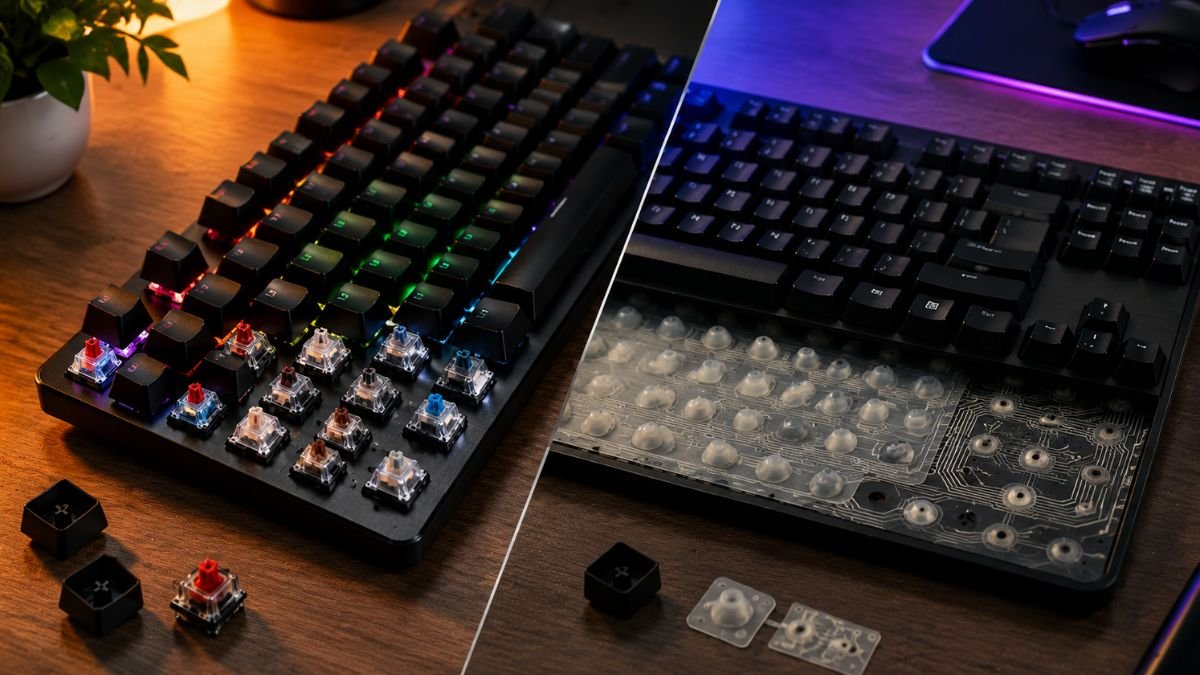
The biggest difference between mechanical and membrane keyboards is the method used to register a key press.
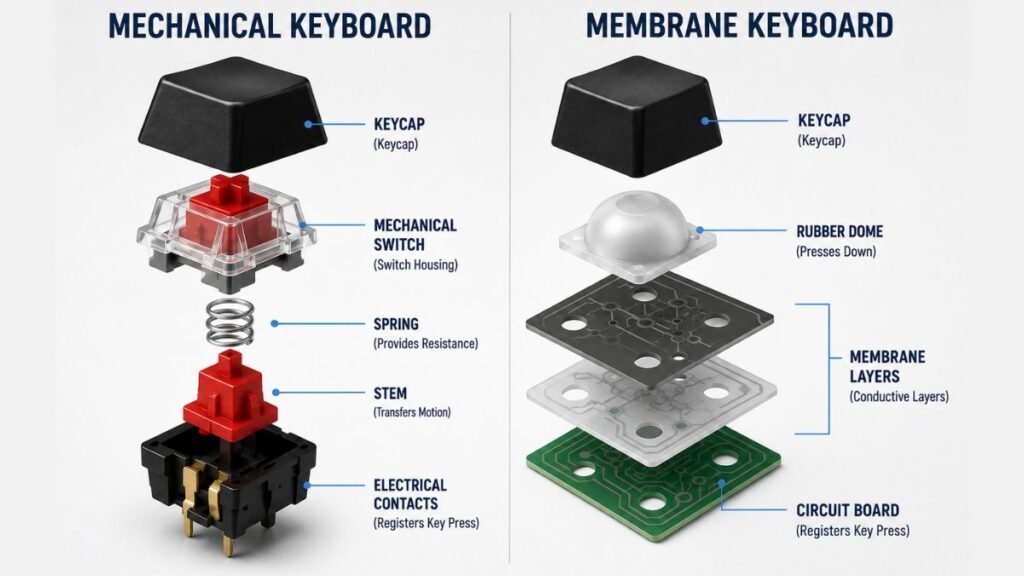
A mechanical keyboard uses an individual mechanical switch underneath each key. When a user presses a key, the switch physically moves and activates an electrical signal.
A membrane keyboard uses a layered rubber-based system. Pressing a key pushes a rubber dome downward until it connects electrical layers beneath the surface.
If you want to understand mechanical gaming keyboards in more detail, including switch types, layouts, and important features, read our complete guide to Mechanical Gaming Keyboards Explained: Types, Switches and Features.
This difference changes the entire experience.
It affects:
- how keys feel;
- how quickly users receive feedback;
- how much sound the keyboard produces;
- how long the keyboard may last;
- how much customization is possible.
How Mechanical Keyboards Work
Mechanical keyboards rely on separate switches installed underneath each keycap.
Components Inside a Mechanical Keyboard Switch
Each switch typically contains:
- Housing
- Spring
- Stem
- Electrical contacts
When the key is pressed, the switch moves and creates an electrical connection.
Unlike membrane keyboards, every key operates independently.
This allows manufacturers to create different switch styles.
According to Cherry MX Switch Technology, mechanical switches are designed with different characteristics that influence actuation force, feedback, and typing behavior.
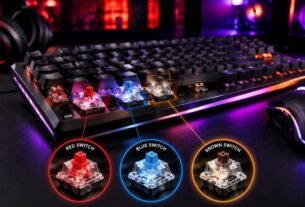
The three common switch categories are:
To learn more about Red, Blue, and Brown switch differences, read our detailed guide to Mechanical Keyboard Switches Explained: Red vs Blue vs Brown.
| Switch Type | Characteristics | Common Users |
|---|---|---|
| Linear | Smooth press without a tactile bump | Gamers who prefer fast movements |
| Tactile | Noticeable feedback during activation | Writers and programmers |
| Clicky | Tactile feedback with audible sound | Users who enjoy traditional typing feel |
The advantage of mechanical keyboards is not simply that they are more expensive. The advantage is flexibility.
Users can select a typing experience that matches their preference.
How Membrane Keyboards Work
Membrane keyboards use a completely different approach.
How Rubber Dome Membrane Technology Works
Instead of individual switches, they rely on pressure-sensitive layers.
When a user presses a key:
- The key pushes down.
- The rubber dome compresses.
- Conductive layers touch.
- The computer receives the input.
This design is simpler, which makes production cheaper.
That is why membrane keyboards are commonly found in:
- Office computers
- Budget keyboards
- Basic accessories
- Educational environments
Membrane keyboards are not outdated technology. They continue to exist because they solve specific problems:
- Affordability
- Quiet operation
- Lightweight design
For many everyday users, a membrane keyboard provides everything they need.
Mechanical vs Membrane Keyboard Comparison
| Feature | Mechanical Keyboard | Membrane Keyboard |
|---|---|---|
| Key mechanism | Individual mechanical switches | Rubber membrane layers |
| Typing feel | More defined and customizable | Softer and quieter |
| Durability | Usually higher | Usually lower |
| Noise | Depends on switch type | Generally quieter |
| Customization | Extensive | Limited |
| Repair options | Many parts replaceable | Usually replaced completely |
| Price | Higher | Lower |
| Gaming popularity | Very popular | Suitable for casual gaming |
Why Mechanical Keyboards Feel Different
Many people notice a major difference after switching from a membrane keyboard to a mechanical model.
The reason is physical feedback.
Mechanical switches provide a clearer connection between pressing a key and receiving confirmation that the action happened.
For some users, this creates:
- faster typing rhythm;
- fewer accidental presses;
- more confidence during long sessions.
However, this experience is subjective.
Some users prefer the softer feeling of membrane keyboards because they enjoy:
- quieter operation;
- lighter key presses;
- laptop-style feedback.
There is no universal “correct” keyboard feeling.
The best choice depends on what feels natural for the user.
Mechanical vs Membrane Keyboard for Gaming
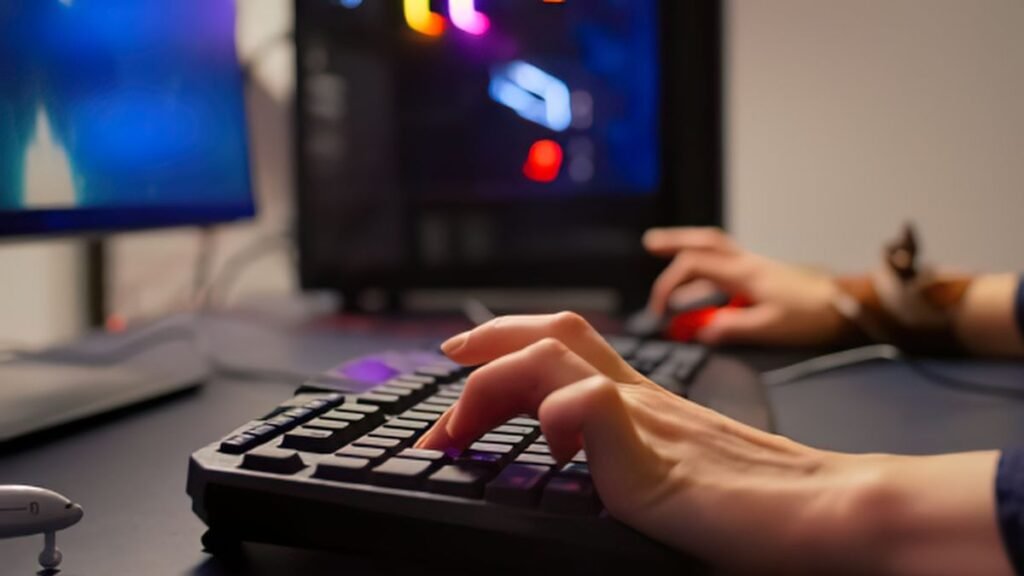
Gaming is one of the biggest reasons people research mechanical or membrane keyboard for gaming.
Mechanical keyboards are popular among gamers because they provide:
- consistent key activation;
- customizable switches;
- strong durability;
- better feedback during repeated actions.
For competitive games, small differences in consistency can matter.
Games that involve:
- rapid movement;
- repeated commands;
- precise timing;
often benefit from hardware that feels predictable.
Gaming companies such as Razer Gaming Keyboards focus heavily on switch technology because competitive players often value response consistency and customization.
However, a mechanical keyboard does not automatically make someone a better player.
Skill, practice, and game knowledge remain far more important.
A high-quality membrane keyboard can still provide an excellent gaming experience for casual players.
Does a Mechanical Keyboard Make You Better at Gaming?
A common belief among gamers is that buying a mechanical keyboard will instantly improve performance.
That is not true.
A keyboard is a tool, not a replacement for skill. A professional player using a membrane keyboard can still outperform a beginner using an expensive mechanical keyboard.
However, mechanical keyboards can reduce some hardware limitations by providing:
- more consistent key response;
- clearer feedback;
- customizable switch options;
- better long-term durability.
For competitive players, these small improvements can create a more comfortable and predictable experience during long gaming sessions.
The difference is similar to using a high-quality gaming mouse or monitor. The equipment does not create ability, but it can help remove friction between the user and the game.
Mechanical vs Membrane Keyboard Sound Difference
One of the most discussed topics in the membrane keyboard vs mechanical keyboard sound debate is noise.
Many people assume every mechanical keyboard is loud. This is one of the biggest misconceptions.
The sound depends on:
- switch type;
- keyboard construction;
- keycap material;
- typing force;
- desk surface.
Mechanical keyboards generally fall into three sound categories:
| Switch Type | Sound Level | Typing Experience |
|---|---|---|
| Linear | Low to medium | Smooth and quiet |
| Tactile | Medium | Physical feedback while pressing |
| Clicky | High | Audible clicking sound |
Clicky switches are the keyboards most people associate with loud mechanical typing.
However, modern keyboards also include silent mechanical switches designed for users who want mechanical feedback without excessive noise.
Membrane keyboards are usually quieter because the rubber dome absorbs some impact when keys are pressed.
This makes them popular for:
- shared offices;
- bedrooms;
- libraries;
- quiet workplaces.
The best option depends on the environment.
A programmer working alone may enjoy the sound of mechanical switches, while someone working in an office may prefer the quieter operation of a membrane keyboard.
Mechanical vs Membrane Keyboard for Coding and Programming
Many developers search for mechanical vs membrane keyboard for coding because programmers often spend several hours typing every day.
For programming, comfort and consistency are usually more important than gaming-focused features.
Mechanical keyboards are popular among developers because they provide:
- stronger tactile feedback;
- customizable switches;
- improved typing awareness;
- better durability.
Many programmers prefer tactile switches because the physical bump helps confirm that the key has activated.
This can reduce unnecessary bottoming out, where users press keys harder than needed.
However, membrane keyboards can also be excellent for programming.
Some developers prefer them because they offer:
- softer typing;
- quieter operation;
- lower cost;
- a familiar laptop-like feeling.
The best programming keyboard is not automatically the most expensive one.
A comfortable keyboard that matches the user’s typing style is usually the better choice.
Cheap Mechanical Keyboard vs Expensive Membrane Keyboard
A frequently asked question is:
Is a cheap mechanical keyboard better than an expensive membrane keyboard?
The answer depends on overall quality.
Keyboard technology matters, but construction quality matters too.
A low-quality mechanical keyboard may have:
- unstable keys;
- poor software;
- inconsistent switches;
- uncomfortable design.
Meanwhile, a premium membrane keyboard may include:
- better ergonomics;
- improved wrist support;
- quieter operation;
- stronger build quality.
A keyboard should be evaluated as a complete product, not only by its switch technology.
The word “mechanical” does not automatically mean “better.”
Mechanical vs Membrane Keyboard Durability
Durability is one of the biggest advantages often associated with mechanical keyboards.
Mechanical switches are designed for millions of key presses. Many manufacturers advertise extremely high switch lifespans because each key operates independently.
According to Cherry MX official specifications, many mechanical switches are designed for extensive operational cycles.
Membrane keyboards generally have shorter lifespans because the rubber components underneath keys can wear down over time.
Common membrane issues include:
- keys becoming less responsive;
- inconsistent pressure requirements;
- reduced feedback.
However, lifespan depends heavily on:
- manufacturing quality;
- usage habits;
- environment.
A high-quality membrane keyboard can still last many years with normal use.
Magnetic vs Mechanical vs Membrane Keyboard
Keyboard technology has expanded beyond traditional mechanical and membrane designs.
A newer category is the magnetic Hall Effect keyboard.
Instead of physical electrical contacts, magnetic keyboards use sensors to detect key movement.
| Technology | How It Works | Main Advantage |
|---|---|---|
| Membrane | Rubber pressure layers | Affordable and quiet |
| Mechanical | Physical switches | Feedback and customization |
| Magnetic Hall Effect | Magnetic sensors | Adjustable activation points |
Magnetic keyboards are especially interesting for competitive gaming because users can adjust when keys activate.
For example, a player may configure a key to activate with a very small press distance.
However, this technology is currently positioned as a premium option and is not necessary for most users.
Mechanical vs Membrane Keyboard: Which One Should You Choose?
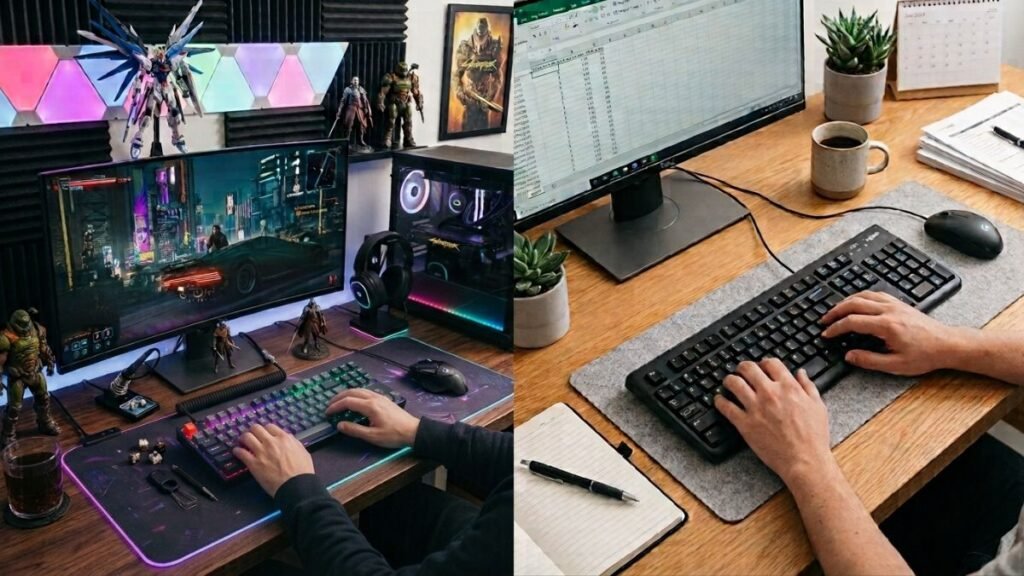
The right keyboard depends on your priorities.
If you are still comparing keyboard options before buying, our Gaming Keyboard Buying Guide: How to Choose the Right Keyboard in 2026 covers the most important factors to consider.
Choose a Mechanical Keyboard If You:
- Play competitive games.
- Type for several hours daily.
- Enjoy customization.
- Want longer-term durability.
- Like tactile feedback.
Choose a Membrane Keyboard If You:
- Need a budget-friendly option.
- Prefer quiet operation.
- Use your computer casually.
- Want a lightweight keyboard.
- Prefer softer key presses.
Quick Decision Table
| User Type | Better Choice | Why |
|---|---|---|
| Competitive gamer | Mechanical | Better feedback and customization |
| Casual gamer | Either | Depends on preference |
| Programmer | Mechanical or premium membrane | Comfort matters most |
| Office worker | Membrane | Quiet and affordable |
| Writer | Mechanical or tactile membrane | Depends on typing style |
| Student | Either | Budget and comfort are priorities |
Are Mechanical or Membrane Keyboards Better?
Mechanical keyboards are usually better for users who value customization, durability, and typing feedback. Membrane keyboards are better for users who want affordability, quieter operation, and simple everyday performance.
Final Thoughts: Mechanical vs Membrane Keyboard
The debate between mechanical vs membrane keyboard does not have one universal winner.
Mechanical keyboards offer advantages in:
- customization;
- durability;
- feedback;
- gaming performance.
Membrane keyboards remain popular because they provide:
- affordability;
- quiet operation;
- simplicity;
- comfortable everyday use.
For gamers, programmers, and heavy typists, a mechanical keyboard may provide a more satisfying long-term experience.
For casual users, office workers, and anyone who values silence and affordability, a membrane keyboard can still be the smarter choice.
The best keyboard is not necessarily the most expensive one. It is the keyboard that matches how you actually use your computer.
Still deciding between different keyboard options? Understanding switches, layouts, and features can help you choose a keyboard that fits your gaming, work, and typing needs.
Once you have chosen the right keyboard, proper gaming cable management can help create a cleaner and more organized gaming workspace.
FAQ — Mechanical vs Membrane Keyboard
Is mechanical or membrane keyboard better for gaming?
Mechanical keyboards are generally preferred by competitive gamers because they offer consistent feedback, customizable switches, and strong durability. However, quality membrane keyboards can still perform very well for casual gaming.
What’s the difference between mechanical and membrane keyboard technology?
Mechanical keyboards use individual switches under each key, while membrane keyboards use pressure-sensitive rubber layers. This difference affects typing feel, sound, customization, and durability.
Are mechanical keyboards louder than membrane keyboards?
Most mechanical keyboards produce more sound, but noise depends on the switch type. Silent mechanical switches can provide a quieter experience while maintaining mechanical feedback.
Is a membrane or mechanical keyboard better for programming?
Many programmers prefer mechanical keyboards because of tactile feedback and customization. However, some developers prefer membrane keyboards because they are quieter and provide a softer typing experience.
Are mechanical keyboards worth the extra money?
Mechanical keyboards can be worth the additional cost for people who type or game frequently. Users who mainly browse the web or perform basic tasks may find a quality membrane keyboard sufficient.
Can membrane keyboards be good for gaming?
Yes. Membrane keyboards can work well for casual and everyday gaming. Mechanical keyboards mainly provide advantages for users who need customization and consistent repeated inputs.