Last updated on November 1st, 2026 at 05:14 am
Best phone accessories can make a smartphone easier to protect, charge, carry, connect, and use every day. The right case, screen protector, charger, cable, power bank, wireless accessory, mount, audio device, or USB-C hub can solve a specific problem without adding unnecessary complexity.
The key is choosing accessories based on compatibility, technology, reliability, and how you actually use your phone.
Pew Research Center’s 2025 survey found that 91% of U.S. adults own a smartphone. That widespread ownership has created a broad accessory ecosystem covering protection, charging, connectivity, mobility, audio, and productivity.
Modern accessories can be surprisingly technical. USB-C cables with the same connector can support different power and data capabilities.
Wireless charging can use different standards. Magnetic attachment does not automatically mean Qi2, and a high-wattage charger does not automatically make every phone charge at that power level.
Understanding those differences makes it easier to choose accessories for what they actually do rather than for the size of the specification list.
What Are the Most Useful Phone Accessories?
The most useful smartphone accessories are usually the ones that solve a recurring problem. A protective case can reduce everyday wear, a screen protector adds another layer over the display, a charger keeps the battery powered, and a power bank provides portable backup when an outlet is unavailable.
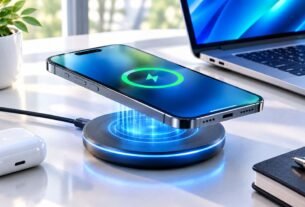
Beyond traditional chargers and power banks, wireless charging guides help users understand how cable-free charging technology works, including charging standards, energy transfer, and device compatibility.
Other accessories are more specialized. A stand can improve viewing angles, a magnetic mount can simplify positioning, an audio accessory can improve calls or entertainment, and a USB-C hub can expand connectivity on compatible phones.
| Accessory | Main purpose | Technology to understand | Useful for |
|---|---|---|---|
| Phone case | Physical protection | Materials, fit, edge and camera protection | Everyday carry |
| Screen protector | Display protection | Tempered glass, film, fit | Scratch protection |
| USB-C charger | Wired charging | USB Power Delivery and output | Home, office, travel |
| USB-C cable | Power and data | Power rating and data capability | Charging and connectivity |
| Wireless charger | Cable-free charging | Qi and Qi2 | Desk and bedside use |
| Power bank | Portable power | Capacity, output and protocols | Travel and long days |
| Mount or stand | Positioning and hands-free use | Magnetic or mechanical attachment | Cars and desks |
| Audio accessory | Calls and entertainment | Bluetooth or USB-C audio | Music and calls |
| USB-C hub | Expanded connectivity | Data, display and power support | Productivity |
Start with the problem you want to solve
A useful accessory should have a clear job. If the phone is difficult to hold, better grip may matter more than extra ports. If battery life is the recurring problem, a suitable charger or power bank may provide more value than a specialized stand.
This problem-first approach also helps avoid buying accessories that duplicate functions you already have.
Think about the complete setup
Accessories interact with one another. A thick case can affect wireless charging or magnetic attachment. A screen protector can fit poorly with a particular case. A USB-C hub may need external power for some peripherals.
Choosing accessories as a system is often more practical than choosing every item independently.
How Phone Cases and Screen Protectors Work
A phone case creates an additional layer between the device and the surfaces, drops, pressure, dirt, and everyday contact it encounters. A good case balances protection with size, weight, grip, and access to buttons, cameras, ports, and wireless features.
Why case materials matter
Modern cases often combine flexible and rigid materials. Flexible materials can help with grip and impact management, while harder materials can add structure. Hybrid construction can combine both approaches.
No single material automatically makes a case the best choice. The more important question is whether the construction suits the user’s environment.
Protection versus bulk
A slim case can preserve more of the phone’s original dimensions and make pocket carry easier. A heavier protective design can add more structure around corners and edges but may make the phone noticeably thicker.
That trade-off becomes important when other accessories are involved. A bulky case can change how the phone sits in a charging stand, mount, or wireless charging system.
Protection also has an ergonomic side. A case with a surface that is too smooth can be harder to hold securely, while a case with excessive texture can feel uncomfortable during long periods of use.
Button covers, port openings, and camera cutouts also matter because they affect how naturally the phone can be used.
How screen protectors add another layer
A screen protector is a replaceable surface placed over the phone’s display. It is not a guarantee against damage, but it can provide an additional barrier against everyday scratches and wear.
Tempered glass protectors provide a rigid surface and often feel relatively close to the original display. Flexible film protectors are thinner and can be useful when minimizing thickness matters more.
| Type | Main advantage | Trade-off |
|---|---|---|
| Tempered glass | Rigid protective surface | Adds thickness |
| Flexible film | Thin and lightweight | Less rigid protection |
Fit is especially important. Poor installation can leave dust, bubbles, or alignment problems, while an unsuitable protector may conflict with the edges of a case.
The best approach is to consider case and screen protection together rather than treating them as completely separate purchases.
USB-C Charging and Cables Explained
USB-C has become a common interface for modern mobile devices, but the connector shape does not define every capability. Different USB-C products can support different power, data, and display functions.
What is USB Power Delivery?
USB Power Delivery, commonly called USB PD, allows compatible devices and chargers to negotiate how much power should be delivered. The USB Power Delivery specification supports flexible power delivery across the USB ecosystem.
USB PD 3.1 expanded the specification to support power levels of up to 240W over compatible USB Type-C connections. A smartphone, however, will only use the amount of power supported by its own charging system and the connected equipment.
Why charger wattage does not tell the whole story
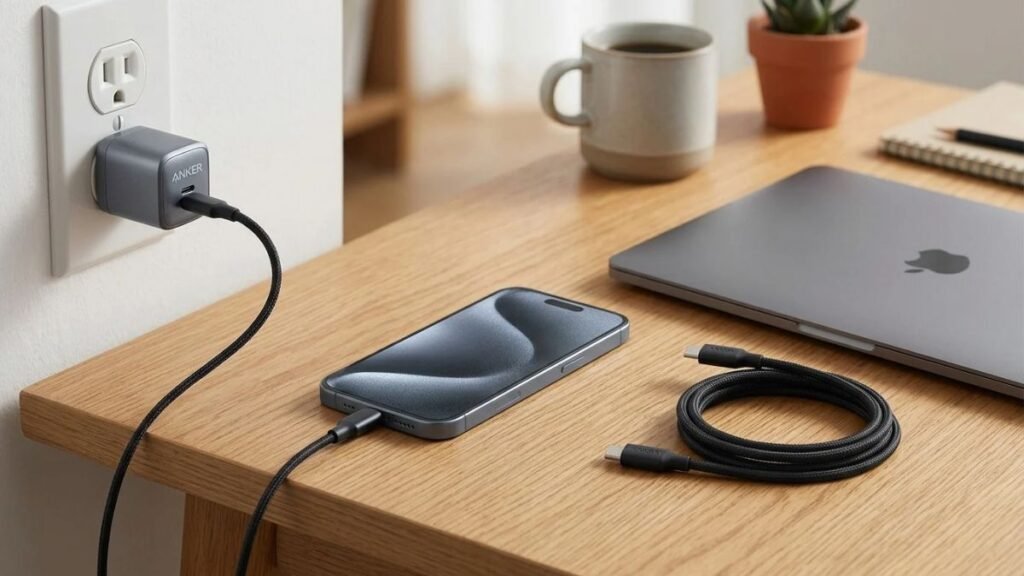
A 100W or 140W charger does not automatically charge every phone at that rate. Actual charging performance depends on the phone, charger, cable, supported protocols, and operating conditions.
A higher-power charger can be useful when one adapter needs to serve several compatible devices, but maximum wattage by itself is not a measure of smartphone charging speed.
Why USB-C cables can have different capabilities
Two USB-C cables can look almost identical while supporting different power and data capabilities. For that reason, the cable should be treated as part of the charging system rather than as a generic connector.
Compliant USB-C to USB-C cables can carry markings that identify supported power capabilities and, where applicable, data rates. Choose a cable according to the job it needs to perform.
The same principle applies to cable length and construction. A shorter cable can be easier to manage on a desk, while a longer cable may be more useful beside a bed or in a vehicle. Braided or reinforced construction may improve durability, but those physical features do not determine the cable’s electrical capabilities.
Do all USB-C cables support video?
No. USB-C can carry display signals on compatible hardware, but display output depends on the phone, cable, adapter, and supported protocol. A USB-C connector alone does not guarantee external-display functionality.
This is one of the most important concepts to remember about USB-C: the connector describes the physical connection, while the underlying standards and hardware determine what the connection can actually do.
For a broader overview of compatible cables, chargers, hubs, and adapters, see our guide to USB-C accessories.
Qi2, Wireless Charging and Magnetic Accessories
Wireless charging has also evolved from simple charging pads toward systems designed to make alignment and everyday use more convenient. Qi2 is part of that development.
What is Qi2?
Qi2 is a wireless charging standard developed by the Wireless Power Consortium. The Wireless Power Consortium’s Qi and Qi2 standards focus on safety, interoperability, and more consistent wireless charging experiences. The WPC also provides certification for compatible products.
Why magnetic alignment matters
Wireless charging depends on the relationship between the charging components in the phone and the charging accessory. When the device is positioned correctly, power transfer can be more consistent.
Magnetic alignment helps compatible devices stay positioned over the charging area. The practical advantage is convenience: the phone can be placed onto a compatible magnetic charger or stand without requiring the user to find the charging position manually each time.

Magnetic does not automatically mean Qi2
A product can use magnets for physical attachment without being a Qi2-certified charging product. The terms describe related but different characteristics, so certification and compatibility should be checked before purchase.
The Wireless Power Consortium maintains a certification system for Qi products, so checking certification is useful when evaluating wireless charging compatibility.
Can a case affect wireless charging?
Yes. Case thickness, materials, magnets, batteries, and attached accessories can affect wireless charging or alignment. When wireless charging is important, choose a case that is designed to work with the charging system you use.
Magnetic grips, stands and mounts
Magnetic accessories extend beyond charging. Grips can improve handling, stands can make the screen easier to view, and mounts can simplify positioning on a desk or in a vehicle. The important factors are stability, compatibility, and whether the accessory interferes with charging or other functions.
Power Banks and Audio Accessories
Portable power and wireless audio solve two different everyday smartphone problems: staying powered away from an outlet and staying connected without a physical audio cable.
How to evaluate a power bank
Power-bank capacity matters, but it is only one part of the decision. Understanding power bank technology helps users evaluate size, weight, output power, input charging speed, charging protocols, and cable requirements when choosing a portable charging solution.
A compact model can be practical for emergency backup or daily carry. A larger model can make more sense for long trips or situations where several devices need power.

Why capacity does not equal usable energy
The capacity printed on a power bank is not identical to the amount of energy that will reach the phone. Power conversion creates losses, and the phone’s own charging system also affects the final result.
For practical use, focus on whether the power bank provides enough backup for the situations in which you actually need it rather than treating the printed capacity as a guaranteed number of full phone charges.
For a more detailed look at portable charger capacity and compatibility, including charging speed, different charger types, battery safety, and airline restrictions, see our complete guide to portable chargers.
Wireless power banks and convenience
A wireless or magnetic power bank can reduce cable clutter, but convenience does not automatically mean greater efficiency. Wired charging can be more direct, while wireless charging depends on alignment, temperature, the phone, and the charging standard.
Bluetooth audio for calls and entertainment
Wireless earbuds, headphones, and speakers can make a phone easier to use while moving around. The important factors vary by situation. Battery life and comfort may matter most for commuting, microphone quality for calls, and latency for gaming or other real-time applications.
Bluetooth LE Audio is the next generation of Bluetooth audio technology. The Bluetooth SIG’s LE Audio documentation explains that it operates over Bluetooth Low Energy and introduces features such as Auracast broadcast audio and support for compatible hearing aids.
Auracast can allow compatible audio sources to broadcast audio to multiple compatible receivers, creating applications such as shared listening and public audio broadcasts.
USB-C Hubs, Compatibility and How to Choose
A USB-C hub can turn a compatible phone into a more flexible connectivity platform, but the hub cannot create capabilities that the smartphone itself does not support.

What can a USB-C hub connect?
Depending on the phone and hub, connections can include USB storage, keyboards, card readers, displays, wired networking, and additional power input. The exact functions depend on the hardware and operating system.
A hub with an HDMI port does not automatically mean that every phone can output video. Likewise, a card reader does not guarantee that every phone supports every storage format or workflow.
External storage and displays
Compatible smartphones can use external storage for moving files, backing up media, or working with larger files. Some compatible phones can also connect to external displays. These functions vary by model, operating system, adapter, cable, and supported protocol.
A practical compatibility checklist
| Check | Question to ask |
|---|---|
| Phone model | Does the accessory fit this exact generation? |
| Charging | Does the phone support the charger’s standard? |
| Cable | Does the cable support the required power and data? |
| Wireless | Is the charger compatible with the phone’s Qi or Qi2 support? |
| Display | Does the phone support external video output? |
| Storage | Does the phone support the connected drive or card reader? |
| Physical fit | Will cases or attachments interfere? |
| Portability | Will the accessory actually be convenient to carry? |
Choose standards before extra features
When building an accessory setup for the long term, standards can be more useful than unnecessary proprietary features. USB-C, USB Power Delivery, and Qi2 can help compatible products work across a broader ecosystem, although compatibility should always be verified for the specific phone and accessory.
The practical rule is simple: start with the smartphone’s supported capabilities, identify the problem you want to solve, and then choose the simplest accessory that solves it.
It is also worth considering maintenance and replacement. A charger or cable that remains useful across several devices can reduce waste and avoid unnecessary purchases, while a case or screen protector may need to be replaced as the phone changes.
Thinking about compatibility at the beginning can therefore make the entire accessory setup simpler over time.
For a growing technology ecosystem, this compatibility-first mindset is more useful than chasing every new accessory category. The goal is a setup that is reliable, practical, and easy to understand.
It also helps to think about where each accessory will live and how often it will move. A desk charger can prioritize stability and cable management, while a travel charger may need a smaller footprint.
A car mount has different requirements again, particularly around visibility and secure attachment. Matching the accessory to its environment keeps the setup practical instead of turning convenience into extra clutter.
Frequently Asked Questions About Best Phone Accessories
What are the best phone accessories for everyday use?
The best phone accessories depend on how you use your smartphone. For many people, a protective case, reliable charger and cable, portable power bank, and practical stand or mount provide the most everyday value. More specialized users may also need wireless charging accessories, USB-C hubs, external storage, or wireless audio devices.
Are Qi2 accessories compatible with all smartphones?
No. Qi2 compatibility depends on the smartphone and the specific accessory. Some phones support Qi2 while others support earlier Qi standards or different wireless charging systems. Check the phone and accessory specifications and verify certification where applicable.
Does a higher-wattage charger make a phone charge faster?
Not necessarily. The phone determines how much power it can accept, while the charger, cable, charging protocol, and operating conditions also affect the result. A higher-wattage charger can be useful for powering several compatible devices, but it does not automatically make a phone charge at that maximum output.
Are all USB-C cables the same?
No. USB-C describes the connector, not identical power, data, or display capabilities. Different cables can support different power levels and data rates, so choose a cable according to the device and function you need.
Can a phone case interfere with wireless charging?
Yes. Thickness, materials, magnets, batteries, and attached accessories can affect wireless charging or alignment. A case designed for the phone’s wireless charging system is generally the safer choice when wireless charging is important.
What should I check before buying a phone accessory?
Start with the exact smartphone model and identify the problem you want to solve. Then check compatibility, supported standards, power requirements, physical fit, dimensions, and any limitations that could affect daily use. Choosing around the phone’s capabilities is more reliable than choosing only by feature count.

I’m a Technology Editor at SmartGadgetWave with a passion for innovation, AI, and consumer technology. I enjoy exploring the latest gadgets, smart home devices, and wearable tech. My goal is to make technology easy to understand by sharing practical insights, honest perspectives, and helpful product comparisons so readers can make smarter tech decisions.