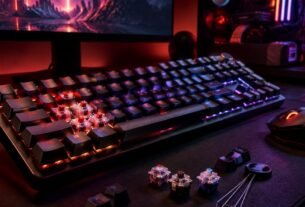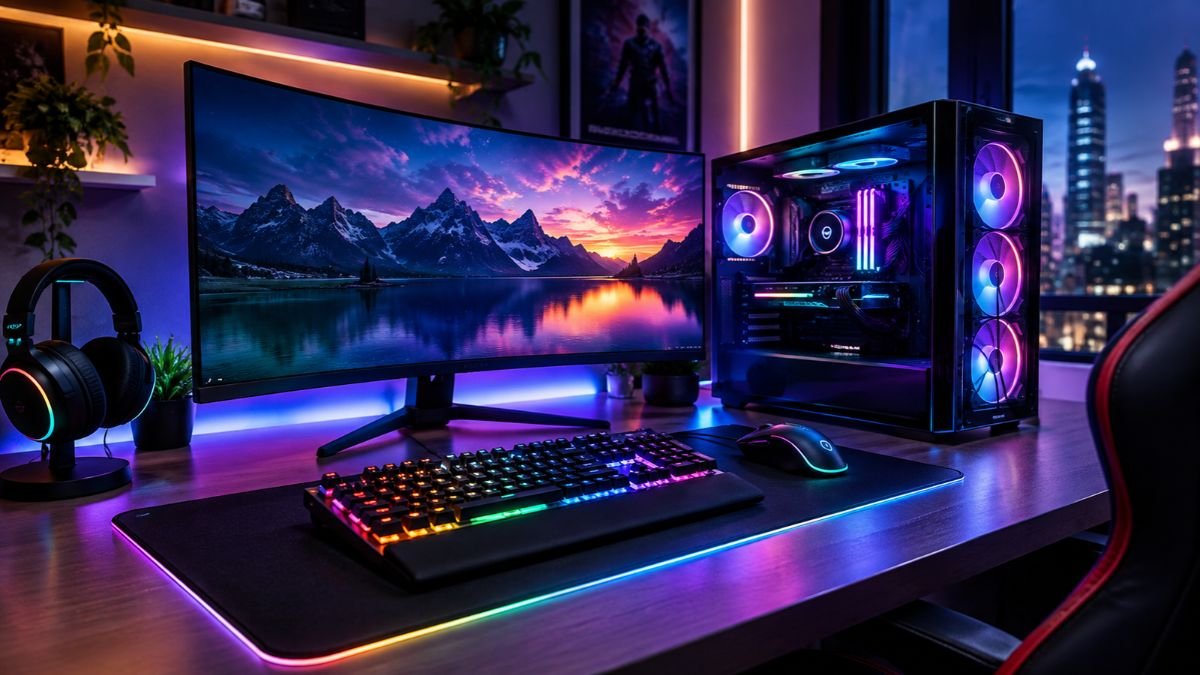
RGB gaming setup refers to a gaming space that uses customizable red, green, and blue lighting across devices and accessories such as keyboards, mice, PCs, monitors, and desk lighting.
A well-designed RGB gaming setup combines visual style with practical organization, using balanced colors, proper placement, and synchronized lighting instead of simply adding more LEDs.
A gaming setup is no longer only about powerful hardware. For many gamers, the environment around the screen has become part of the overall experience. The desk layout, lighting, cable organization, and accessories all influence how comfortable and personalized the space feels.
RGB lighting has become one of the most recognizable elements of modern gaming environments. From subtle accent lighting behind a monitor to complete setups where multiple devices display synchronized effects, RGB allows users to customize the appearance of their gaming area.
However, creating an effective RGB gaming setup is not simply about filling every available surface with colorful lights. Poor placement, incompatible software, and excessive effects can make a setup feel distracting rather than immersive.
This guide explains how RGB gaming setups work, where RGB lighting can be used, how different components connect together, and how to create a balanced gaming environment that looks good while remaining practical.
What Is an RGB Gaming Setup?
An RGB gaming setup is a gaming environment that includes customizable lighting across one or more components. The term RGB comes from the three primary light colors used to create millions of possible combinations: red, green, and blue.
Instead of using fixed lighting, RGB-enabled devices allow users to change colors, brightness levels, and lighting patterns through software or hardware controls.
A typical RGB gaming setup may include:
- RGB gaming keyboard and mouse
- RGB PC case fans
- RGB RAM modules
- RGB motherboard components
- RGB mouse pad
- RGB monitor lighting
- LED strips behind desks or monitors
- RGB gaming accessories
The goal is usually personalization. Some gamers prefer a single color theme, such as blue or white lighting, while others create dynamic effects that react to gameplay, music, or system activity.
RGB does not directly improve gaming performance. A keyboard with RGB lighting will not make someone aim better or react faster. Its value comes from customization, visibility, atmosphere, and creating a more enjoyable space.
RGB Lighting vs Regular Gaming Setup Lighting
Traditional gaming setups often rely on standard gaming room lighting or basic desk lamps. RGB setups introduce more control over how light interacts with the gaming environment.
The main differences include:
| Feature | Regular Lighting | RGB Gaming Setup |
|---|---|---|
| Color options | Limited | Millions of combinations |
| Customization | Basic brightness control | Colors, patterns, and effects |
| Synchronization | Usually unavailable | Multiple devices can work together |
| Personalization | Low | Highly customizable |
| Gaming atmosphere | Functional | More immersive |
A regular desk light may help illuminate the workspace, but RGB lighting allows users to create a specific visual identity for their gaming area.
Where RGB Can Be Used in a Gaming Setup
RGB is no longer limited to keyboards and gaming mice. Modern setups often combine multiple lighting zones.
Common RGB locations include:
PC Components
Desktop computers are one of the most popular places for RGB lighting. Transparent PC cases allow users to display illuminated fans, memory modules, graphics cards, and cooling systems.
Gaming Peripherals
Keyboards, mice, headsets, and mouse pads often include RGB because these devices are directly visible during gameplay.
Desk and Room Lighting
LED strips behind monitors, desks, or shelves can create indirect lighting that changes the appearance of the entire gaming space.
Accessories
Stands, charging docks, speakers, and other gaming accessories may also include RGB features to match the overall setup.
A balanced approach usually works better than adding lighting everywhere. The most visually appealing setups often combine a few carefully placed lighting zones rather than maximum brightness across every device.
How RGB Lighting Works in a Gaming Setup
RGB lighting systems work by combining different levels of red, green, and blue light output to create different colors. Software or physical controllers adjust these levels to produce static colors, animations, or synchronized effects.
Many modern gaming brands create ecosystems where multiple devices can communicate with each other. For example, Logitech G LIGHTSYNC allows compatible devices to use coordinated lighting effects across keyboards, mice, and other supported hardware.
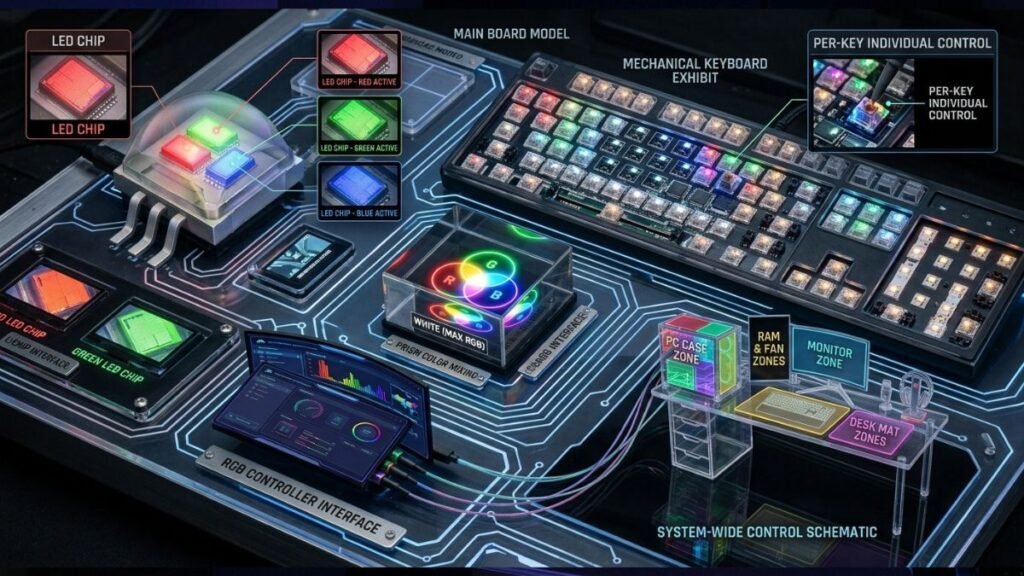
RGB Colors and Lighting Zones
Not all RGB systems work the same way. The level of customization depends on the hardware design.
Some devices provide:
- Single-zone lighting
- Multi-zone lighting
- Per-key RGB control
- Individual LED customization
A basic RGB keyboard may display one color across the entire device, while advanced keyboards can illuminate each key separately with different colors and effects.
Lighting zones are important because they determine how much control users have over the final appearance of their setup.
For example:
- A single-color desk theme may use one RGB zone behind the monitor.
- A competitive gaming setup may use subtle keyboard lighting with reduced brightness.
- A creative setup may combine multiple synchronized lighting areas.
The best choice depends on whether RGB is being used mainly for decoration, visibility, or creating a specific atmosphere.
Static, Animated, and Reactive Lighting
RGB effects generally fall into three categories.
Static lighting
A single color remains active continuously. This is one of the most common choices because it creates a clean and consistent appearance.
Animated lighting
Colors move through patterns such as waves, cycles, or gradients. These effects are popular for users who want a more dynamic look.
Reactive lighting
The RGB system changes based on external events, such as audio, screen activity, or in-game actions.
Advanced RGB platforms such as Razer Chroma RGB allow compatible devices to synchronize lighting effects across different hardware categories.
RGB Software and Device Synchronization
The biggest difference between a simple RGB setup and an advanced RGB gaming setup is usually software control.
Different brands use different platforms, including:
- Logitech G HUB
- Razer Synapse
- Corsair iCUE
- ASUS Aura Sync
- MSI Mystic Light
These programs allow users to:
- Change colors
- Create lighting profiles
- Adjust brightness
- Synchronize multiple devices
- Save different themes
One challenge is compatibility. Devices from different manufacturers may not always communicate perfectly, which can limit synchronization options.
Before building a large RGB ecosystem, users should consider whether their chosen devices can work together through the same software platform or through motherboard-based RGB standards.
Main Parts of an RGB Gaming Setup
A complete RGB gaming setup is built from multiple elements that work together visually and functionally. RGB lighting can appear in almost every part of a gaming environment, but each component serves a different purpose.
A good setup does not require every device to have RGB. The most effective designs usually combine important hardware with carefully positioned lighting that improves the overall atmosphere without creating unnecessary distractions.
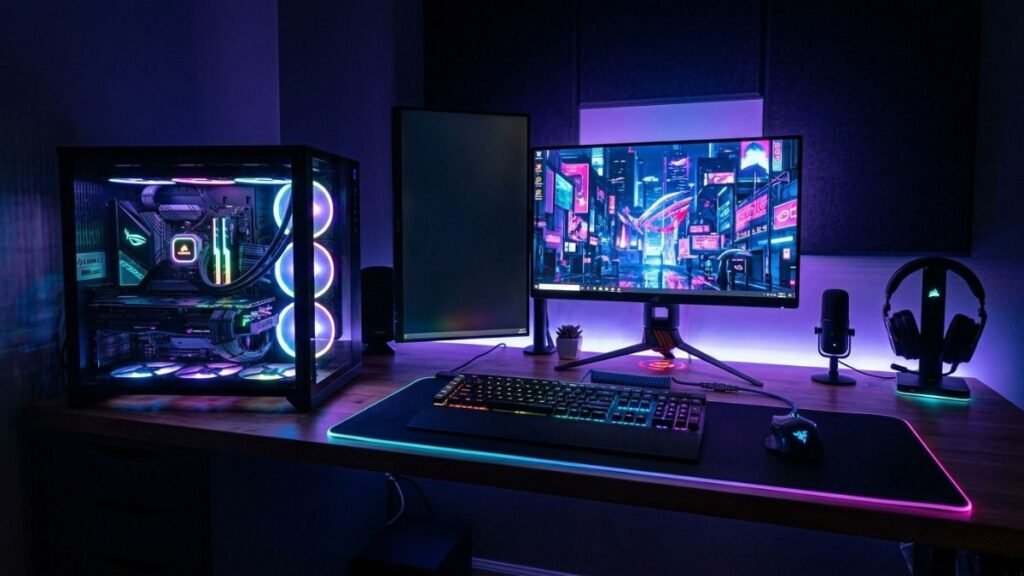
RGB PC Components
The gaming PC is often the center of an RGB setup because many internal components can include customizable lighting.
Common RGB PC components include:
- RGB case fans that create airflow while adding internal lighting effects
- RGB RAM modules that illuminate the inside of the PC case
- RGB CPU coolers that add lighting around the processor area
- RGB motherboards and accessories that support synchronized effects
A transparent PC case can turn internal hardware into part of the visual design. Instead of hiding components, RGB allows users to make the computer itself a centerpiece of the desk.
However, lighting should not be the only consideration when selecting PC components. Cooling performance, compatibility, noise levels, and reliability remain more important than appearance.
RGB is best viewed as an additional customization layer rather than a replacement for practical hardware decisions.
RGB Gaming Peripherals
Gaming peripherals are among the most visible RGB components because they sit directly in front of the user.
Common RGB-enabled peripherals include:
- Gaming keyboards
- Gaming mice
- Headsets
- Mouse pads
- Controllers
- Streaming accessories
Keyboard lighting is particularly popular because it can improve visibility in darker environments. Many mechanical gaming keyboards offer per-key RGB customization, allowing users to highlight specific keys or create different profiles for different games.
However, RGB should support usability rather than interfere with it. Extremely bright effects or constantly changing colors can become distracting during long gaming sessions.
A well-designed setup often uses:
- Lower brightness levels during competitive gaming
- Static colors for focused environments
- Custom profiles for different activities
For users planning a complete workspace, RGB is only one part of the overall environment. A strong foundation also includes organization, comfort, and functional accessories. A detailed approach to choosing these elements can be found in this gaming setup guide.
Monitor and Desk Lighting
Monitor and desk lighting can significantly change how an RGB gaming setup feels because it affects the entire viewing area.
Popular options include:
- LED strips behind monitors
- Desk edge lighting
- Under-desk lighting
- Ambient room lighting
Indirect lighting is often preferred because it creates atmosphere without shining directly into the user’s eyes.
For example, placing an LED strip behind a monitor can create a soft glow around the display area. This can make the desk feel more immersive while keeping the main focus on the screen.
Good desk lighting usually follows a few principles:
- Avoid reflections on the monitor
- Keep brightness comfortable
- Match the color theme of other devices
- Use lighting zones intentionally
RGB Light Strips and Ambient Lighting
RGB light strips are one of the easiest ways to expand a gaming setup beyond individual devices.
They can be placed:
- Behind monitors
- Under desks
- Along shelves
- Around PC areas
- Behind wall panels
Unlike RGB keyboards or mice, light strips influence the entire room rather than a single device.
The main advantage of ambient RGB lighting is flexibility. Users can create a subtle background glow or a more dramatic gaming atmosphere depending on their preference.
However, placement matters. Too much direct lighting can make a setup feel overwhelming. The best results usually come from indirect illumination that highlights the desk area without becoming the main focus.
How to Build a Balanced RGB Gaming Setup
Creating an RGB gaming setup is less about adding the maximum amount of lighting and more about creating consistency between different elements.
A balanced setup considers:
- Color selection
- Lighting placement
- Device compatibility
- Desk organization
- Personal usage habits
The goal is to create a space where lighting enhances the environment instead of competing with the hardware.
Choose a Main Color Scheme
One of the easiest ways to create a professional-looking RGB setup is selecting a consistent color theme.
Common approaches include:
Single-color themes
Using one primary color such as blue, white, purple, or red creates a clean appearance.
Dual-color themes
Combining two complementary colors can create more depth without making the setup visually crowded.
Dynamic RGB themes
Changing colors through effects creates a more energetic gaming atmosphere.
A common mistake is using too many unrelated colors at maximum brightness. While RGB offers millions of possible combinations, fewer coordinated colors often create a more polished result.
Position Lighting Around the Desk
Placement has a bigger impact than the number of RGB devices.
A few strategically positioned lights can create better results than many poorly placed ones.
Useful placement areas include:
- Behind the monitor for ambient glow
- Under the desk for depth
- Inside the PC case for internal highlights
- Around shelves or accessories
Desk size also affects lighting decisions. Smaller spaces require more careful planning because too many accessories can make the area feel crowded.
Users working with limited space can benefit from organizing their setup around gaming accessories for a small desk while maintaining a clean appearance.
Synchronize Compatible Devices
Synchronization helps different RGB components feel like one connected system.
For example, a keyboard, mouse, PC lighting, and monitor lighting can display similar colors or effects when controlled through compatible software.
Benefits of synchronization include:
- More consistent appearance
- Easier profile management
- Cleaner visual design
- Less manual adjustment
Before buying multiple RGB devices, users should check whether the products support the same ecosystem or compatible standards.
Mixing too many brands can sometimes create separate software systems, making the setup harder to manage.
Avoid Too Much RGB
More lighting does not always create a better gaming setup.
Too much RGB can create problems such as:
- Visual distraction
- Clashing colors
- Excessive brightness
- A less organized appearance
A strong RGB gaming setup balances lighting with the other elements of the room.
The best setups usually have clear visual priorities:
- The gaming display remains the main focus.
- Hardware stays organized.
- Lighting supports the environment.
- Effects are comfortable during long sessions.
RGB should make the gaming space feel more personal, not make it harder to use.
RGB Gaming Setup With vs Without Synchronized Lighting
Synchronization is one of the biggest differences between a collection of RGB devices and a complete RGB gaming setup.
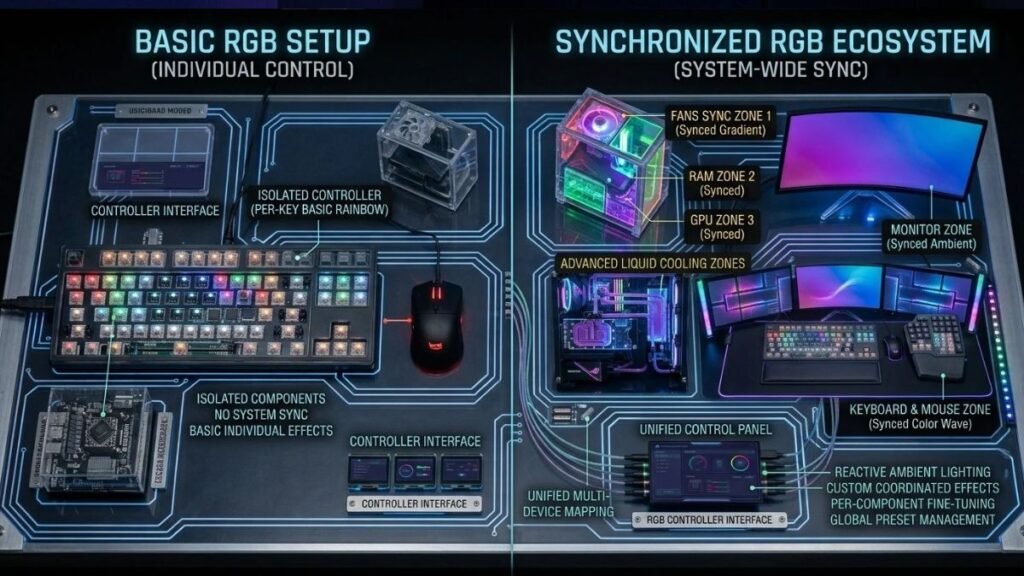
| Feature | Basic RGB Setup | Synchronized RGB Setup |
|---|---|---|
| Lighting control | Individual devices | Multiple devices together |
| Color consistency | May vary | Unified theme |
| Setup complexity | Easier | Requires more planning |
| Custom effects | Limited | More advanced options |
| Visual impact | Moderate | More immersive |
A basic setup can still look excellent, especially when the lighting choices are intentional. Synchronization mainly adds convenience and creates a more connected appearance.
Common RGB Gaming Setup Mistakes
Building an RGB gaming setup can be enjoyable, but poor planning can make the final result look less organized or even reduce the comfort of the gaming space.
Many beginners assume that adding more RGB devices automatically creates a better setup. In reality, the quality of the final result depends more on balance, placement, and consistency.
Mixing Too Many Lighting Effects
One of the most common mistakes is combining too many unrelated lighting patterns.
For example, a keyboard showing a rainbow wave, a mouse displaying a different animation, and desk lighting changing colors randomly can make the setup feel visually chaotic.
A cleaner approach is to create a lighting system with:
- One primary color theme
- Similar brightness levels
- Matching effects across devices
- Controlled transitions
Many experienced gamers prefer static colors or slower effects because they create a more comfortable environment during longer gaming sessions.
RGB should support the atmosphere of the room rather than become a distraction.
Ignoring Software Compatibility
RGB ecosystems are often controlled through software, and compatibility can become a challenge when mixing brands.
A setup containing products from several manufacturers may require multiple applications to control lighting effects.
Common issues include:
- Different devices showing different colors
- Software conflicts
- Limited synchronization options
- Extra background programs running
Before expanding an RGB setup, users should consider how devices communicate with each other.
Choosing products that support the same RGB ecosystem can make future upgrades easier and reduce unnecessary complexity.
Poor Light Placement
The location of RGB lighting has a major effect on the final appearance.
A common mistake is placing lights where they directly shine into the user’s eyes or create reflections on the display.
Better placement usually includes:
- Behind the monitor
- Under the desk edge
- Inside the PC case
- Behind shelves or wall panels
Indirect lighting creates depth while keeping the screen area comfortable.
The same principle applies to cable organization. Adding more RGB devices usually means adding more cables, USB connections, and power requirements. A clean gaming cable management approach helps maintain a professional-looking workspace.
Letting RGB Distract From the Screen
The main purpose of a gaming setup is still the gaming experience itself.
Excessive lighting can reduce focus by creating unnecessary movement or brightness around the display.
A practical RGB setup should consider:
- Screen visibility
- Eye comfort
- Long gaming sessions
- Room lighting conditions
For competitive gaming, many users prefer subtle lighting profiles. For casual gaming or streaming environments, more dramatic effects may be appropriate.
The right RGB level depends on how the space is used.
Does RGB Improve the Gaming Experience?
RGB does not directly improve hardware performance, frame rates, reaction speed, or gameplay ability.
A gaming keyboard with RGB lighting performs the same basic function as a keyboard without lighting. The difference is mainly related to customization, visibility, and personal preference.
However, RGB can provide practical benefits in certain situations.
Where RGB Can Add Practical Value
Although RGB is often considered decorative, it can be useful in several ways.
Better visibility
Keyboard lighting can help users identify keys in darker rooms, especially when customized layouts highlight frequently used buttons.
Workspace personalization
A personalized environment can make a gaming desk feel more comfortable and enjoyable to spend time in.
Organization through lighting zones
Different colors can be used to identify profiles, devices, or activities.
For example:
- Blue lighting for general gaming
- Red lighting for competitive profiles
- Soft white lighting for productivity
These uses focus on improving interaction with the workspace rather than increasing gaming performance.
When RGB Is Mostly Aesthetic
In many cases, RGB exists mainly because users enjoy the appearance of a customized environment.
This is especially common with:
- Gaming room designs
- Streaming setups
- Showcase PCs
- Themed workspaces
Aesthetic customization is a valid reason to use RGB. Similar to choosing a desk style, chair design, or wallpaper, lighting allows users to make their space reflect their personality.
The key is understanding that RGB is an experience feature, not a performance upgrade.
Final Thoughts on Creating an RGB Gaming Setup
An effective RGB gaming setup is created through thoughtful design rather than simply adding more illuminated devices. The best setups combine compatible hardware, balanced colors, organized placement, and lighting effects that match how the space is used.
RGB can transform a gaming area by adding personality, improving visibility, and creating a more immersive environment. However, the most successful setups understand that lighting works best when it supports the hardware and the user experience.
Whether someone prefers a subtle single-color theme or a fully synchronized RGB environment, the goal remains the same: create a gaming space that feels comfortable, organized, and personal.
A well-planned RGB gaming setup is not about maximum lighting. It is about creating the right atmosphere for the way each person plays, works, and enjoys technology.
Frequently Asked Questions About RGB Gaming Setups
What is an RGB gaming setup?
An RGB gaming setup is a gaming environment that uses customizable RGB lighting across components such as keyboards, mice, PCs, monitors, and desk accessories. These lights allow users to create different colors, effects, and themes to personalize their gaming space.
Does RGB make a gaming setup better?
RGB does not improve gaming performance, but it can improve the visual experience and personalization of a setup. It can also provide practical benefits such as keyboard visibility and easier identification of different lighting profiles.
What components can have RGB in a gaming setup?
Many gaming components can include RGB lighting, including keyboards, mice, PC cases, fans, RAM modules, motherboards, mouse pads, headsets, and LED light strips. Users can choose only the components that fit their preferred style.
How do I make my RGB gaming setup look professional?
A professional RGB gaming setup usually uses consistent colors, controlled brightness, clean cable management, and carefully placed lighting. Using fewer coordinated effects often creates a cleaner appearance than combining many unrelated animations.
Is RGB lighting bad for gaming?
RGB lighting is not harmful to gaming when used properly. Problems usually come from excessive brightness, distracting animations, or poor placement that creates reflections or visual discomfort.
Can RGB devices from different brands sync together?
Some RGB devices from different brands can work together through compatible software or motherboard-based lighting standards, but full synchronization is not always guaranteed. Checking ecosystem compatibility before purchasing multiple devices can make management easier.
How much RGB lighting should a gaming setup have?
The ideal amount of RGB depends on personal preference and room design. A balanced setup often uses a few coordinated lighting areas instead of covering every device with bright effects.