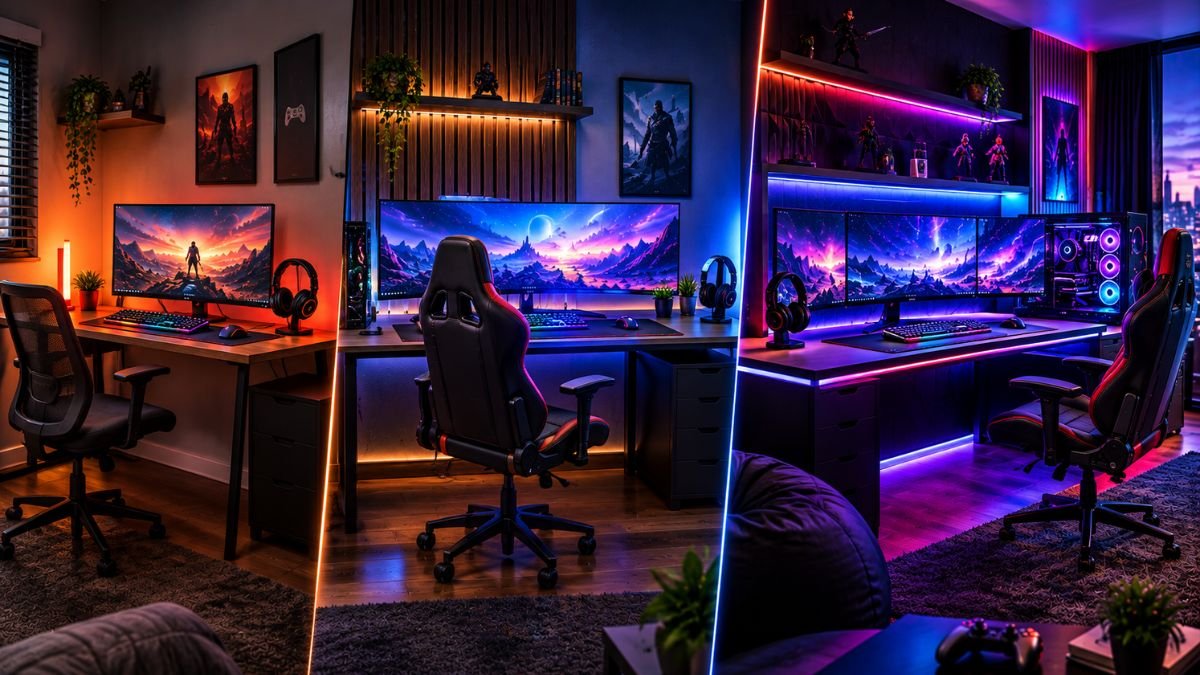
Gaming setup ideas help players create a comfortable and functional gaming environment based on their available space, budget, and personal needs. A good setup is not defined by expensive equipment alone but by smart choices involving organization, comfort, performance, and design.
Whether creating a small desk setup or a complete gaming room, the right planning makes a bigger difference than simply spending more money.
A gaming setup is more than a desk with a computer, console, and colorful lights. It is a personal space designed around how you play, work, relax, and interact with technology.
However, many beginners make the mistake of copying expensive setups online without considering their own room size, budget, or actual requirements.
A well-planned gaming environment can improve comfort during long sessions, reduce clutter, and make everyday use more enjoyable. The best setup is usually not the one with the most expensive components but the one where every element has a purpose.
According to data from the Entertainment Software Association (ESA), millions of people in the United States regularly participate in gaming, making gaming spaces increasingly common in homes.
As gaming continues to become part of everyday entertainment and social interaction, users are looking for practical ways to create better spaces without unnecessary spending.
Whether you have a limited budget, a small bedroom corner, or a dedicated gaming room, the right approach starts with understanding what matters most.
This guide explores gaming setup ideas for different budgets and explains how to prioritize upgrades, improve organization, and create a space that fits your lifestyle.
What Makes a Good Gaming Setup?
A good gaming setup combines performance, comfort, organization, and personal style. While hardware is important, the overall experience depends on how well every element works together.
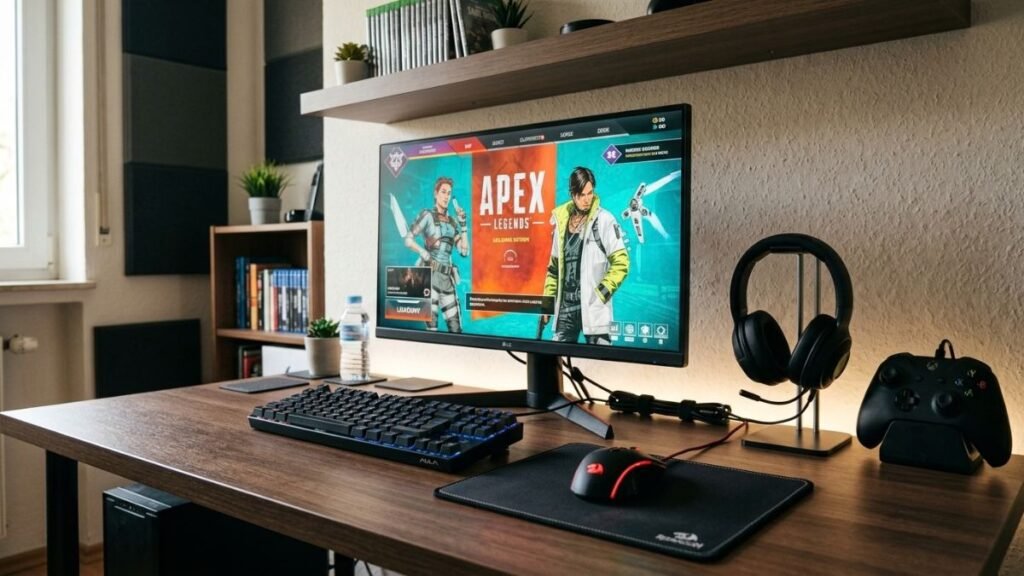
Balancing Performance, Comfort, and Organization
Many beginners focus only on upgrading their computer, graphics card, or console. However, a complete setup includes several elements that affect daily use.
A practical gaming environment usually includes:
- A comfortable desk and chair arrangement
- Proper monitor positioning
- Organized cables
- Suitable lighting
- Reliable gaming accessories
- Enough space for movement and storage
Understanding the right gaming setup components helps users create a balanced environment instead of spending money on unnecessary additions.
A complete gaming setup guide can help beginners understand how different elements work together.
Comfort is especially important because gaming sessions can last several hours. Poor desk height, incorrect monitor placement, or uncomfortable seating may create fatigue and reduce the enjoyment of gaming.
A good setup should answer three basic questions:
- Does it support your gaming needs?
- Does it feel comfortable after long sessions?
- Does it fit naturally into your available space?
Why Setup Planning Matters Before Spending Money
One of the biggest mistakes when creating a gaming space is buying accessories before understanding priorities.
For example:
A player with a basic setup may benefit more from improving their chair, monitor position, or cable organization than adding decorative RGB accessories.
A simple upgrade plan often creates better results:
| Priority | Improvement | Why It Matters |
|---|---|---|
| High | Comfortable seating | Improves long-session comfort |
| High | Better desk organization | Makes the space cleaner and easier to use |
| Medium | Monitor upgrade | Improves visual experience |
| Medium | Better peripherals | Improves control and usability |
| Low | Decorative items | Adds personality but less functional impact |
The goal is not to create the most expensive gaming room. The goal is to create a space where technology supports the way you actually play.
How Can You Build a Gaming Setup on a Small Budget?
A budget gaming setup focuses on improving the experience with smart decisions instead of expensive upgrades. Many effective setups can be created by improving organization, comfort, and selecting essential equipment carefully.
Gaming Setup Ideas Under $500
A limited budget requires focusing on the elements that create the biggest improvement.
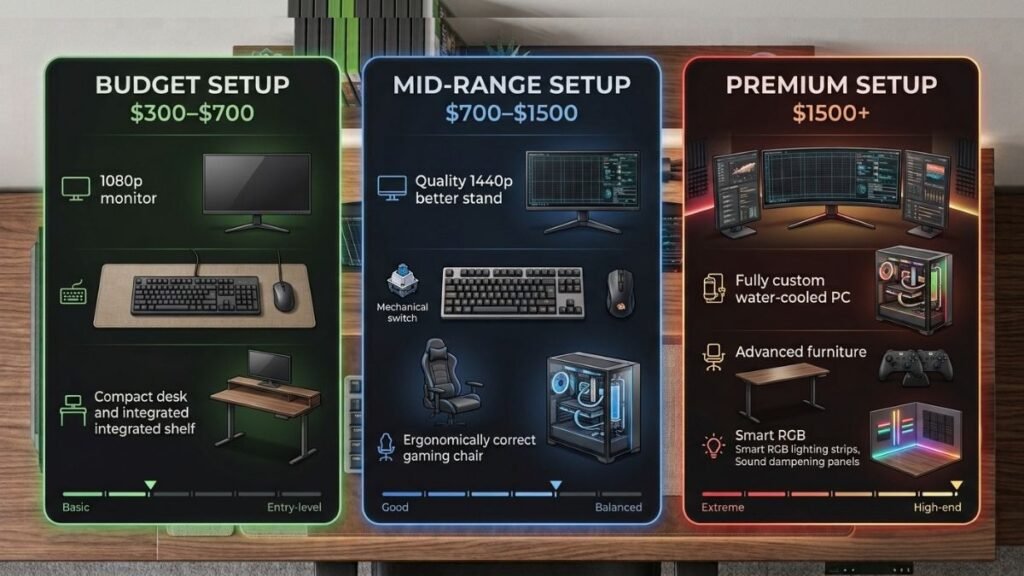
A practical entry-level setup may include:
- Existing PC or console
- Affordable gaming desk
- Comfortable chair
- Basic keyboard and mouse
- Headset
- Simple lighting solution
- Cable organization tools
At this stage, appearance should not be the main priority. A clean and comfortable workspace often feels better than a room filled with unnecessary accessories.
Small improvements can create a noticeable difference. For example, proper cable organization can instantly make a basic desk look more professional.
Learning effective gaming cable management techniques helps reduce clutter and improves the overall appearance of the space.
What Should You Upgrade First in a Budget Gaming Setup?
When money is limited, upgrade order matters.
A practical upgrade path:
- Improve comfort
- Fix workspace organization
- Upgrade the most-used peripherals
- Improve display quality
- Add visual customization
Many users immediately upgrade internal hardware, but daily comfort improvements can often have a larger impact on the overall experience.
For example, replacing an uncomfortable chair or improving monitor height may benefit every gaming session, while a small performance upgrade may only affect certain games.
How Can You Build a Mid-Range Gaming Setup?
A mid-range gaming setup is where planning becomes more important than simply adding new equipment. With a moderate budget, users can create a balanced environment that improves performance, comfort, and appearance without spending money on features they may not use.
The biggest advantage of a mid-range setup is flexibility. Instead of focusing on only one expensive upgrade, users can improve multiple areas together.
Gaming Setup Ideas Between $500 and $1,500
A balanced mid-range setup usually focuses on improving the complete experience.
Common improvements include:
- A better gaming desk with enough surface space
- A comfortable ergonomic chair
- Higher quality monitor
- Mechanical keyboard and responsive mouse
- Better audio equipment
- Improved cable organization
- More personalized lighting
At this stage, the setup starts becoming a dedicated gaming environment rather than just a basic computer station.
A good approach is to create a space where every upgrade has a practical purpose.
| Setup Area | Recommended Focus | User Benefit |
|---|---|---|
| Desk | Stable surface with enough room | Better organization |
| Monitor | Higher refresh rate or better resolution | Smoother visuals |
| Chair | Adjustable support | More comfort |
| Accessories | Reliable keyboard, mouse, headset | Better control |
| Storage | Shelves or drawers | Cleaner workspace |
How Should You Balance Performance and Appearance?
Many gaming setups focus heavily on visual design, especially RGB lighting and themed decorations. While aesthetics can make a room feel more personal, functionality should come first.
A visually attractive setup should still provide:
- Comfortable viewing angles
- Easy access to accessories
- Enough space for movement
- Minimal cable clutter
- Good airflow around electronics
A clean desk layout often creates a premium feeling even without expensive decorations.
For example, placing monitors correctly, hiding cables, and organizing frequently used accessories can make a basic setup appear much more polished.
What Are the Best Gaming Setup Ideas for High Budgets?
A high-budget gaming setup allows users to focus on customization, advanced equipment, and creating a complete entertainment space. However, expensive equipment does not automatically create a better experience.
The best high-end setups still depend on planning.
Creating a Premium Gaming Environment
A premium gaming space may include:
- Dedicated gaming room
- Multiple monitor arrangement
- Advanced lighting system
- High-quality audio setup
- Custom desk design
- Storage solutions
- Streaming equipment
The purpose of these additions should be improving the way the space is used.
For example, a multi-monitor setup can help streamers, content creators, or users who multitask. However, a casual gamer may receive more value from a comfortable chair or a better primary monitor.
Should You Add RGB Lighting to a Gaming Setup?
RGB lighting has become a common part of modern gaming rooms. It can improve atmosphere and allow users to personalize their space, but it should support the design rather than replace good organization.
Lighting works best when it:
- Reduces eye strain from bright contrasts
- Creates a consistent room theme
- Highlights important areas
- Improves the overall environment
RGB ecosystems like Razer Chroma allow compatible gaming devices to synchronize lighting effects and create a more personalized gaming environment.
However, RGB should be considered a finishing element. A well-organized desk with simple lighting often looks better than a cluttered setup with too many visual effects.
How Can You Create a Gaming Setup in a Small Room?
Limited space does not mean you cannot build an effective gaming area. Many gamers create impressive setups using small bedrooms, apartment corners, or shared spaces.
The key is maximizing available space.
Gaming Setup Ideas for Small Rooms
Small spaces benefit from:
- Compact desks
- Wall-mounted shelves
- Vertical storage
- Wireless accessories
- Multi-purpose furniture
- Organized cable placement
A small gaming setup should avoid unnecessary items that reduce usable space.
For example, a narrow desk with proper monitor positioning may provide a better experience than a large desk that makes the room feel crowded.
How Can You Combine a Gaming Setup With a Home Office?
Many people now use the same space for gaming and working. A hybrid setup requires a balance between professional organization and gaming personalization.
A gaming room office setup should focus on:
- A comfortable chair
- Clean desk appearance
- Adjustable monitor placement
- Good lighting
- Storage organization
A workspace should remain practical during work hours while still allowing personality through gaming elements.
Using smart organization techniques and choosing flexible accessories makes it easier to switch between productivity and entertainment.
How Do You Choose Gaming Setup Accessories That Actually Help?
Accessories should solve problems rather than simply fill space.
A useful accessory improves one of these areas:
- Comfort
- Control
- Organization
- Audio quality
- Productivity
Essential Accessories for a Better Setup
Some practical additions include:
- Headphone stand
- Desk mat
- Cable clips
- USB hub
- Monitor arm
- Controller stand
- Storage shelves
Choosing the right gaming setup accessories can improve both appearance and daily usability.
The best accessories are usually the ones you interact with frequently.
A decorative item may look impressive, but an accessory that improves comfort or organization provides value every day.
How Can You Upgrade a Gaming Setup Over Time?
A great gaming setup does not need to be completed in one day. Many experienced gamers build their spaces gradually by improving the areas that create the biggest difference first.
A smart upgrade strategy helps avoid unnecessary spending and allows each improvement to match your changing needs.
What Gaming Setup Upgrades Make the Biggest Difference?
Not every upgrade provides the same value. Some changes improve everyday comfort, while others only affect specific situations.
A practical upgrade order looks like this:
- Improve comfort
- Fix organization problems
- Upgrade frequently used accessories
- Improve display and audio
- Add customization features
For example, upgrading from an uncomfortable chair to an ergonomic option may improve every gaming session. Meanwhile, adding decorative items may only change the appearance of the room.
The goal is to create a setup where improvements solve real problems.
How Can You Improve an Existing Gaming Setup Without Replacing Everything?
Many gamers believe they need completely new equipment to create a better experience. In reality, small changes can transform an existing setup.
Affordable improvements include:
- Rearranging desk placement
- Adding better cable organization
- Adjusting monitor height
- Improving lighting placement
- Removing unused items
- Creating dedicated storage areas
A cleaner workspace often feels like a completely new setup because it improves both usability and visual appeal.
What Gaming Setup Mistakes Should Beginners Avoid?
Building a gaming space can become expensive when decisions are based only on appearance. Beginners often make mistakes by copying online setups without considering their own situation.
Buying Too Many Accessories Too Early
One common mistake is purchasing decorative items before covering basic needs.
For example:
A gamer may buy RGB decorations, wall panels, and collectibles while still using an uncomfortable chair or poorly positioned monitor.
A better approach is to prioritize:
- Comfort
- Performance
- Organization
- Practical improvements
Ignoring Cable Management
Cable clutter is one of the fastest ways to make a gaming setup look unfinished.
Poor cable organization can create:
- Difficult cleaning
- Messy appearance
- Harder access to devices
- More complicated troubleshooting
Simple solutions such as cable clips, sleeves, and proper routing can make a significant difference.
Understanding proper gaming cable management techniques helps create a cleaner and more functional gaming environment.
Copying Expensive Gaming Rooms Without Considering Space
A large gaming room online may look impressive, but it may not work in a small bedroom or apartment.
Before designing a setup, consider:
- Available floor space
- Desk dimensions
- Storage needs
- Lighting conditions
- Noise considerations
The best setup is always the one that fits your actual environment.
How Can You Design a Gaming Room That Matches Your Style?
A gaming setup should reflect the person using it. While technology creates the foundation, design choices make the space feel personal.
Choosing a Gaming Setup Theme
Popular design approaches include:
Minimal Gaming Setup
Focuses on:
- Clean desk space
- Neutral colors
- Limited decorations
- Simple organization
This style works well for people who also use the space for work or study.
RGB Gaming Setup
Focuses on:
- Color customization
- Ambient lighting
- Matching accessories
- Visual effects
RGB can create an immersive atmosphere when used carefully.
RGB lighting can help create a more immersive gaming environment by adding visual customization and improving the overall atmosphere of the room.
Compact Gaming Setup
Designed for:
- Small bedrooms
- Apartments
- Shared spaces
Uses:
- Smaller desks
- Vertical storage
- Space-saving accessories
The goal is maximizing functionality without making the room feel crowded.
What Are the Most Important Parts of a Gaming Setup?
A gaming setup works best when every component supports the overall experience.
Desk and Workspace Layout
The desk is the foundation of the setup.
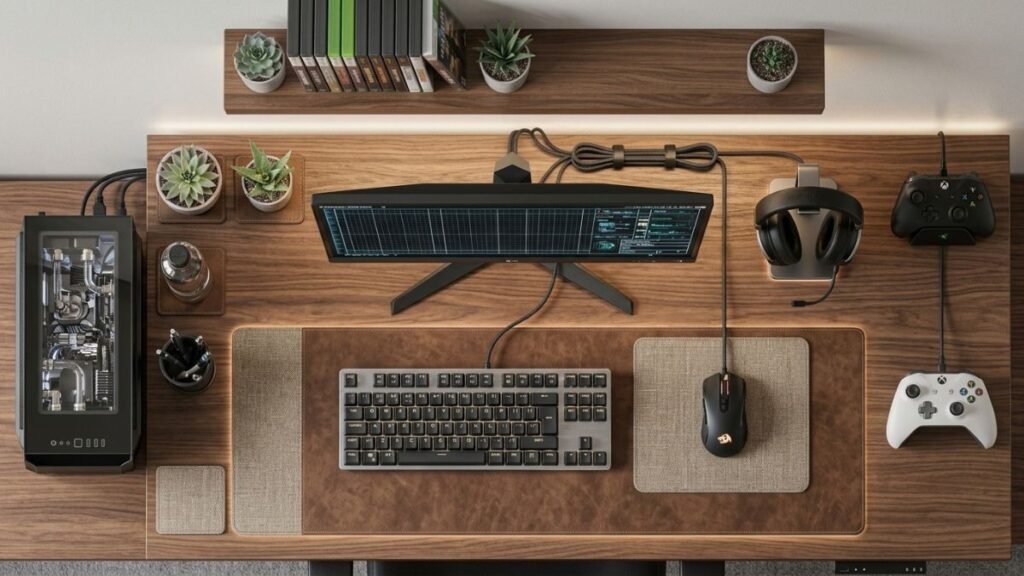
A good gaming desk should provide:
- Enough room for essential devices
- Comfortable arm positioning
- Space for accessories
- Easy cable management
A larger desk is not always better. The correct size depends on the available room and the equipment being used.
Monitor Placement and Viewing Comfort
Monitor placement affects comfort during long gaming sessions.
Important considerations include:
- Screen height
- Viewing distance
- Monitor angle
- Available desk space
A properly positioned monitor reduces unnecessary neck movement and creates a more comfortable experience.
Keyboard, Mouse, and Audio Equipment
Input devices directly affect interaction with games.
Mechanical keyboards, gaming mice, and a properly configured gaming headset setup can improve control and communication when they match the user’s needs.
However, expensive equipment is not automatically better for everyone. The right choice depends on:
- Gaming style
- Personal preference
- Comfort
- Frequency of use
What Is the Best Way to Plan Gaming Setup Ideas for Your Budget?
The best gaming setup ideas start with planning rather than shopping.
Before purchasing anything, consider:
| Question | Why It Matters |
|---|---|
| How much space do I have? | Determines furniture and layout choices |
| What games do I play? | Influences hardware priorities |
| Do I also work or study here? | Affects desk organization |
| What problem am I trying to solve? | Prevents unnecessary purchases |
A gaming setup should evolve naturally as your needs change.
Conclusion
Creating a great gaming setup is not about having the most expensive equipment or copying someone else’s gaming room. The best gaming setup ideas focus on creating a space that matches your budget, room size, gaming habits, and personal preferences.
A beginner can build an enjoyable setup with simple improvements, while experienced gamers can gradually add better equipment, organization solutions, and design elements over time.
The most important factors are comfort, functionality, and smart planning. A clean desk, proper layout, reliable accessories, and thoughtful upgrades often create a better experience than spending money on unnecessary features.
Whether you are designing a small bedroom setup, a gaming office, or a dedicated gaming room, the right approach is to improve one area at a time. Start with what affects your daily experience most, then customize the space as your needs grow.
Frequently Asked Questions About Gaming Setup Ideas
What are the best gaming setup ideas for beginners?
The best gaming setup ideas for beginners focus on comfort, organization, and essential equipment first. A reliable desk, comfortable chair, good monitor placement, and basic gaming accessories usually provide more value than expensive decorations. Beginners should build gradually and upgrade based on their actual gaming needs.
How much does it cost to build a good gaming setup?
A good gaming setup can be created at different budget levels. A basic setup may require only a few hundred dollars, while advanced setups with premium equipment can cost significantly more. The final cost depends on factors such as existing hardware, room size, accessories, and customization preferences.
What gaming setup ideas work best for small rooms?
Gaming setup ideas for small rooms usually focus on saving space through compact desks, vertical storage, wireless accessories, and better organization. Wall shelves, monitor arms, and clean cable management can help create a comfortable gaming area without making the room feel crowded.
Should I prioritize performance or appearance when creating a gaming setup?
Performance and appearance should be balanced based on your goals. Performance improvements affect gameplay directly, while design improvements create a more enjoyable environment. For most users, comfort, organization, and essential hardware should come before decorative features.
What accessories improve a gaming setup the most?
The most useful gaming setup accessories are usually those that improve comfort and organization. Examples include monitor arms, desk mats, cable management tools, headphone stands, and ergonomic accessories. The best additions are the ones that solve a specific problem in your current setup.
How can I upgrade my gaming setup without spending too much?
You can upgrade a gaming setup by making smaller improvements instead of replacing everything. Organizing cables, improving desk layout, adjusting monitor placement, and adding useful accessories can create a noticeable difference without requiring a large budget.