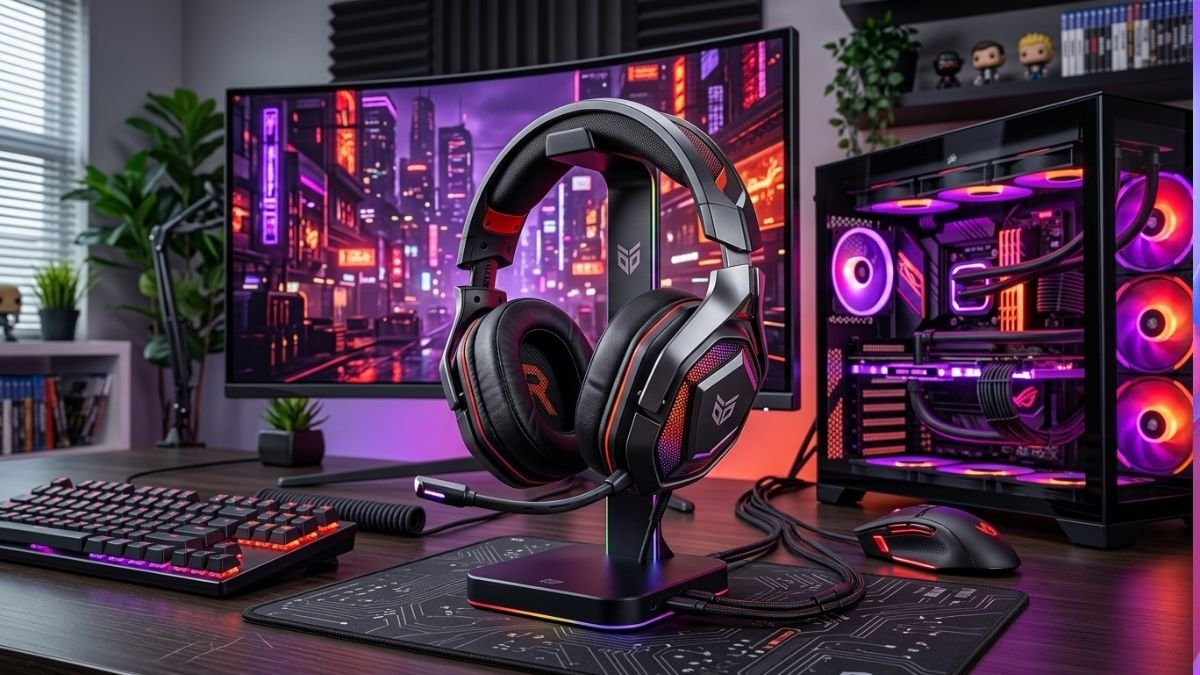
A gaming headset setup involves properly configuring audio output, microphone settings, surround sound features, and software controls to achieve the best gaming experience.
Correct setup improves sound quality, communication clarity, positional audio accuracy, and overall immersion during gameplay.
A gaming headset is one of the most important components of any gaming setup. While many gamers invest heavily in powerful PCs, gaming keyboards, and gaming mice, audio often receives less attention than it deserves.
Proper audio configuration can make a significant difference in competitive and casual gaming alike. According to data from the Entertainment Software Association, millions of players regularly engage in online multiplayer games where clear communication and immersive sound are essential parts of the experience.
A poorly configured headset can lead to muffled audio, microphone issues, excessive background noise, and difficulty identifying in-game sounds.
On the other hand, a properly configured gaming headset setup can enhance awareness, improve team communication, and create a more enjoyable gaming environment.
Whether you use a wired headset, wireless headset, PC setup, or gaming console, understanding the correct configuration process helps you get the most from your equipment.
Why Proper Gaming Headset Setup Matters
Many gamers plug in a headset and assume everything is automatically optimized.
In reality, default settings are often far from ideal.
A proper gaming headset setup improves:
- Sound clarity
- Positional audio
- Voice chat quality
- Comfort during long sessions
- Competitive awareness
- Overall immersion
Even premium headsets may perform poorly if settings are not configured correctly.
A properly configured gaming headset can improve directional awareness, communication quality, and gaming immersion more than simply purchasing a more expensive headset.
This becomes especially important when configuring wireless devices, as different wireless gaming headset connection methods, including Bluetooth and dedicated 2.4GHz wireless connections, can influence latency, compatibility, and overall gaming performance.
Choosing the Right Gaming Headset Connection Type
The first step involves selecting the correct connection type.
Wired Gaming Headsets
Advantages include:
- Consistent connection
- No battery concerns
- Lower latency
- Reliable microphone performance
Wired headsets remain popular among competitive gamers due to their stability.
However, wired connections also require better organization to keep a gaming setup clean and functional. Proper gaming cable management helps organize headset cables and other device connections.
Wireless Gaming Headsets
Advantages include:
- Greater freedom of movement
- Cleaner desk setup
- Improved comfort
Modern wireless technologies offer extremely low latency and impressive audio performance.
According to testing from RTINGS Headset Reviews, many premium wireless gaming headsets now provide latency performance suitable for competitive gaming.
Choosing the right gaming headset setup also requires understanding important gaming headset features, such as connection type, microphone quality, and audio performance.
Configuring Audio Output Correctly
One of the most common mistakes is selecting the wrong playback device.
Correct headset configuration is one part of a broader gaming audio setup, which can also include speakers, separate microphones, connection choices, system audio routing, and spatial audio settings.
Step 1: Set the Default Device
On Windows:
- Open Sound Settings.
- Select Output.
- Choose your gaming headset.
- Set it as the default audio device.
This ensures all game audio is routed correctly.
Step 2: Verify Audio Channels
Some gaming headsets offer:
- Stereo audio
- Virtual surround sound
- Spatial audio
Testing each mode helps determine which option works best for your preferred games.
Understanding Surround Sound Features
Many gaming headsets advertise surround sound support.
Stereo Audio
Benefits include:
- Natural sound reproduction
- Lower processing requirements
- Accurate positioning in many games
Virtual Surround Sound
Benefits include:
- Enhanced immersion
- Expanded soundstage
- Better directional awareness
The effectiveness varies depending on the game and headset software, including spatial audio solutions such as Dolby Atmos for Headphones.
Virtual surround sound uses software processing to simulate multi-directional audio through standard headset drivers, helping players identify the direction of in-game sounds.
Optimizing Microphone Settings
Voice communication plays a critical role in multiplayer gaming.
Adjust Microphone Input Volume
Input levels should be:
- Loud enough for teammates
- Free from distortion
- Consistent during gameplay
Excessive gain often creates unwanted background noise.
Enable Noise Suppression
Many modern gaming headsets offer:
- AI noise reduction
- Background noise filtering
- Voice enhancement
These features improve communication quality significantly.
Test Voice Quality
Before competitive matches:
- Record a short voice sample
- Listen for distortion
- Check microphone clarity
- Verify volume levels
This simple step prevents communication issues during gameplay.
Gaming Headset Software and Drivers
Many premium gaming headsets include dedicated software.
Examples include:
- Logitech G Hub
- Razer Synapse
- SteelSeries GG
- Corsair iCUE
These applications allow users to customize:
- Equalizer profiles
- RGB lighting
- Microphone settings
- Surround sound modes
According to information published by Tom’s Hardware gaming headset reviews, software tuning can significantly improve user experience when properly configured.
Gaming Headset Equalizer Settings Explained
Different game genres benefit from different audio profiles.
| Game Type | Recommended Audio Focus |
|---|---|
| FPS Games | Footsteps and directional sounds |
| Battle Royale | Positional awareness |
| MMO Games | Balanced audio profile |
| Racing Games | Engine and environmental sounds |
| Story Games | Cinematic immersion |
Experimenting with EQ settings can help create a more balanced audio experience for different game genres.
Gaming Headset Placement and Comfort
Comfort becomes increasingly important during extended gaming sessions.
Adjust Headband Position
A properly fitted headset should:
- Sit securely
- Avoid excessive pressure
- Remain stable during movement
Position Ear Cups Correctly
Improper placement may reduce:
- Bass response
- Audio accuracy
- Noise isolation
Microphone Positioning
The microphone should remain:
- Close to the mouth
- Not directly in front of airflow
- Consistently positioned
Small adjustments often improve voice quality dramatically.
A complete gaming setup depends on how different peripherals work together, including choosing the right gaming mouse for better control and responsiveness.
Common Gaming Headset Setup Mistakes
Many users unknowingly reduce performance through simple mistakes.
Using Generic Drivers
Manufacturer drivers often unlock additional features and improvements.
Ignoring Firmware Updates
Updates frequently include:
- Performance improvements
- Bug fixes
- Audio enhancements
Overusing Surround Sound
Not every game benefits from virtual surround processing.
Incorrect Microphone Placement
Poor positioning remains one of the most common causes of unclear voice communication.
PC vs Console Gaming Headset Setup
Configuration procedures vary slightly.
PC Gaming Setup
Advantages:
- Advanced software controls
- Custom equalizer settings
- Detailed microphone adjustments
Console Gaming Setup
Advantages:
- Simpler configuration
- Plug-and-play compatibility
- Streamlined user experience
Both platforms can provide excellent gaming audio when configured properly.
Future Trends in Gaming Audio
Gaming headset technology continues evolving rapidly.
These improvements reflect a wider movement toward AI gadgets, where intelligent technology is becoming integrated into everyday devices.
Gaming audio innovation is also part of the broader development of future technology gadgets.
Emerging trends include:
- AI-powered audio enhancement
- Real-time noise cancellation
- Personalized sound profiles
- Improved wireless technologies
- Advanced spatial audio systems
According to research from MIT Technology Review, AI-driven personalization is becoming increasingly common across consumer technology products, including gaming audio devices.
Gaming Headset Setup Checklist
Before starting your next gaming session:
- Verify headset connection.
- Confirm default audio device.
- Test microphone quality.
- Adjust microphone levels.
- Update drivers and firmware.
- Review equalizer settings.
- Check surround sound preferences.
A complete gaming environment also depends on other gaming setup accessories that improve comfort, organization, and overall usability.
A good gaming environment is not only about audio quality and settings. The overall workspace also matters, and the right gaming desk accessories can help keep equipment organized while improving comfort and accessibility.
Following this checklist helps ensure consistent audio performance.
Conclusion
A gaming headset setup involves much more than simply plugging in a device. Proper configuration improves sound quality, communication clarity, positional awareness, and overall gaming immersion.
A well-balanced gaming environment also includes other important peripherals, such as selecting the right gaming keyboard for your setup.
By optimizing audio output, microphone settings, software controls, and comfort adjustments, gamers can unlock the full potential of their equipment.
Whether you play competitive shooters, multiplayer games, or immersive single-player experiences, taking a few minutes to configure your headset properly can significantly enhance the overall experience.
Frequently Asked Questions About Gaming Headset Setup
How do I improve gaming headset sound quality?
Improving sound quality typically involves updating drivers, selecting the correct audio device, adjusting equalizer settings, and testing surround sound options.
Is virtual surround sound good for gaming?
Virtual surround sound can improve directional awareness and immersion, especially in competitive games, though some players still prefer stereo audio.
What is the best microphone position for a gaming headset?
The microphone should be positioned close to the mouth without directly facing airflow from breathing, which helps reduce unwanted noise.
Should I use headset software?
Yes. Manufacturer software often provides access to advanced audio settings, microphone controls, firmware updates, and equalizer customization.
Why does my gaming headset microphone sound bad?
Common causes include incorrect input levels, poor microphone placement, outdated drivers, or background noise interference.
Do wireless gaming headsets have latency?
Modern wireless gaming headsets generally offer very low latency and are suitable for most gaming scenarios, including competitive play.
How often should I update headset firmware?
Checking for firmware updates every few months is recommended, as updates often improve stability, compatibility, and performance.