Last updated on November 2nd, 2026 at 08:09 pm
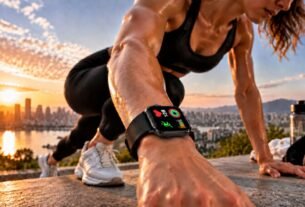
Fitness trackers are wearable devices that monitor physical activity and, depending on the model, measure or estimate metrics such as steps, heart rate, sleep patterns, distance, and calories burned.
They use sensors and companion apps to turn movement and other signals into understandable data, helping users recognize activity patterns and build more consistent everyday habits.
Fitness trackers have changed how people understand their daily movement. Instead of relying on memory, users can check how much they walk, how their activity changes throughout the week, and whether their routines are becoming more consistent.
A small wristband can display step counts, heart-rate readings, sleep estimates, and exercise summaries. More advanced devices may include GPS, blood oxygen measurements, or other health-related features.
However, the number of available metrics can make it difficult to understand which measurements are useful and how much confidence to place in them.
The key is to understand that fitness trackers do not measure everything directly. Some readings come from physical sensors, while others are calculated using algorithms, personal information, and patterns detected over time.
Results can vary depending on the device, the activity, how the tracker fits, and the conditions in which it is used.
For example, a tracker may count walking steps reasonably well but struggle to identify certain movements during strength training. A heart-rate reading may also behave differently during steady walking than during an activity involving rapid wrist movements.
Understanding these differences makes fitness data more useful. Rather than treating every number as an exact measurement, users can learn what their devices do well, recognize their limitations, and use the information to make better-informed decisions about everyday activity.
What Do Fitness Trackers Measure?
Fitness trackers collect different types of information depending on their sensors, software, and design. Basic models focus on steps and movement, while more advanced devices can monitor heart rate, estimate sleep patterns, record workouts, and use GPS to map outdoor activities.
The most useful features depend on what you want to understand about your daily routine. Someone who walks regularly may care most about steps and active minutes, while a runner may pay closer attention to distance, pace, and heart rate.
Step Count and Daily Movement
Step counting is one of the most familiar features of fitness trackers. Most wrist-worn devices use motion sensors, particularly accelerometers, to detect movement patterns associated with walking and running.
The device’s software analyzes changes in acceleration and attempts to distinguish steps from other arm movements. This allows it to estimate daily activity without requiring users to start a workout manually.
However, step counts are not always exact. A tracker may register some arm movements as steps, miss steps when the wrist remains relatively still, or perform differently at slower walking speeds.
A study published by the Centers for Disease Control and Prevention (CDC) found differences between wrist-worn activity monitors and hip-worn pedometers. The direction and size of those differences varied depending on the activity and measurement method.
For practical use, step counts are often most helpful when tracking your own patterns over time. Comparing your activity across similar days using the same device can reveal changes even when the exact count is imperfect.
Heart Rate Monitoring
Many fitness trackers use optical sensors to estimate heart rate. These sensors shine light into the skin and measure changes in the light reflected back as blood volume changes with each heartbeat.
This technique is called photoplethysmography, commonly abbreviated as PPG. The device processes the resulting signal to estimate beats per minute.
Heart-rate monitoring can help users understand how their bodies respond to walking, running, cycling, and other activities. Depending on the device, it may also record resting heart rate and show changes throughout the day.
Accuracy depends on several factors:
- Fit: A loose band can allow unwanted movement and interfere with the optical sensor.
- Activity type: Rapid wrist movements and exercises involving gripping can make readings more difficult.
- Skin contact: Sensor placement and contact quality can affect the signal.
- Device design: Sensors, software, and processing methods vary among manufacturers.
A systematic review published in JMIR mHealth and uHealth examined 158 publications on commercially available wearable devices.
It found that measurement performance varied by metric and device, with energy-expenditure estimates particularly challenging to measure accurately. The research is available in this review of wearable-device accuracy.
Fitness trackers can provide useful heart-rate estimates, but their readings should not automatically be treated as equivalent to clinical measurements.
Sleep Tracking
Sleep tracking estimates when you fall asleep, when you wake up, and how your sleep is distributed throughout the night. Depending on the model, a fitness tracker may also display estimated time spent in different sleep stages.
These estimates typically rely on a combination of movement data and physiological signals, such as heart rate. Software uses patterns in these signals to infer whether you are awake or asleep.
For example, a device may interpret a period of reduced movement combined with changes in heart rate as sleep. More advanced models attempt to classify sleep into stages, but those classifications remain estimates rather than direct measurements of brain activity.
This distinction matters because lying still does not necessarily mean you are asleep. Likewise, a tracker may not accurately identify every brief awakening.
Sleep data can still help users notice broad patterns, such as consistently short sleep periods or differences between workdays and weekends. It is generally more useful for observing trends than for interpreting every nightly score as a precise assessment of sleep quality.
Calories Burned and Energy Expenditure
Fitness trackers often estimate calories burned using information such as movement, heart rate, age, height, weight, and sex. Some devices also account for workout type and duration.
The displayed figure may include both resting energy expenditure, which is the energy your body uses to maintain basic functions, and additional energy used during physical activity. The exact calculation depends on the device and its software.
Unlike counting steps, estimating energy expenditure requires the device to infer how much energy your body uses. Wrist movement and heart rate alone cannot capture every factor that influences calorie consumption.
Research reviews have found that energy-expenditure estimates from consumer wearables can differ substantially from reference measurements. For that reason, calorie figures are best treated as estimates rather than exact measurements of how much energy you have used.
They can provide general context about activity, but small differences between daily readings may not represent meaningful changes.
GPS, Distance, and Workout Tracking
Some fitness trackers include built-in GPS, while others rely on a connected smartphone to record location. GPS uses signals from satellites to estimate a device’s position and calculate movement along a route.
During outdoor activities, GPS can help estimate:
- Distance traveled.
- Running or walking pace.
- Route and location.
- Changes in speed during a workout.
Devices without built-in GPS may still estimate distance using step counts and an assumed stride length. This approach can be convenient, but the result may be less dependable when walking speed, stride length, or movement patterns change.
GPS measurements can also be affected by tall buildings, trees, tunnels, and other conditions that interfere with satellite signals.
For someone who walks around a neighborhood, step-based distance estimates may be sufficient. Runners and cyclists who want route information may benefit more from GPS tracking, particularly when the device can record a route without requiring a phone.
Types of Fitness Trackers and How They Differ
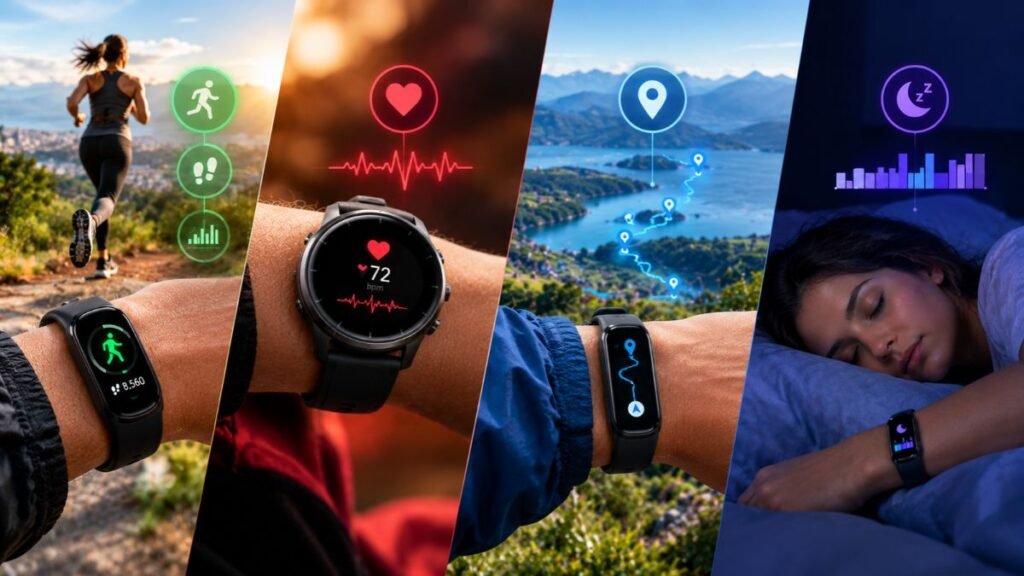
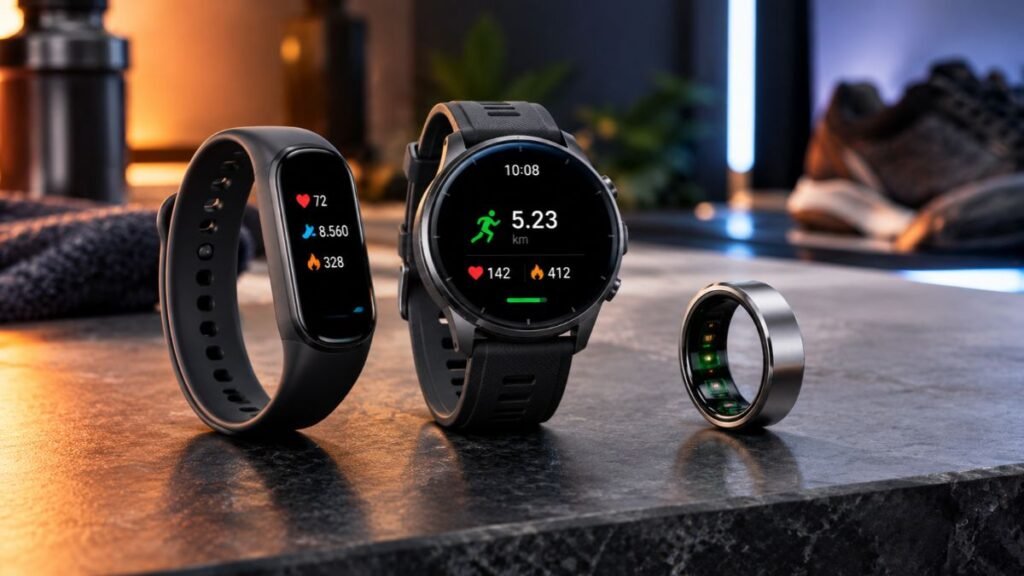
Fitness trackers come in several forms, from simple wristbands to smartwatches and rings. Although these devices share some functions, they differ in how they are worn, which sensors they include, how much information they display, and how they fit into everyday routines.
Understanding these differences helps you evaluate fitness tracking technology based on practical needs rather than the number of features listed on a product page.
Fitness Tracker Bands
Fitness tracker bands are lightweight wearable devices designed primarily for activity and health-related monitoring. Most use a narrow wristband design and provide basic information such as steps, heart rate, active minutes, and estimated sleep duration.
Some bands include a small display, while others rely heavily on a companion smartphone app. Their relatively simple design can make them convenient for people who want to monitor daily activity without the additional functions of a full smartwatch.
Common characteristics include:
- Step counting and activity summaries.
- Optical heart-rate monitoring on supported models.
- Sleep estimates and inactivity reminders.
- Smartphone synchronization through a companion app.
- Rechargeable batteries, with battery life varying by model and usage.
One limitation is that basic bands may offer fewer workout modes, less detailed navigation, or fewer third-party app options than more advanced wearables.
Smartwatches With Fitness Tracking
Smartwatches combine fitness tracking with broader smartphone-related functions. Depending on the model, they may support notifications, calls, music controls, navigation, workout tracking, and additional health measurements.
The larger display can make workout statistics easier to read while exercising. Some models also include built-in GPS, allowing outdoor activities to be recorded without carrying a phone.
However, fitness tracking is only one part of a smartwatch’s overall functionality. Frequent notifications, always-on displays, GPS use, and other demanding features can increase battery consumption.
For a closer look at how these devices work, read our guide to smartwatch technology.
Fitness Tracking Rings
Fitness tracking rings place sensors inside a ring worn on the finger. Depending on the model, they can collect information related to heart rate, sleep, movement, and recovery-related trends.
Their main design difference is the absence of a traditional screen. Users typically review their measurements through a smartphone app rather than checking detailed statistics directly on the device.
Rings may appeal to people who prefer a discreet wearable or want to monitor sleep without wearing a watch. However, they are not necessarily better than wrist-based trackers for every activity.
Fit is particularly important because the sensors need consistent contact with the finger. Ring size, finger temperature, movement, and the type of exercise can affect readings.
Some rings also require a paid subscription for access to certain app features, so subscription requirements should be checked individually.
Clip-On and Screen-Free Fitness Trackers
Not every fitness tracker needs to be worn on the wrist. Clip-on devices and screen-free wearables offer alternative ways to collect activity data, depending on their design and intended use.
A clip-on pedometer may focus primarily on steps and distance estimates. A screen-free tracker may collect a wider range of measurements but require a phone app to display them.
These devices can suit people who dislike wearing a watch or prefer fewer distractions during the day. However, their placement and sensor design determine which activities they can measure reliably.
For example, a device attached to the waist may detect walking differently from one worn on the wrist. Users should follow the manufacturer’s recommended placement instead of assuming that every wearable can be attached anywhere on the body.
Fitness Tracker Features Explained: Which Sensors Matter?
The usefulness of a fitness tracker depends largely on its sensors and how its software interprets their readings. A device may advertise several measurements, but understanding the underlying technology provides a clearer picture of what those features can actually tell you.
Accelerometers and Motion Sensors
An accelerometer measures changes in acceleration along one or more axes. Fitness trackers use this information to recognize movement patterns associated with walking, running, and other activities.
Many devices combine accelerometer data with information from additional sensors to classify workouts or estimate activity intensity.
For example, repetitive movement patterns may help a tracker recognize a walk. However, similar wrist movements can occur while doing household chores, gesturing, or performing exercises that do not involve walking.
This is why step counts and activity classifications are estimates rather than direct observations of every movement.
Optical Heart-Rate Sensors

Optical heart-rate sensors use light to detect changes associated with blood flow beneath the skin. The device processes these changes to estimate heart rate over time.
This feature can be useful for observing resting heart-rate trends, monitoring exercise intensity, and comparing responses to similar workouts.
However, a reading can become less reliable when the tracker moves around the wrist or when an activity creates substantial movement and muscle tension. Cold conditions and reduced blood flow near the skin can also affect signal quality.
For more consistent measurements, wear the device according to the manufacturer’s instructions and make sure it maintains appropriate skin contact without being uncomfortably tight.
Gyroscopes and Movement Recognition
Some fitness trackers include gyroscopes, which measure rotational movement. When combined with accelerometers, gyroscopes help a device interpret how it is moving rather than simply how quickly it accelerates.
This additional information can improve movement recognition in supported devices. It may help distinguish certain exercise patterns or provide more detailed motion data.
However, the presence of a gyroscope does not automatically make a tracker more accurate in every situation. Results still depend on sensor quality, software, device placement, and the activity being performed.
GPS and Location Sensors
GPS-equipped trackers use satellite signals to estimate outdoor location and movement. This information supports route mapping, distance calculations, and pace estimates.
Some devices use a connected phone’s GPS instead, which means the phone may need to remain nearby for location-based workout tracking.
GPS is most useful for outdoor activities where route and distance matter. It is less essential for someone primarily interested in indoor movement, daily step counts, or general activity patterns.
Buildings, tree cover, and other obstructions can affect satellite reception, so recorded routes and distances may not always match the exact path traveled.
Skin Temperature and Other Health-Related Sensors
Some advanced wearables include sensors that estimate skin-temperature changes, blood oxygen saturation, or other physiological measurements. Availability varies by device, region, software, and regulatory status.
These measurements require careful interpretation. Skin temperature is not the same as core body temperature, and a blood oxygen estimate from a consumer wearable is not necessarily equivalent to a clinical measurement.
Similarly, certain devices offer electrocardiogram (ECG) functions or other specialized features, but these capabilities are not available on every tracker and may have specific usage limitations.
A fitness tracker can provide useful health-related information without being a medical diagnostic device. Its measurements should be understood according to the specific feature, the manufacturer’s documentation, and the limitations of consumer wearable technology.
Fitness trackers are part of a broader category of devices designed to monitor physical activity and health-related information.
For a deeper explanation of how different wearables measure heart rate, blood oxygen levels, sleep patterns, and other physiological indicators, explore our guide to health monitoring wearables.
Fitness Tracking Apps and Smartphone Compatibility
A fitness tracker becomes more useful when its measurements are organized in a companion app. The app receives data from the wearable, presents daily and weekly summaries, and may identify patterns that are difficult to recognize from individual readings.
However, not all fitness tracking apps provide the same features. Some focus on basic activity summaries, while others offer workout analysis, sleep trends, goal tracking, and connections with other health platforms.
How a Fitness Tracking App Works
A fitness tracking app receives information from a compatible wearable through Bluetooth or another supported connection. The device records measurements, and the app processes or displays the information according to its features and software.
A typical workflow looks like this:
- Data collection: Sensors record movement, heart rate, or other supported measurements.
- Wireless synchronization: The tracker transfers recorded information to a compatible phone or platform.
- Data processing: The device or app calculates summaries such as daily steps, workout duration, and estimated activity levels.
- Progress tracking: The app displays historical data so users can compare activity across days or weeks.
- Optional integration: Supported apps may share selected information with other health or fitness services.
Some trackers store data temporarily and synchronize it later, so a phone does not always need to remain connected throughout the day. The amount of data stored and the synchronization behavior depend on the device.
Fitness Tracking on iPhone and Android
Compatibility is an important consideration when choosing or using a fitness tracker. A wearable may support both iPhone and Android, work only with certain operating systems, or provide different features depending on the phone.
Before setting up a device, check the manufacturer’s compatibility requirements, including the minimum operating-system version, app availability, and whether a particular phone brand is required.
| Compatibility factor | What to check |
|---|---|
| Operating system | Whether the app supports your version of iOS or Android |
| Bluetooth | Whether your phone supports the connection required by the tracker |
| Account requirements | Whether an account is needed to set up or synchronize the device |
| Health app integration | Whether data can be shared with Apple Health or other supported platforms |
| Feature availability | Whether GPS, notifications, sleep reports, and other functions work on your phone |
| Subscription requirements | Whether selected reports or app features require payment |
For example, Apple’s Health app can collect and organize supported health information from compatible sources. However, the data available depends on the connected device, app permissions, and integration support.
Compatibility should be checked before assuming that a tracker will share every measurement with your preferred health platform.
Free Fitness Tracking Apps and Paid Features
Some fitness tracking apps provide basic activity summaries without a separate subscription. Others offer optional paid plans for advanced analysis, historical reports, coaching features, or additional insights.
The important distinction is between the wearable itself and the services associated with it. A tracker may function without a subscription but offer fewer features through its app.
Before relying on a particular feature, check whether it is included in the initial purchase, available through a free account, or restricted to a paid plan. Subscription terms can change, so the manufacturer’s current documentation is the most reliable place to confirm them.
How Accurate Are Fitness Trackers?
Fitness trackers can be useful for monitoring everyday activity, but accuracy varies by measurement, device, and activity type. A tracker that counts steps reasonably well may still provide less reliable calorie estimates or sleep-stage classifications.
The reason is simple: some measurements are based on relatively recognizable movement patterns, while others require the device to infer what is happening inside the body.
A systematic review published in JMIR mHealth and uHealth examined 158 publications involving nine commercial wearable brands. The researchers found that performance differed between metrics, and no brand consistently provided accurate energy-expenditure estimates across the evaluated conditions.
These findings show why each measurement should be assessed separately rather than assuming that one overall accuracy rating applies to every feature. Read the systematic review of commercial wearable-device accuracy for more detail.
Which Fitness Tracker Measurements Are Most Reliable?
There is no single accuracy ranking that applies to every wearable. Performance depends on the model, software, activity, fit, and conditions in which the device is used.
| Measurement | How it is obtained | Main limitation |
|---|---|---|
| Step count | Movement sensors and step-detection algorithms | May miss steps or misinterpret other movements |
| Heart rate | Optical measurements of changes in blood volume | Can be affected by movement, fit, and signal quality |
| Distance | GPS or step-based estimation | GPS reception and stride assumptions can affect results |
| Calories burned | Estimates based on activity and personal information | Energy expenditure is difficult to calculate precisely |
| Sleep duration | Movement and, on some devices, physiological signals | Quiet wakefulness may be mistaken for sleep |
| Sleep stages | Algorithms using available sensor data | Stages are estimates, not direct measurements of brain activity |
| Blood oxygen | Optical sensing on supported devices | Results can be affected by fit, circulation, and other factors |
The table describes general limitations, not guaranteed performance for every model. Manufacturer specifications and independent validation studies may provide more detailed information about particular devices.
Why Fitness Trackers Sometimes Give Inaccurate Readings
Unexpected readings do not necessarily mean that a fitness tracker is defective. Several everyday conditions can affect the signals collected by its sensors or the way its software interprets them.
Common causes include:
- Poor fit: A loose wristband can interfere with optical heart-rate measurements, while an incorrectly sized ring may affect sensor contact.
- Irregular movement: Activities involving rapid wrist movements, gripping, or repeated arm motions can confuse some motion and heart-rate algorithms.
- Low-intensity activity: Slow walking or small movements may be harder for some trackers to recognize consistently.
- GPS interference: Tall buildings, dense tree cover, and other obstructions can reduce location accuracy.
- Incorrect personal information: Outdated height, weight, age, or other profile information can affect estimates that use those details.
- Software differences: Firmware updates and changes to an app’s algorithms can affect how measurements are calculated or displayed.
For better consistency, follow the manufacturer’s wearing instructions, keep the device and app updated, and make sure your personal profile is accurate. If a reading seems unusual, check whether the device was fitted correctly and whether the activity could have affected its sensors.
How to Evaluate Fitness Tracker Accuracy
If you want to understand how well a tracker performs, evaluate the specific measurement that matters to you rather than relying on a general claim about accuracy.
For example, someone interested in step counting should focus on how consistently the device records walking. A runner may care more about heart-rate behavior during exercise and the quality of GPS distance measurements.
A practical evaluation can include these steps:
- Choose one metric: Focus on steps, heart rate, distance, or another measurement.
- Repeat a similar activity: Use comparable conditions rather than comparing unrelated workouts.
- Check for consistency: Look for repeated patterns of missing, exaggerated, or unexpected readings.
- Use an appropriate reference: When accuracy matters, compare against a suitable reference method rather than assuming another consumer wearable is automatically correct.
- Review the limitations: Check independent validation studies and the manufacturer’s documentation for the particular model.
A consumer tracker is most useful when its limitations are understood. Consistent measurements can reveal personal trends even when the numbers are not exact.
How to Use Fitness Trackers Effectively in Everyday Life
Fitness trackers are designed to make activity information easier to understand. Their practical value comes from using that information to recognize habits, set realistic goals, and make gradual adjustments rather than constantly checking every available metric.
Set Realistic Activity Goals
Many trackers let users establish daily step targets, active-minute goals, or reminders to move after periods of inactivity.
These features can make activity easier to monitor, but goals should reflect your circumstances and routine. Someone who spends most of the day sitting may benefit from gradually adding short walks, while someone who already exercises regularly may prefer to monitor workout consistency.
A goal is useful when it encourages sustainable behavior. Missing a target occasionally does not mean that the day was unsuccessful, and reaching a particular step count does not automatically mean that every aspect of physical activity has been addressed.
For broader guidance, the CDC’s physical activity recommendations for adults explain the recommended amounts of aerobic and muscle-strengthening activity. These recommendations provide context that a single daily step target cannot capture.
Use Trends Instead of Obsessing Over Individual Numbers
A single reading can be affected by sensor limitations, an unusual day, or a change in routine. Looking at patterns over time usually provides more useful context.
For example, weekly activity summaries can help you identify whether you are walking more consistently than you did a month ago. Sleep summaries may help you notice changes in your schedule, although they cannot establish the cause of a sleep problem.
Consider reviewing a few measurements that match your goals:
- Daily activity: Are you moving consistently throughout the week?
- Workout patterns: Are your exercise sessions becoming more regular?
- Resting heart rate: Is your personal trend changing over time?
- Sleep duration: Are you allowing enough time for sleep?
- Recovery and rest: Are you balancing activity with adequate rest?
Avoid interpreting every fluctuation as meaningful. Changes in heart rate, sleep estimates, or activity levels can have multiple explanations, and wearable data alone may not identify the cause.
Understand the Difference Between Tracking and Diagnosis
Fitness trackers can provide useful information about movement and selected physiological signals. However, collecting a measurement is not the same as diagnosing a health condition.
A high heart-rate reading, an unusual sleep score, or a change in estimated blood oxygen does not independently establish a medical problem. Readings can be affected by sensor limitations, activity, environmental conditions, and individual differences.
Some wearables include specific health features that have received regulatory clearance or authorization for defined purposes. Such status applies to particular features and intended uses, not automatically to every measurement produced by the device.
A useful rule: Treat fitness tracker data as information about your activity and personal trends, not as a complete assessment of your health.
Fitness Tracker Privacy and Data Security
Fitness trackers can collect sensitive information, including activity patterns, heart-rate readings, sleep estimates, and location data. The information may be stored on the device, synchronized with a smartphone, or processed through an online account, depending on the manufacturer and app.
Understanding how this information is handled is part of choosing and using wearable technology responsibly.
What Information Can a Fitness Tracker Collect?
The information collected varies by device and the permissions you grant. Depending on the model, it may include:
- Steps, movement, and exercise sessions.
- Heart-rate readings and other supported physiological measurements.
- Sleep estimates and activity history.
- GPS routes and location information.
- Personal profile details used to calculate estimates.
- Device identifiers and information about app usage.
Not every tracker collects all these categories. A basic pedometer, for example, may collect considerably less information than a GPS-enabled smartwatch connected to a broad health platform.
How to Protect Your Fitness Tracking Data
You can reduce unnecessary data sharing by reviewing both the wearable’s settings and the permissions granted to its companion app.
- Review app permissions: Allow access only to the information needed for the features you use.
- Check account privacy settings: Understand which data may be synchronized or shared.
- Review connected applications: Remove integrations that you no longer need.
- Secure your account: Use a strong, unique password and enable multifactor authentication when available.
- Read the privacy policy: Check how the provider collects, stores, uses, and shares data, including its retention and deletion practices.
Deleting information from a phone does not necessarily delete copies held by an online service. If you want to remove your data, review the provider’s account and data-deletion procedures.
Common Fitness Tracker Problems and How to Address Them
Even a well-designed wearable can occasionally produce unexpected results or synchronization problems. Understanding the likely cause can help you resolve common issues without replacing the device.
| Problem | Possible cause | Practical step |
|---|---|---|
| Steps are missing | Movement is not being recognized consistently | Check the fit, placement, and activity settings |
| Heart rate appears unusual | Poor sensor contact or movement interference | Adjust the fit and repeat the measurement at rest |
| GPS distance seems incorrect | Weak satellite reception | Allow time for GPS acquisition in a more open area |
| App data is not updating | Bluetooth or synchronization issue | Check connectivity and reopen the companion app |
| Battery drains quickly | Frequent GPS use, continuous monitoring, or display activity | Review battery-intensive settings |
| Sleep tracking appears inconsistent | Quiet wakefulness or sensor limitations | Check wearing instructions and compare longer-term patterns |
| Phone compatibility problems | Unsupported operating system or missing app features | Confirm the manufacturer’s compatibility requirements |
If a problem persists, consult the manufacturer’s troubleshooting instructions for your exact model. Resetting a device or disconnecting an account should generally be a later step because it may remove settings or unsynchronized information.
Conclusion
Fitness trackers provide a convenient way to understand daily movement, monitor selected physiological signals, and recognize patterns in exercise and sleep. Their value depends on knowing what each measurement represents, how the device collects it, and where its limitations lie.
Step counts and activity summaries can help users observe routines, while heart-rate readings, GPS data, and sleep estimates offer additional context when interpreted carefully.
Calorie estimates and other complex measurements require particular caution because they rely on calculations rather than direct measurement of every underlying process.
When deciding how to use fitness trackers, focus on the metrics that support your goals, protect your personal data, and look for consistent trends rather than treating every reading as exact.
Used thoughtfully, these devices can make everyday activity easier to understand without replacing professional assessment or common sense.
Important Health Notice
The information in this article is for educational purposes only and is not a substitute for professional medical advice, diagnosis, or treatment. Fitness tracker measurements may be inaccurate and should not be used alone to make medical decisions. Consult a qualified healthcare professional about health concerns or before making significant changes to your activity based on wearable data.
Frequently Asked Questions
What are fitness trackers used for?
Fitness trackers are used to monitor physical activity and, depending on the model, estimate heart rate, sleep duration, distance, calories burned, and other measurements. They can help users recognize activity patterns, track workouts, and review progress over time. Their readings are estimates for many metrics, so they are best used to understand general trends rather than as exact measurements of every bodily function.
How accurate are fitness trackers for counting steps?
Fitness trackers can count steps reasonably well in many walking situations, but accuracy varies by device, walking speed, placement, and movement pattern. Some trackers may miss steps when the wrist remains still or count unrelated movements. Using the same device consistently can help you compare personal activity trends, even when the displayed number does not represent an exact count.
Can fitness trackers measure heart rate accurately?
Fitness trackers commonly use optical sensors to estimate heart rate. Performance varies by model, activity, fit, and sensor contact. Readings may be less consistent during activities involving rapid wrist movements or gripping. A tracker can be useful for observing general heart-rate patterns, but its readings should not automatically be considered equivalent to clinical measurements.
Do fitness trackers monitor sleep automatically?
Many fitness trackers estimate sleep automatically by analyzing movement and, on supported models, heart-rate patterns or other physiological signals. They may estimate when you fall asleep, when you wake up, and how long you sleep. Sleep-stage classifications are algorithmic estimates, however, and should not be treated as direct measurements of brain activity or definitive assessments of sleep quality.
Do fitness trackers work without a smartphone?
Some fitness trackers can record steps, workouts, or other measurements without a phone being continuously connected. However, initial setup, detailed reports, software updates, and synchronization may require a compatible smartphone or account. GPS functionality and offline data storage also vary by model, so check the manufacturer’s requirements before relying on a tracker without a phone.
Are fitness trackers waterproof?
Water resistance varies by device and is defined by the manufacturer’s specifications. Some trackers are suitable for swimming, while others are designed primarily to withstand sweat, rain, or splashes. Water resistance does not necessarily mean that a device is suitable for every water activity, depth, or temperature. Check the specific model’s rating and care instructions before using it in water.
Can fitness trackers detect medical problems?
Fitness trackers may offer features that identify certain irregular patterns or provide health-related measurements, but their capabilities vary by device and feature. A reading or notification does not automatically confirm a medical condition. Even when a specific function has received regulatory clearance, that does not make every tracker measurement diagnostic. Users should discuss concerning symptoms or readings with a qualified healthcare professional.

I’m a Technology Editor at SmartGadgetWave with a passion for innovation, AI, and consumer technology. I enjoy exploring the latest gadgets, smart home devices, and wearable tech. My goal is to make technology easy to understand by sharing practical insights, honest perspectives, and helpful product comparisons so readers can make smarter tech decisions.