A mechanical gaming keyboard uses individual mechanical switches under each key to provide faster response, improved durability, and different typing feels compared with traditional membrane keyboards.
The best mechanical gaming keyboards depend on switch type, layout, features, and personal gaming preferences rather than price alone.
Choosing a gaming keyboard can feel confusing. Online stores are filled with keyboards claiming to offer faster response times, better performance, customizable RGB lighting, and professional-level gaming advantages.
For someone building or upgrading a gaming setup, understanding what actually matters can be difficult.
The term mechanical gaming keyboard is often associated with premium gaming equipment, but the technology behind these keyboards is easier to understand than many manufacturers make it seem.
Unlike membrane keyboards that use a single pressure-sensitive layer, mechanical keyboards use individual switches beneath each key.
This design allows manufacturers to create different typing experiences, including smooth linear switches, tactile switches with feedback, and clicky switches with audible sounds.
According to information from the keyboard industry and manufacturers such as Logitech and Razer, modern gaming keyboards now include features such as hot-swappable switches, adjustable actuation points, high polling rates, and customizable software.
Understanding these technologies helps gamers avoid choosing a keyboard based only on appearance or marketing claims.
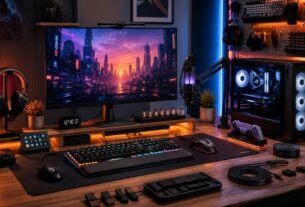
A mechanical keyboard is only one part of a complete gaming setup, where comfort, organization, and other components also influence the overall experience.
This guide explains how mechanical gaming keyboards work, the differences between switch types, the features that impact real gaming performance, and what beginners should know before upgrading their setup.
How Mechanical Gaming Keyboards Work
A mechanical gaming keyboard uses individual mechanical switches beneath each key instead of a single rubber membrane layer found in traditional keyboards.
Each key has its own mechanism that registers a press when the switch moves downward. This independent design creates a more consistent typing experience and allows manufacturers to customize how each keyboard feels and responds.
How Mechanical Keyboard Switches Work
Inside a mechanical keyboard, each key contains an individual switch that controls how the key press is registered.
Unlike membrane keyboards, which rely on a shared pressure-sensitive layer, mechanical keyboards use separate mechanisms under each key. This allows different switches to provide unique experiences, including smoother movement, tactile feedback, or audible clicks.
Components Inside a Mechanical Switch
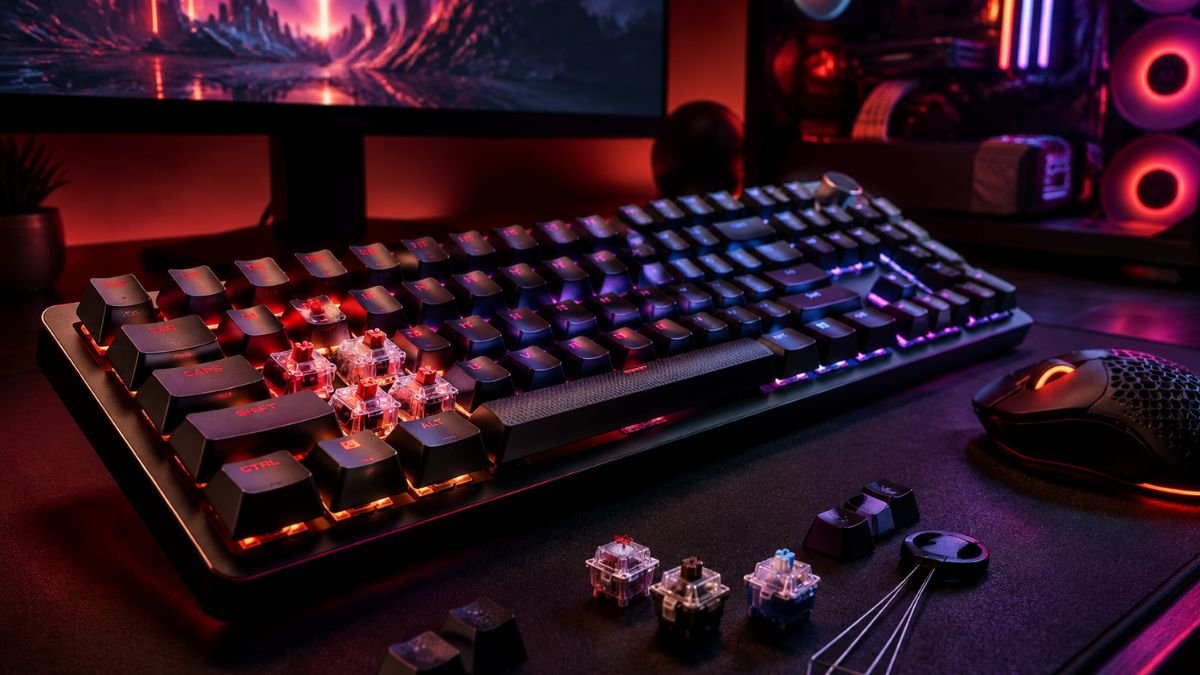
Inside a mechanical switch, several components work together:
- Keycap — the removable top part pressed by the user
- Stem — the central moving component that determines switch movement
- Spring — controls resistance and return speed
- Housing — protects and guides the internal components
- Metal contacts — register the key press electronically
Each component influences how a keyboard feels, responds, and performs during everyday use.
Actuation Point and Key Response
When a gamer presses a key, the switch activates at a specific point called the actuation point. This determines how far the key must travel before the computer recognizes the input.
For competitive gaming, especially fast-paced games such as first-person shooters and esports titles, small differences in key response can affect comfort and consistency during long sessions.
Benefits of Mechanical Gaming Keyboards
A mechanical keyboard does not automatically make someone a better gamer. However, it can provide advantages such as:
- More predictable key presses
- Better durability
- Multiple switch options
- Improved customization
- More comfortable long-term use
The benefit comes from matching the keyboard characteristics with the user’s needs.
Mechanical Keyboard vs Membrane Keyboard: What Is the Difference?
The biggest difference between mechanical and membrane keyboards is how they register key presses.
A membrane keyboard uses a pressure pad and electrical layers underneath the keys. When a key is pressed, the layers connect and send a signal.
A mechanical keyboard uses a separate switch for every key.
This difference affects:
- Feedback
- Durability
- Customization
- Typing experience
- Gaming performance
Mechanical vs Membrane Keyboard Comparison
| Feature | Mechanical Keyboard | Membrane Keyboard |
|---|---|---|
| Key mechanism | Individual mechanical switches | Rubber dome membrane |
| Key feel | More consistent and customizable | Usually softer |
| Durability | Often rated for tens of millions of presses | Generally lower lifespan |
| Customization | Switch replacement, keycaps, layouts | Limited customization |
| Price range | Usually higher | Usually cheaper |
| Gaming use | Popular among enthusiasts and competitive players | Suitable for basic gaming |
According to manufacturers such as Razer Mechanical Switch Technology, many mechanical switches are designed to handle millions of keystrokes, making durability one of their main advantages.
However, membrane keyboards still have benefits. They are usually quieter, lighter, and more affordable, making them practical for casual users.
Why Do Gamers Prefer Mechanical Keyboards?
The popularity of mechanical gaming keyboards comes from a combination of performance, customization, and personal preference.
Gamers often choose mechanical keyboards because they offer more control over the typing experience.
1. Faster and More Consistent Key Response
Mechanical switches provide a predictable activation point.
For games requiring quick reactions, such as:
- First-person shooters
- Real-time strategy games
- Fighting games
- Competitive multiplayer games
consistent key response can make gameplay feel more controlled.
2. Different Switch Experiences
One of the biggest advantages of mechanical keyboards is choice.
Unlike membrane keyboards, where most keys feel similar, mechanical keyboards allow users to select different switch characteristics.
Some players prefer:
- Smooth and fast presses
- Physical feedback
- Audible clicking sounds
- Shorter activation distance
The right choice depends on the type of games played and personal preference.
3. Better Customization
Many mechanical keyboards support customization options such as:
- Replaceable keycaps
- Different switches
- Custom layouts
- RGB lighting profiles
- Software-based controls
For many enthusiasts, building and customizing a keyboard becomes part of the hobby itself.
Understanding Mechanical Keyboard Switch Types
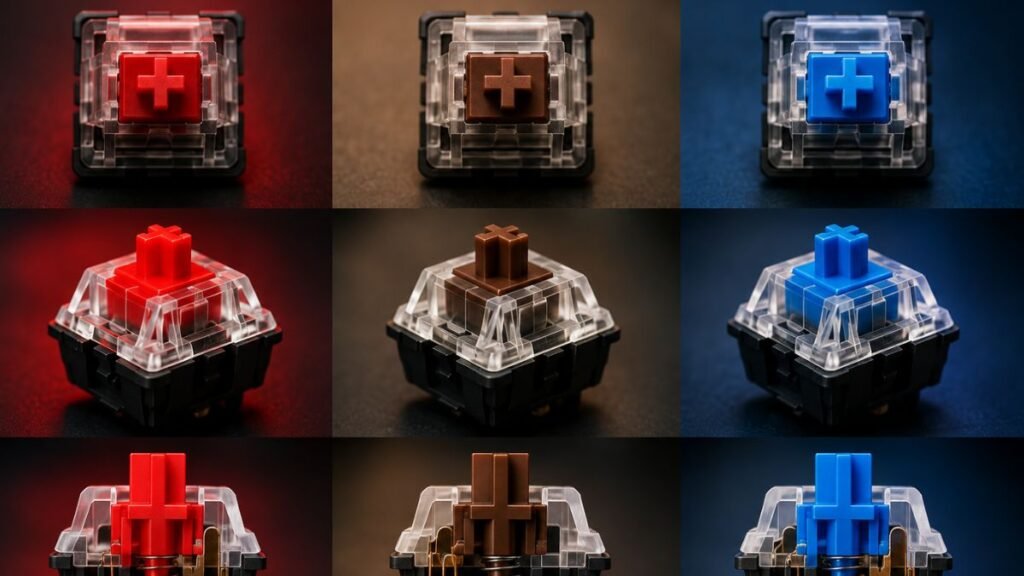
The switch is the most important part of a mechanical keyboard because it determines how each key feels.
If you want to understand the differences between Red, Blue, and Brown switches in more detail, check out our complete guide to Mechanical Keyboard Switches Explained.
Most mechanical switches fall into three main categories:
- Linear
- Tactile
- Clicky
Linear Switches
Linear switches provide a smooth key press without a noticeable bump or click.
They are popular among gamers because they allow fast and consistent key presses.
Characteristics:
- Smooth movement
- No tactile bump
- Quiet operation compared with clicky switches
- Fast repeated presses
Common users:
- FPS gamers
- Competitive players
- Users who prefer smooth typing
Examples include many red-style switches from brands such as Cherry MX Switches.
Tactile Switches
Tactile switches include a physical bump during the key press.
This bump confirms that the key has activated without requiring the user to bottom out completely.
Characteristics:
- Noticeable feedback
- Balanced gaming and typing experience
- Good for users who type frequently
Many people choose tactile switches because they provide feedback while remaining relatively quiet.
Clicky Switches
Clicky switches provide both tactile feedback and an audible clicking sound.
They are popular among users who enjoy a traditional mechanical keyboard experience.
Characteristics:
- Strong feedback
- Audible click sound
- Satisfying typing experience
However, they may not be ideal for:
- Shared offices
- Libraries
- Quiet environments
Linear vs Tactile vs Clicky Switches Comparison
| Switch Type | Feel | Sound | Best For |
|---|---|---|---|
| Linear | Smooth | Quiet | Competitive gaming |
| Tactile | Physical bump | Moderate | Gaming and typing |
| Clicky | Strong feedback | Loud | Typing enthusiasts |
The best mechanical keyboard switch depends on personal preference. Linear switches are often preferred for fast gaming, tactile switches provide feedback for mixed use, and clicky switches are chosen by users who enjoy a louder and more traditional typing experience.
Popular Mechanical Switch Colors Explained
Many keyboard switches are identified by colors. While exact specifications vary by manufacturer, these names usually describe general characteristics.
Red Switches
Red switches are commonly associated with linear performance.
Typical characteristics:
- Smooth press
- Lower resistance
- Fast repeated inputs
Popular among:
- FPS gamers
- Competitive players
- Users who prefer speed
Brown Switches
Brown switches are often considered a middle-ground option.
They provide:
- Tactile feedback
- Moderate noise
- Balanced gaming and typing
They are popular among users who use the same keyboard for:
- Gaming
- School work
- Programming
- Everyday tasks
Blue Switches
Blue switches are known for:
- Strong tactile feedback
- Audible clicks
- Traditional mechanical feeling
They are often preferred by people who type frequently but may be too loud for shared spaces.
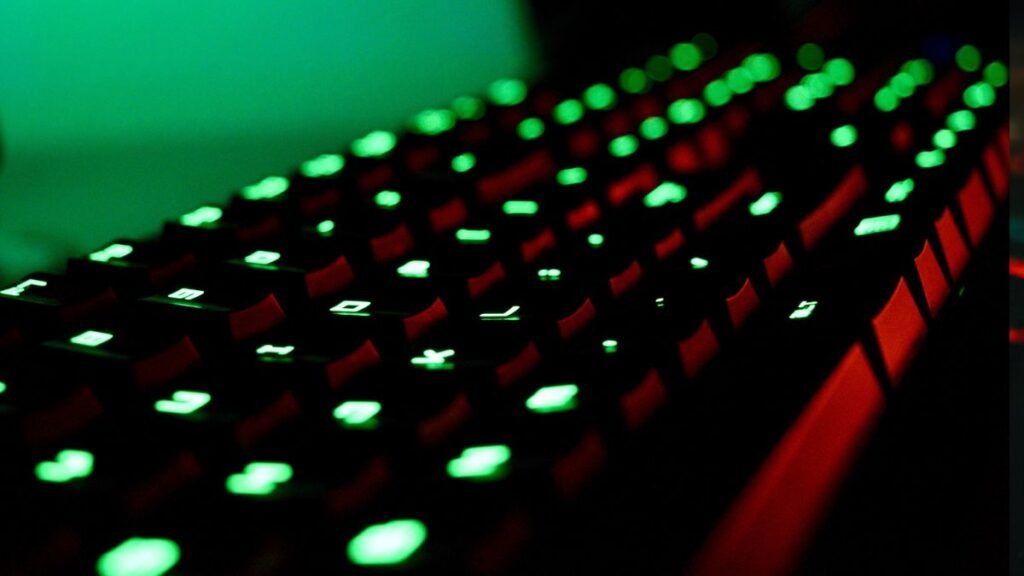
Keyboard Size and Layout Options
Mechanical gaming keyboards are available in different sizes.
The layout affects desk space, portability, and available keys.
Full-Size Keyboards
Full-size keyboards include:
- Number pad
- Function row
- Arrow keys
- Navigation keys
Best for:
- Productivity
- Data entry
- Users who need every key
Tenkeyless (TKL) Keyboards
TKL keyboards remove the number pad while keeping most important keys.
Advantages:
- More mouse space
- Smaller footprint
- Popular gaming format
75% Keyboards
75% keyboards remove unnecessary spacing while keeping:
- Function keys
- Arrow keys
- Navigation controls
They are becoming popular among users who want compact designs without losing functionality.
60% Keyboards
60% keyboards remove:
- Function row
- Arrow keys
- Dedicated navigation keys
They rely on shortcuts and layers.
Advantages:
- Very compact
- More mouse movement space
- Popular among competitive gamers
Mechanical Gaming Keyboard Features Explained
Modern gaming keyboards include many features. Some improve usability, while others are mainly marketing.
Understanding the difference helps users make smarter decisions.
Each feature can affect the overall keyboard experience differently. Learn more about important gaming keyboard features in our guide to Gaming Keyboard Features Explained for Beginners.
Hot-Swappable Switches
A hot-swappable keyboard allows users to replace switches without soldering.
Benefits:
- Easy customization
- Experiment with different switches
- Extend keyboard lifespan
This feature is especially valuable for enthusiasts.
RGB Lighting
RGB lighting allows users to customize keyboard colors and effects.
Although RGB does not improve gaming performance, it provides:
- Personalization
- Better visibility in dark rooms
- Gaming setup aesthetics
Anti-Ghosting and N-Key Rollover
These technologies help keyboards recognize multiple simultaneous key presses.
This matters for games requiring combinations of inputs.
Example:
A player may press:
- W + Shift + Space + another ability key
A quality keyboard should register these inputs accurately.
Polling Rate
Polling rate describes how frequently the keyboard reports input to the computer.
Common rates include:
- 125Hz
- 500Hz
- 1000Hz
Higher polling rates can reduce input reporting delay, although the difference may be difficult for casual users to notice.
Wireless Mechanical Gaming Keyboards
Modern wireless keyboards have improved significantly.
Many now use:
- Bluetooth
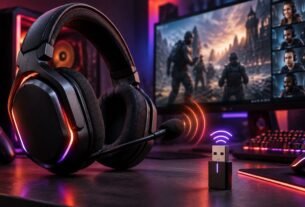
- 2.4GHz wireless connections
- Rechargeable batteries
For gaming, 2.4GHz wireless connections are often preferred because they typically provide lower latency than standard Bluetooth connections.
Features That Matter vs Features That Are Mostly Marketing
| Feature | Real Importance |
|---|---|
| Switch type | High |
| Build quality | High |
| Comfort | High |
| Layout size | High |
| Hot-swappable switches | Medium to high |
| Polling rate | Medium |
| RGB lighting | Personal preference |
| Extra software effects | Low |
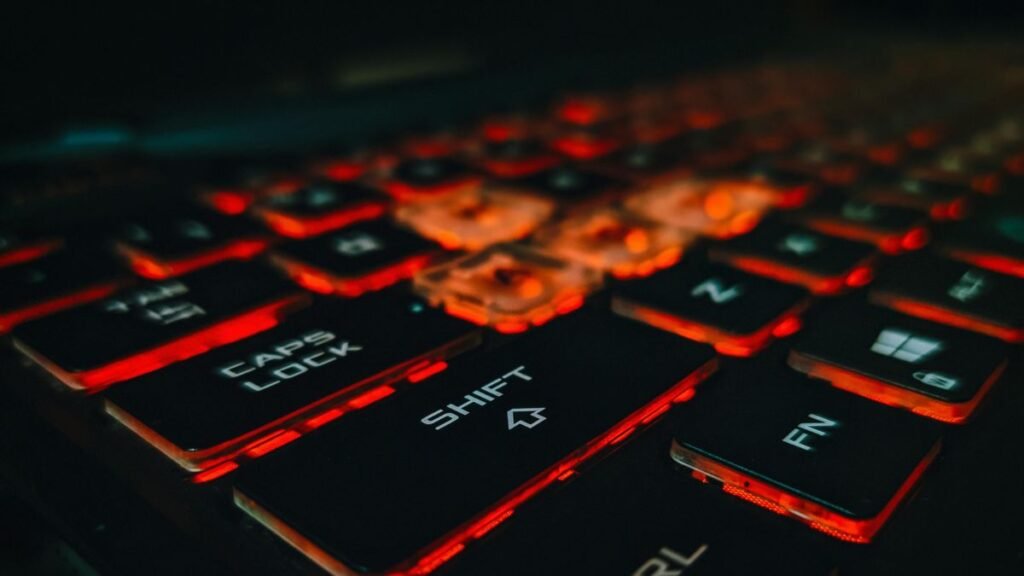
What Should You Look For in a Mechanical Gaming Keyboard?
Before choosing a keyboard, consider your actual usage.
If you are comparing different options before buying, our Gaming Keyboard Buying Guide: How to Choose the Right Keyboard in 2026 covers the main factors to consider when choosing a keyboard.
Gaming Style
Different games benefit from different preferences.
Competitive FPS Players
Usually prefer:
- Linear switches
- Compact layouts
- Fast response
MMO Players
May prefer:
- More programmable keys
- Larger layouts
- Custom shortcuts
Mixed Users
Often prefer:
- Tactile switches
- Comfortable layouts
- Balanced features
Desk Space
A large keyboard may feel comfortable but reduce mouse movement space.
Competitive gamers often choose smaller keyboards because they allow more room for mouse movement.
Noise Level
Consider your environment.
Clicky switches may sound enjoyable at home but become distracting in shared spaces.
Build Quality
Important factors include:
- Keyboard frame materials
- Stabilizer quality
- Keycap durability
- Switch consistency
A well-built keyboard often feels better regardless of extra features.
Conclusion
A mechanical gaming keyboard is more than just an accessory with RGB lighting and a premium design. It is a combination of switches, layout, build quality, and features that influence how the keyboard feels and performs during everyday use.
The best mechanical gaming keyboards are not defined only by price or popularity. The right choice depends on understanding the differences between switch types, keyboard sizes, response features, and personal preferences.
Linear switches may appeal to competitive gamers who want smooth and fast inputs, while tactile switches can provide a balanced experience for gaming and productivity. Clicky switches offer satisfying feedback but may not suit every environment.
Features such as hot-swappable switches, anti-ghosting, durable construction, and comfortable layouts can provide more long-term value than purely aesthetic additions.
For anyone upgrading a gaming setup, learning how mechanical keyboards work is the first step toward making a smarter decision. Instead of choosing based only on marketing claims, focus on the features that match your gaming style, workspace, and daily needs.
Frequently Asked Questions (FAQ)
What are the best mechanical gaming keyboards for beginners?
The best mechanical gaming keyboards for beginners are those that provide a comfortable layout, reliable switches, and useful features without unnecessary complexity. A keyboard with linear or tactile switches, good build quality, and standard compatibility is usually a strong starting point for new users.
Are mechanical gaming keyboards better than membrane keyboards?
Mechanical gaming keyboards are generally preferred by enthusiasts because they offer individual switches, better customization, and longer durability. However, membrane keyboards can still be suitable for casual gaming, basic computer use, and users who prefer quieter and more affordable options.
Which mechanical keyboard switch is best for gaming?
The best mechanical keyboard switch for gaming depends on personal preference. Linear switches are commonly chosen by competitive gamers because they provide smooth and fast key presses, while tactile switches offer feedback that some users prefer for both gaming and typing.
Are red switches better than blue switches for gaming keyboards?
Red switches are often preferred for gaming because they provide smooth linear movement and faster repeated presses. Blue switches provide tactile feedback and audible clicks, which some users enjoy for typing but may find distracting during gaming or in shared spaces.
Do mechanical gaming keyboards improve gaming performance?
Mechanical gaming keyboards can improve consistency and comfort, but they do not automatically make someone a better player. Their main advantages come from predictable key response, customization options, and features that allow users to create a setup suited to their gaming style.
What keyboard size is best for PC gaming?
The best keyboard size depends on the user’s needs. Full-size keyboards provide every key and a number pad, while TKL, 75%, and 60% keyboards save desk space and are popular among gamers who want more room for mouse movement.
Are RGB mechanical keyboards worth it?
RGB lighting is mainly a customization feature rather than a performance improvement. It can improve visibility in dark environments and personalize a gaming setup, but switch quality, comfort, and build construction usually have a greater impact on the overall experience.