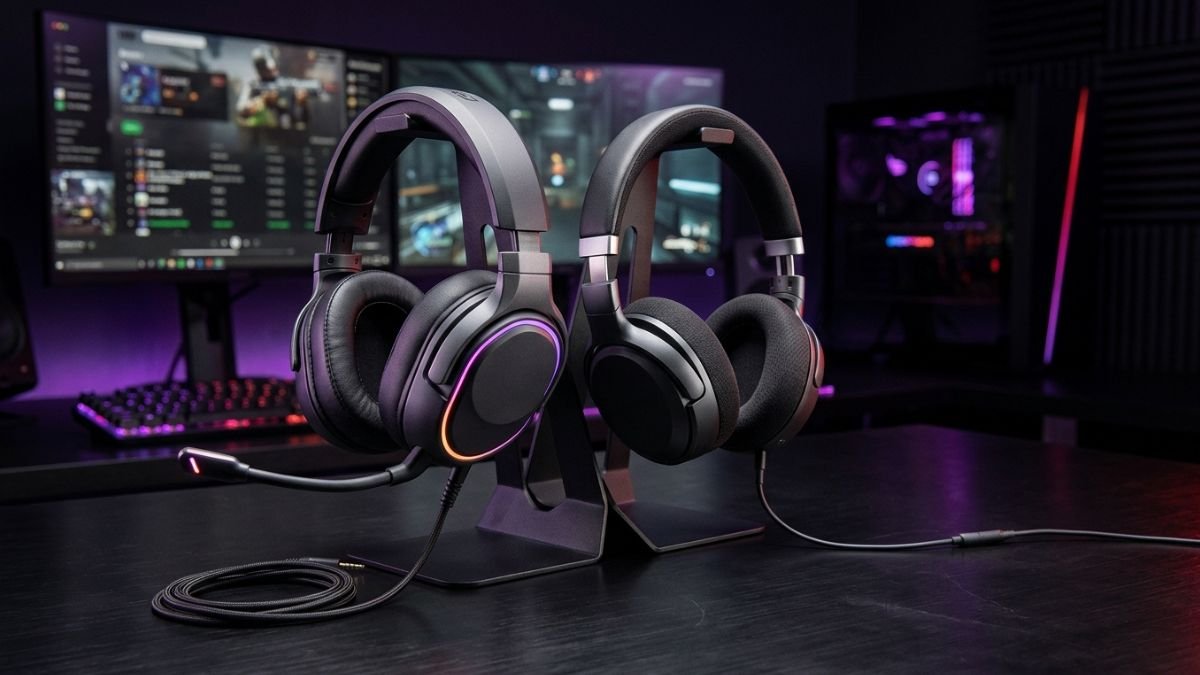
Gaming headsets are headphones designed with gaming-focused features, most notably an integrated microphone, convenient controls, and, on some models, spatial-audio support or dedicated low-latency wireless connectivity.
Regular headphones can also work extremely well for gaming, especially when sound quality, music listening, comfort, or everyday versatility is a priority.
The right choice depends on your priorities, including communication, sound quality, comfort, and how you plan to use your audio setup.
If you have ever compared a gaming headset with a regular pair of headphones and wondered whether the gaming version is really better, you are not alone.
At first glance, the two can look remarkably similar. Both can cover your ears, both can deliver stereo sound, and both can connect to a PC, console, or mobile device. The biggest difference is usually not their basic ability to reproduce sound, but what each product is designed to do around that sound.
A gaming headset typically combines several functions in one device: game audio, voice chat, microphone input, controls, and sometimes spatial audio or gaming-oriented wireless connectivity.
Regular headphones usually have a different priority. They may be designed primarily for music, movies, travel, studio monitoring, or general listening, with gaming being just one possible use.
That distinction matters because a great pair of headphones is not automatically the best gaming setup—and a gaming headset is not automatically the best choice for every gamer.
Gaming Headset vs Regular Headphones: What’s the Real Difference?
One of the simplest distinctions between gaming headsets and regular headphones is the microphone.
The main difference between gaming headsets and regular headphones goes beyond having a built-in microphone.
Gaming models combine specialized audio components, communication features, software processing, and connectivity technologies designed for interactive experiences.
Understanding gaming headset technology helps explain how drivers, microphones, spatial audio, and wireless systems influence real-world gaming performance.
A headset traditionally combines headphones with a built-in microphone, while headphones are primarily designed for listening. In gaming, that microphone can be particularly useful because voice communication is an important part of many multiplayer games.
But the microphone is only the beginning.
Gaming-oriented models may also include game/chat controls, virtual spatial audio, low-latency wireless gaming headset connections, EQ profiles, microphone monitoring, and other gaming-focused features.
The important question is therefore not:
Which one is better?
It is:
Which features actually matter for the way you play?
Quick Comparison
| Feature | Gaming Headset | Regular Headphones |
|---|---|---|
| Built-in gaming microphone | Usually | Often absent |
| Voice chat | Convenient | May require a separate microphone |
| Spatial-audio support | Common on gaming models | Usually handled by the device or software |
| Game/chat controls | Common | Less common |
| Music listening | Can be excellent | Often a major priority |
| Wireless gaming options | Common | Depends on the model |
| Console compatibility | Often designed with specific platforms in mind | Depends on connection and platform |
| Everyday versatility | Good | Often excellent |
| Separate microphone needed | Usually no | Often yes |
The table shows why there is no universal winner.
A player who spends hours in multiplayer voice chat has different needs from someone who mainly plays single-player games and also wants one pair of headphones for music.
Before choosing between gaming headsets and regular headphones, understanding the most important gaming headset features can help users identify which technologies actually improve gaming experiences.
Microphone: The Biggest Practical Advantage of a Gaming Headset
For multiplayer gaming, the microphone can make a gaming headset considerably more convenient.
A boom microphone sits close to your mouth and can be positioned specifically for voice communication. Many gaming headsets also provide a physical mute button or microphone controls directly on the earcup.
That means you can move from listening to talking without adding another device to your desk.
Modern gaming headsets can combine a retractable microphone, microphone controls, wireless connectivity, and gaming-focused audio in one device. This all-in-one design is one of the main advantages of choosing a gaming headset over traditional headphones.
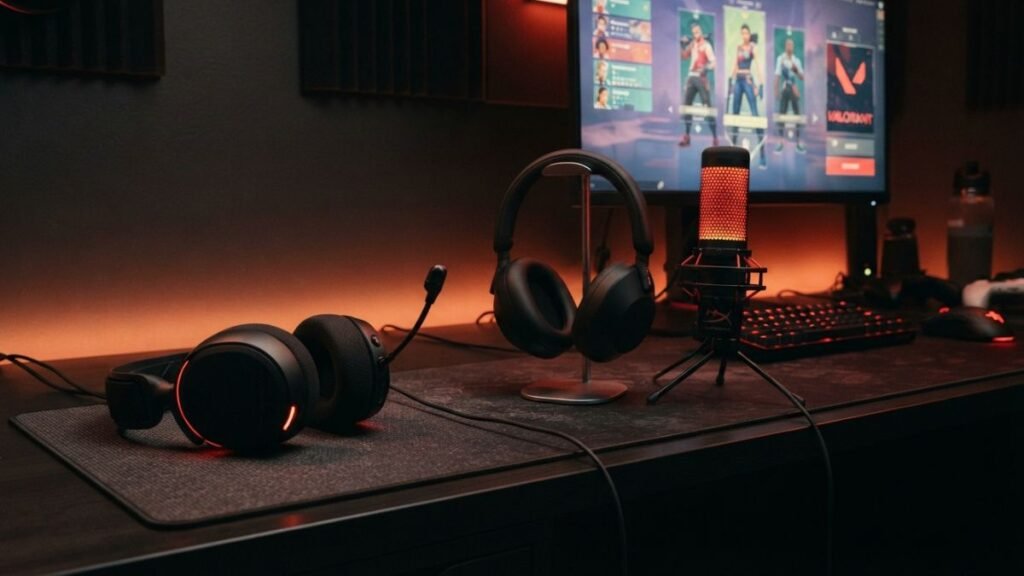
A regular pair of headphones can absolutely be used for gaming, but you may need a separate USB microphone or another input device.
For a deeper explanation of microphone types, pickup patterns, and gaming headset microphone performance, see our guide on gaming headset microphones.
That is not necessarily a disadvantage.
For a streamer, podcaster, or PC gamer who already owns a good microphone, using regular headphones can actually make more sense. You can choose the headphones based primarily on sound and comfort instead of requiring the microphone to be part of the same product.
When a Separate Microphone Makes Sense
PC gamers often have more flexibility because they can combine high-quality headphones with dedicated microphones, audio interfaces, or software-based audio solutions.
A separate microphone is worth considering when:
- voice quality is a major priority;
- you already own studio or audiophile headphones;
- you stream or record content;
- you want more control over microphone positioning;
- you rarely use voice chat while gaming.
The tradeoff is simplicity. A gaming headset is generally easier to set up because the microphone and headphones are already integrated.
Sound Quality: Gaming Does Not Automatically Mean Better
This is one of the biggest misconceptions surrounding gaming audio.
While traditional headphones and gaming headsets have different strengths, players who want a more immersive experience may also explore how surround sound gaming headsets use audio processing to create directional sound.
The word gaming does not guarantee better sound quality.
A regular pair of headphones can sound excellent in games. What matters is the headphone’s drivers, tuning, frequency response, imaging, comfort, connection method, and the quality of any audio processing being used.
Some gaming headsets are deliberately tuned to emphasize bass or make certain game sounds more noticeable. Others aim for a more balanced presentation.
There is also an important difference between sound quality and spatial awareness.
A headphone can produce detailed, accurate sound without having gaming-specific software. Meanwhile, a gaming headset may offer virtual spatial processing designed to make directional cues easier to interpret.
That processing can be useful in games where knowing whether a sound is coming from the left, right, front, or rear matters.
You also do not necessarily need a gaming headset to use spatial audio. Windows includes Windows Sonic for Headphones as a spatial-sound option in Windows 10 and Windows 11.
This is why it is better to evaluate the complete audio setup rather than assuming that a gaming label automatically means better sound.
Gaming Headset vs Studio Headphones for Gaming
Studio headphones can be particularly interesting for PC gamers who care about accurate sound reproduction.
They are generally designed around listening and monitoring rather than gaming-specific features. That can mean fewer built-in controls and no boom microphone, but potentially a sound presentation that some listeners prefer.
The downside is convenience.
If you use studio headphones with a separate microphone, you now have two pieces of hardware instead of one.
For someone who already has a good microphone, that may be completely acceptable. For someone who simply wants to connect a headset and start playing with friends, it can feel unnecessarily complicated.
Spatial Audio and Directional Sound
Spatial audio is another area where gaming headsets often receive more attention.
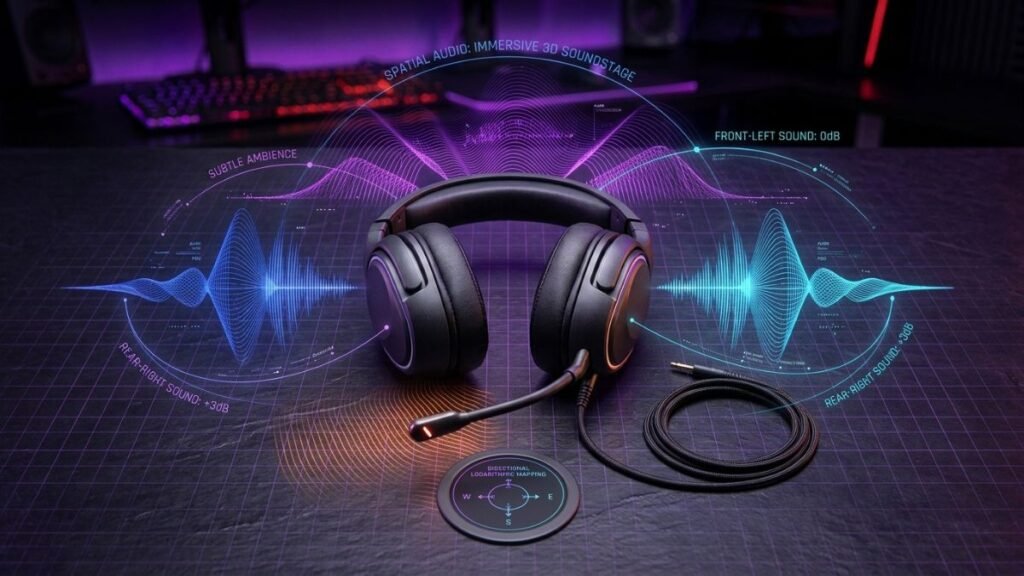
The goal is simple: make sounds feel as though they are coming from different positions around you.
In a competitive shooter, for example, the difference between hearing footsteps on your left and hearing them behind you can matter much more than the ability to reproduce extremely deep bass.
But there is an important detail that often gets lost in marketing:
Spatial audio is not exclusive to gaming headsets.
It can be provided by the operating system, console, game engine, software, or compatible hardware.
Microsoft’s Windows Sonic is one example. The feature is built into Windows and can be selected as a spatial-sound option for compatible playback devices.
Some gaming headsets add their own processing on top of this. Others rely primarily on the platform’s audio system.
That is why buying a headset simply because the box says “7.1” is not enough to determine whether it will actually sound better.
The implementation matters.
What Matters More Than “7.1” on the Box?
For gaming, pay attention to:
- how accurately sounds can be localized;
- whether the game supports the relevant spatial-audio technology;
- whether the headset’s processing can be disabled;
- whether stereo mode sounds natural;
- whether the software introduces unwanted processing;
- whether the headset works correctly with your platform.
A well-tuned stereo headphone can sometimes be more enjoyable than an aggressively processed virtual-surround headset.
Connectivity: Wired, Bluetooth, USB, and Wireless
The connection method can make a bigger practical difference than many people expect.
A wired headphone is simple. Connect it to the appropriate audio output and play.
A USB gaming headset can include its own digital audio processing and microphone connection. This can simplify setup on a PC.
Wireless gaming headsets introduce another layer. Some use Bluetooth, while others use a dedicated wireless receiver or proprietary wireless technology designed with gaming latency in mind.
Bluetooth can be convenient because it works across many everyday devices. Dedicated gaming wireless systems may instead be designed specifically around low-latency audio and a stable gaming connection.
Some dedicated gaming wireless technologies are designed around low latency and stable connections, while also supporting additional connectivity options such as Bluetooth for compatible devices.
For someone who switches between gaming and everyday listening, having both types of connectivity can be useful.
Understanding Gaming Headset Connections and 3.5mm Compatibility
A 3.5mm connection remains useful because it can make a headset compatible with many devices without requiring a dedicated wireless receiver.
But there is an important catch:
A 3.5mm jack does not guarantee identical functionality on every device.
Some headsets can carry both audio and microphone signals through a compatible four-conductor connection. Others may require separate microphone and headphone connections on a desktop PC.
For example, some gaming headsets require a four-conductor 3.5mm connection to carry both audio and microphone signals, while a three-conductor connection may support audio only. Compatibility depends on the device and the headset’s wiring configuration.
So when evaluating compatibility, look at the actual connection requirements rather than assuming that every 3.5mm headset will work identically everywhere.
Comfort and Long Gaming Sessions
Comfort is easy to underestimate.
A headset that sounds fantastic for 30 minutes can become annoying after three hours if the earcups create too much heat or pressure.
Gaming headsets are often designed with long sessions in mind, but regular headphones can be equally comfortable—or even more comfortable—depending on their shape, weight, earcup material, and headband.
The right fit depends heavily on the individual.
If you wear glasses, for example, the pressure between the earcups and the sides of your head can become noticeable over time.
Other factors include:
- earcup depth;
- clamping force;
- headband pressure;
- overall weight;
- ventilation;
- padding material;
- whether your ears touch the internal driver housing.
These details often matter more than the product category.
A comfortable pair of regular headphones can be a better choice for a long gaming session than an uncomfortable gaming headset.
Noise Cancellation: Gaming Headset vs Noise-Cancelling Headphones
Noise cancellation creates another interesting comparison.
Regular headphones, especially travel-oriented models, can have sophisticated active noise cancellation. Their primary purpose may be reducing outside noise while listening to music or traveling.
Some gaming headsets also include noise-reduction features, but active noise cancellation is not universal.
This creates an important distinction.
If you regularly play in a noisy environment, a good noise-cancelling pair of headphones may be more useful than a gaming headset without ANC.
On the other hand, ANC is not always necessary for gaming. Passive isolation may already be enough in a quiet room, and some players may prefer to remain aware of their surroundings.
There is also a difference between noise cancellation for what you hear and noise rejection for what your microphone captures.
They solve different problems.
A headset can have effective microphone noise rejection without providing active noise cancellation for the listener.
Gaming Headset vs Earphones: Is Smaller Better?
Gaming earbuds and earphones are another alternative, particularly for players who dislike large over-ear headsets.
They are lighter, easier to carry, and can be useful for portable gaming.
But they change the experience.
Over-ear headphones can provide physical isolation and a larger earcup design, while in-ear models sit inside the ear canal and rely heavily on the quality and fit of their ear tips.
For portable gaming, earbuds can be extremely convenient.
For long desktop sessions, however, comfort becomes a personal decision.
The same principle applies here:
The category does not determine the winner; your use case does.
Choosing Between a Gaming Headset and Regular Headphones
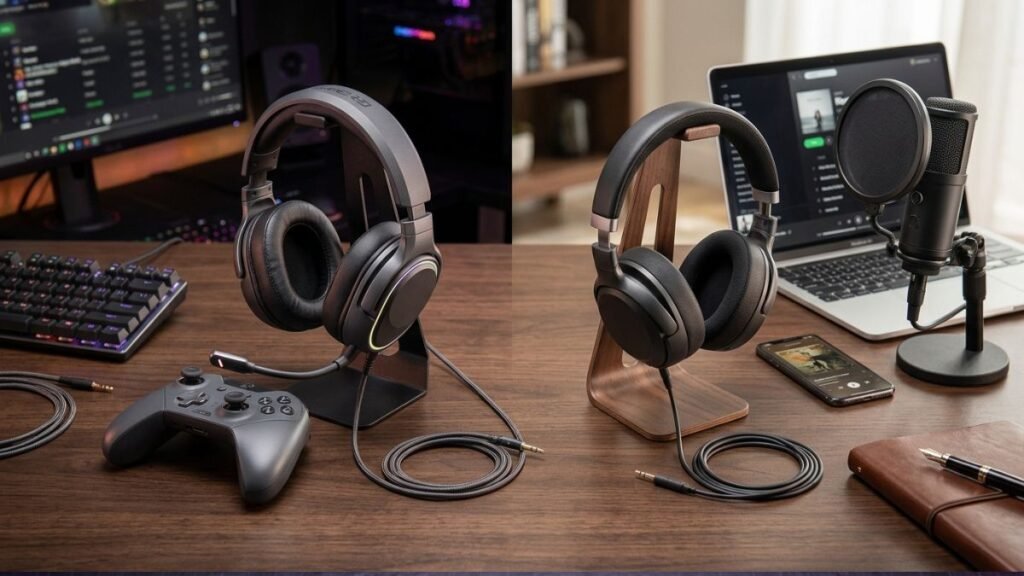
The easiest way to decide is to ignore the marketing labels for a moment.
Think about what you actually need.
| Your Situation | Better Starting Point |
| Frequent multiplayer voice chat | Gaming headset |
| Competitive gaming | Gaming headset or quality headphones with appropriate spatial support |
| Music is equally important | Regular headphones may be better |
| You already own a good microphone | Regular headphones become more attractive |
| You want one simple device | Gaming headset |
| You play mostly single-player games | Either |
| You need strong travel noise cancellation | Regular ANC headphones |
| You want dedicated gaming wireless connectivity | Gaming headset |
| You use several devices for music and calls | Regular headphones may offer more flexibility |
The choice becomes much clearer once you separate audio performance from convenience.
A gaming headset makes more sense when its integrated features solve problems you would otherwise have to solve separately.
Regular headphones become more attractive when you care more about core listening performance, music, comfort, or general-purpose use.
So, Are Gaming Headsets Actually Better for Gaming?
Not automatically.
A gaming headset is usually better at providing an all-in-one gaming experience. It can combine headphones, microphone, controls, connectivity, and gaming-oriented features in a single device.
Regular headphones can still be excellent for gaming and may be preferable when sound quality, music, comfort, or general-purpose use matters more.
The biggest mistake is assuming that the word gaming guarantees superior audio.
It does not.
The better question is whether the headset’s gaming-specific features solve a problem you actually have.
Conclusion
The gaming headset vs headphones debate is less about finding a universal winner and more about understanding what each type of device is designed to do.
A gaming headset makes the most sense when you want an integrated microphone, convenient controls, gaming-focused connectivity, and features designed around multiplayer or competitive gaming.
Regular headphones can be the smarter choice when music, general listening, comfort, or a separate microphone matters more to you.
In other words, don’t choose a headset simply because it says “gaming.”
Look at the features that actually matter for the way you play.
That approach gives you a much clearer idea of which type of audio setup fits your needs, rather than relying on the label alone.
FAQ: Gaming Headset vs Headphones
Is a gaming headset better than regular headphones for gaming?
A gaming headset is usually more convenient for gaming because it commonly includes a built-in microphone, gaming controls, and features such as spatial audio or dedicated wireless connectivity. Regular headphones can still provide excellent gaming sound, particularly when paired with a separate microphone.
Can you use regular headphones for gaming?
Yes. Regular headphones can work very well for gaming. On a PC, console, or compatible mobile device, the main considerations are the connection, platform compatibility, microphone setup, and whether the headphones work properly with the game’s audio features.
Are gaming headsets better for footsteps?
Not necessarily. Footstep detection depends on the game’s audio design, headphone tuning, imaging, spatial-audio processing, and the listener. A well-tuned regular headphone can perform very well for directional cues, while some gaming headsets may emphasize features intended for competitive play.
Is a gaming headset better than headphones for music?
Not automatically. Regular headphones are often designed with music listening as a primary purpose, while gaming headsets may prioritize voice communication, positional audio, and gaming convenience. If music is a major part of your listening, compare the actual sound quality rather than choosing based only on the “gaming” label.
Can you use a gaming headset as regular headphones?
Yes. Most gaming headsets can be used for music, movies, calls, and other everyday listening. The main question is whether you like their sound profile and whether their microphone and gaming features add useful value outside gaming.
Is Bluetooth good enough for gaming headphones?
Bluetooth can be suitable for casual gaming, but the experience depends on the device, Bluetooth implementation, codec, and game. Dedicated gaming wireless technologies may be designed specifically around lower latency, making them a better fit for players who are particularly sensitive to audio delay.
Do gaming headsets need surround sound?
No. Surround or spatial audio is not required for gaming. Stereo headphones can provide excellent game audio, and spatial processing can also be provided by the operating system, console, or game. Windows, for example, includes Windows Sonic for Headphones as a spatial-audio option.
Are gaming headsets worth it for PC gaming?
Gaming headsets can be worth it for PC gaming when convenience, voice communication, and integrated features are priorities. However, some PC gamers may prefer separate headphones and microphones for maximum flexibility and sound customization.