Gaming mouse grip styles describe the different ways players position their hand and fingers when holding a gaming mouse.
The three main types are palm grip, claw grip, and fingertip grip, each affecting comfort, movement control, and precision differently. Choosing the right grip depends on hand size, mouse shape, and personal gaming preferences.
The way you hold a gaming mouse can influence how comfortably you play, how quickly you react, and how accurately you control movements. While many gamers focus on sensor performance, DPI settings, or polling rates, the physical connection between your hand and the mouse is equally important.
Understanding gaming mouse grip styles helps players recognize why a mouse that feels perfect for one person may feel uncomfortable for another.
A competitive FPS player making quick wrist movements may prefer a different grip compared with someone playing strategy games that require longer sessions and frequent cursor control.
The most common gaming mouse hand positions are palm grip, claw grip, and fingertip grip. Each style changes how much contact your hand has with the mouse, how your fingers rest on the buttons, and whether movements come mainly from your wrist or your arm.
There is no universally “best” grip style. The ideal choice depends on factors such as hand dimensions, mouse size, game genre, and personal comfort. Learning how each grip works allows players to adjust their setup instead of simply copying the preferences of professional gamers.
How Gaming Mouse Grip Styles Work
A mouse grip style describes the specific way a player places their palm, fingers, and wrist on a gaming mouse during use. The grip determines the amount of physical contact between the hand and the device, which affects stability, speed, and movement flexibility.
Although grip preferences often develop naturally, understanding the mechanics behind them can help users identify why certain positions feel more comfortable or controlled.
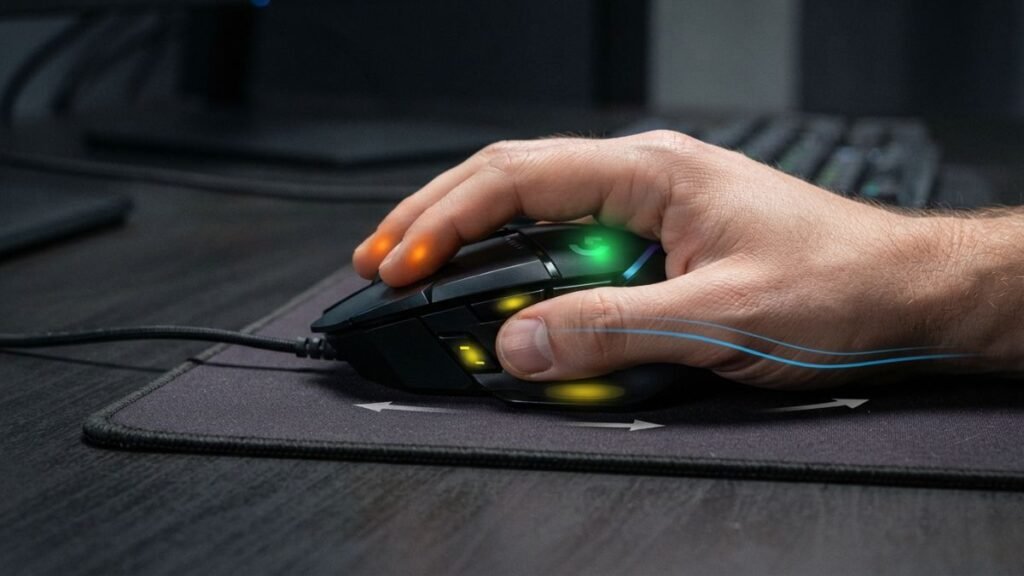
The Relationship Between Hand Position and Mouse Control
Different grip styles change how force is transferred from the hand to the mouse.
Gaming mouse manufacturers consider ergonomics, hand positioning, and user comfort when designing different shapes and sizes. Companies such as Logitech G develop gaming mice with different designs to accommodate various hand positions and playing preferences.
A grip with more palm contact generally provides greater stability because more of the hand supports the device. In contrast, a grip using mostly fingertips allows faster adjustments and more precise small movements but requires greater finger control.
The main factors affected by grip style include:
- Stability: How securely the mouse stays under your hand.
- Movement speed: How quickly you can reposition the mouse.
- Precision: How accurately you can make small adjustments.
- Fatigue: How much stress is placed on your fingers, wrist, and forearm.
For example, players who use large arm movements with low sensitivity settings often prefer grips that allow broader control, while players using higher sensitivity settings may value quick fingertip adjustments.
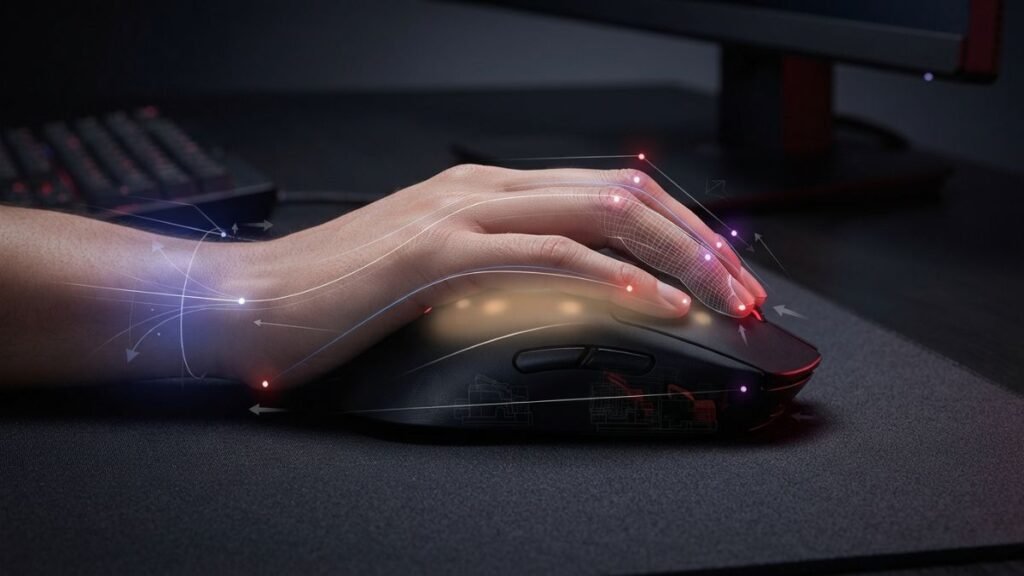
Why Grip Style Matters for Gaming Performance
Grip style does not directly increase skill, but it can influence consistency. A comfortable grip allows players to maintain control during longer sessions without constantly adjusting their hand position.
Competitive gaming often requires repeated movements with minimal variation. When the mouse fits naturally in the hand, players can develop more predictable muscle memory.
However, grip preference should not be separated from other factors such as mouse shape, sensor performance, and sensitivity settings. A well-designed mouse with appropriate technology and ergonomics works together with the user’s grip style.
Understanding these technical aspects can also help when adjusting settings such as sensitivity and DPI. Players interested in the technical side of mouse performance can explore how mouse technology affects the overall experience.
The Three Main Gaming Mouse Grip Types
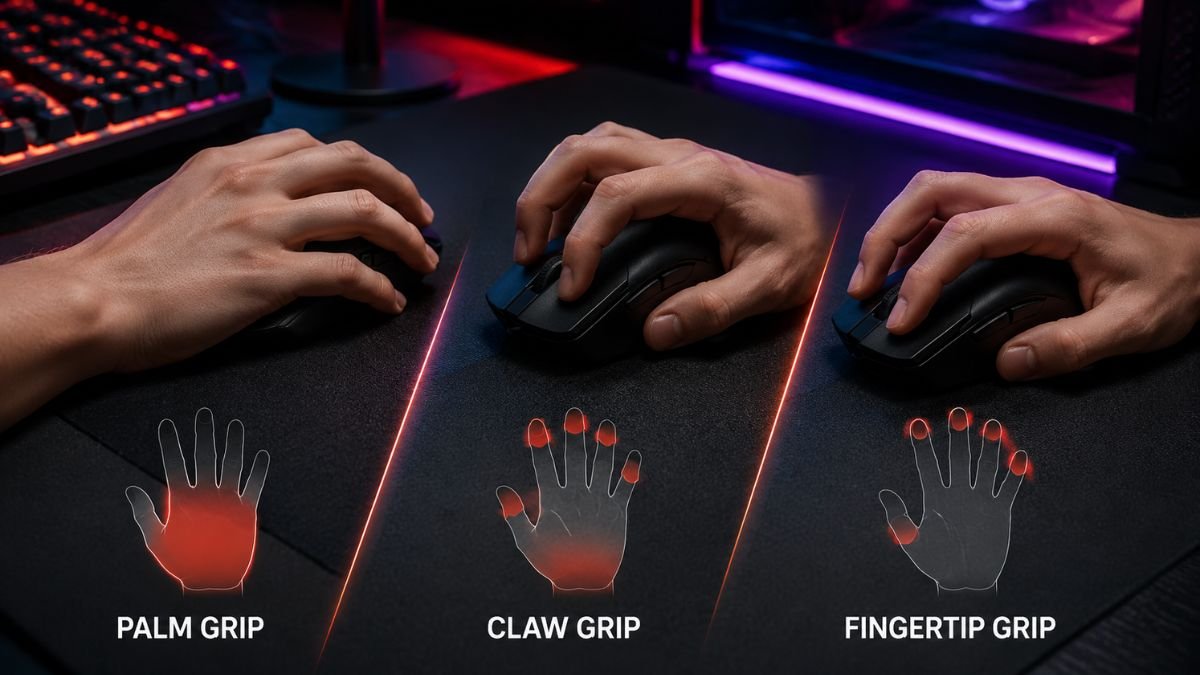
Most gaming mouse users naturally develop one of three common grip styles: palm grip, claw grip, or fingertip grip. Each style changes how much of your hand touches the mouse, where pressure is applied, and how movement is controlled.
The right choice depends on several factors, including hand size, mouse dimensions, gaming genre, and personal preference. A grip that provides excellent stability for one player may feel restrictive for another.
The goal is not to force yourself into a specific grip, but to understand how each style works and recognize which one matches your natural hand position.
Palm Grip
The palm grip is the most relaxed and widely used gaming mouse grip style. In this position, most of the palm rests directly on the back of the mouse, while the fingers extend naturally over the left and right mouse buttons.
Because the hand has significant contact with the mouse surface, this grip provides a high level of stability and support. Movement usually comes from the arm and wrist together, making it comfortable for longer gaming sessions.
A palm grip is commonly preferred by players who use larger ergonomic mice because these designs provide enough space for the entire hand to rest comfortably.
Advantages of Palm Grip
Benefits of this grip include:
- Greater hand support during extended use.
- Reduced finger tension because the hand remains relaxed.
- Stable tracking movements.
- Comfortable experience for users with larger hands.
This grip can work particularly well for games where smooth tracking is more important than extremely fast directional changes, such as:
- open-world games;
- strategy games;
- casual gaming;
- productivity tasks.
Limitations of Palm Grip
Although palm grip offers comfort and stability, it can reduce quick finger adjustments.
Because most of the hand is resting on the mouse, some players may find rapid movements more difficult compared with grips that allow greater finger mobility.
Potential limitations include:
- slower micro-adjustments;
- less flexibility for quick flick movements;
- increased dependence on arm movement.
For competitive FPS players who rely on rapid aim corrections, a palm grip may feel less responsive depending on the mouse shape and sensitivity settings.
Claw Grip
The claw grip is a hybrid position between palm and fingertip grip. The back portion of the palm may touch the mouse, but the fingers are arched in a curved position resembling a claw.
This position creates a balance between stability and agility. The player receives some support from palm contact while maintaining greater finger control for fast movements.
Many gamers choose claw grip because it combines comfort with the ability to make quick adjustments.
Advantages of Claw Grip
Common benefits include:
- Faster clicking response compared with palm grip.
- Better control over small adjustments.
- More flexibility for competitive gaming.
- Balanced wrist and finger movement.
The claw grip is popular among players who need both tracking ability and quick reactions, especially in fast-paced games.
Limitations of Claw Grip
The curved finger position can create additional tension if the mouse shape does not match the user’s hand.
Possible drawbacks include:
- Finger fatigue during long sessions.
- Less relaxed hand posture.
- Discomfort with very large mice.
Players switching from palm grip may need time to adjust because claw grip requires more active finger positioning.
Fingertip Grip
The fingertip grip uses only the fingertips to control the mouse, with little or no contact between the palm and the mouse body.
This grip provides maximum freedom of movement because the fingers control most adjustments. The mouse can be moved quickly with small movements from the fingertips and wrist.
Players with smaller hands often find fingertip grip comfortable because it does not require the entire hand to fit around the mouse.
Advantages of Fingertip Grip
Key benefits include:
- Maximum movement flexibility.
- Fast micro-adjustments.
- Lightweight and responsive feeling.
- Less restriction from the mouse body.
This grip can be useful for players who prefer:
- high precision adjustments;
- fast aiming corrections;
- lightweight mice;
- higher mobility.
Limitations of Fingertip Grip
Because the palm provides little support, fingertip grip requires more active control from the fingers.
Possible disadvantages include:
- Increased finger fatigue.
- Less stability for large sweeping movements.
- More demanding control technique.
Users with larger hands may also find that fingertip grip feels uncomfortable on small mice because the fingers may need to remain excessively extended.
Quick Comparison of Gaming Mouse Grip Styles
| Grip Style | Hand Contact | Main Advantage | Common Challenge |
|---|---|---|---|
| Palm Grip | Most of the palm rests on the mouse | Comfort and stability | Less rapid adjustment |
| Claw Grip | Palm partially touches, fingers arched | Balance between control and speed | Can create finger tension |
| Fingertip Grip | Only fingertips contact the mouse | Maximum agility and precision | Requires more finger control |
How to Choose the Right Gaming Mouse Grip Style
Choosing the right gaming mouse grip style is not about copying professional players or selecting the grip that appears most popular online. The most suitable grip is the one that matches your hand anatomy, mouse shape, movement habits, and gaming preferences.
Many players discover their preferred grip naturally over time. However, understanding the factors behind each grip can help you identify whether your current setup supports your performance or creates unnecessary discomfort.
A good grip should allow you to control the mouse comfortably while maintaining consistent movements during longer sessions.
Consider Your Hand Size
Hand size is one of the biggest factors influencing which grip style feels natural.
A mouse that works well with a large hand may feel difficult to control for someone with smaller hands. Similarly, a compact mouse may force users with larger hands into uncomfortable finger positions.
The most relevant measurements are:
- Hand length: distance from the base of the palm to the tip of the middle finger.
- Hand width: measurement across the widest part of the palm.
- Finger length: affects how naturally fingers rest on the mouse buttons.
General tendencies:
| Hand Characteristics | Grip Styles That May Feel Natural |
|---|---|
| Larger hands | Palm grip or relaxed claw grip |
| Medium-sized hands | Claw grip or palm grip |
| Smaller hands | Fingertip grip or claw grip |
These are not strict rules. A player with large hands may prefer fingertip grip, while someone with smaller hands may enjoy palm grip depending on the mouse shape.
Match the Grip With Mouse Shape
The physical design of the mouse plays an important role in comfort.
Gaming brands such as Razer offer mice with different shapes, sizes, and designs created for different gaming preferences, showing how hardware design can influence the way users interact with their devices.
Gaming mice are usually designed with different shapes:
- Ergonomic shapes that support the natural curve of the right hand.
- Ambidextrous shapes that provide a more symmetrical design.
- Low-profile designs that often suit fingertip or claw users.
A mouse that is too tall may push the palm upward and make fingertip grip difficult. A mouse that is too small may force a large-handed user into a cramped claw position.
The relationship between hand position and mouse shape is often more important than the grip style itself.
Consider Your Gaming Genre
Different games place different demands on mouse control.
A player’s preferred gaming mouse hand positions may change depending on the type of movement required.
| Game Type | Common Grip Preferences | Why |
|---|---|---|
| First-person shooters (FPS) | Claw grip, fingertip grip | Fast aiming adjustments |
| Real-time strategy (RTS) | Palm grip, relaxed claw | Long sessions and repeated movements |
| MOBA games | Claw grip, fingertip grip | Frequent clicking and precision |
| MMORPG games | Palm grip, claw grip | Comfort during extended play |
These are general patterns, not requirements. Many skilled players perform well using different grip styles.
Understand the Relationship Between Grip and DPI Settings
Grip style and sensitivity settings work together.
A player using a fingertip grip may prefer settings that allow precise small corrections, while a palm grip user may rely more on broader arm movements.
DPI changes how far the cursor moves based on physical mouse movement. According to explanations from gaming hardware specialists, DPI is only one part of overall mouse control — sensor performance, sensitivity settings, and user technique all influence the final experience.
Players who want to understand how sensitivity affects mouse behavior can explore this related guide on DPI settings.
The important point is that changing DPI will not automatically fix an uncomfortable grip. Ergonomics and control habits must be considered together.
How to Identify Your Current Gaming Mouse Grip Style
Many users are unsure which grip they naturally use. A simple observation can help identify your current position.
Place your hand on your mouse normally and check:
Palm Grip Indicators
You likely use palm grip if:
- Most of your palm touches the mouse.
- Your fingers rest flat on the buttons.
- Your wrist and arm provide most movement.
Claw Grip Indicators
You likely use claw grip if:
- Your palm partially touches the rear of the mouse.
- Your fingers create an upward curve.
- Your fingertips control clicks and adjustments.
Fingertip Grip Indicators
You likely use fingertip grip if:
- Only your fingers touch the mouse.
- Your palm stays elevated.
- Small finger movements control the cursor.
A gaming mouse grip style is the way a player positions their palm and fingers on the mouse. The three main styles are palm grip, claw grip, and fingertip grip, each offering different levels of stability, speed, and control.
Common Gaming Mouse Grip Mistakes
Understanding different gaming mouse grip styles can improve comfort and control, but many players make mistakes when trying to change or optimize their grip. A common misconception is that there is one perfect grip that every gamer should use.
In reality, grip preference is highly personal. The goal should be finding a position that allows natural movement, consistent control, and comfortable long-term use.
Choosing a Grip Because Professional Players Use It
One of the most common mistakes is copying the grip style of professional esports players without considering personal differences.
Professional players often have:
- specific hand sizes;
- customized equipment;
- years of practice with their preferred setup;
- sensitivity settings adapted to their technique.
A professional player’s claw grip or fingertip grip may work perfectly for them but feel uncomfortable for another person using a different mouse or having different hand dimensions.
The best approach is to understand why a grip works rather than simply copying the result.
Ignoring Mouse Size and Shape
A grip style cannot be separated from the physical design of the mouse.
A player may think they prefer palm grip, but the real problem could be that their mouse is too small to support their hand properly.
Common mismatches include:
| Problem | Possible Result |
|---|---|
| Mouse too small for the hand | Fingers feel cramped |
| Mouse too large for the hand | Difficult finger control |
| Incorrect shape | Wrist or palm discomfort |
| Heavy mouse with fingertip grip | Increased finger fatigue |
The mouse should support your natural hand position rather than forcing your hand into an uncomfortable shape.
Changing Your Grip Too Quickly
Some players try to completely change their gaming mouse hand positions after watching guides or reading recommendations online.
However, grip habits develop through repeated use. A sudden change can temporarily reduce performance because your muscles need time to adapt.
If you want to experiment with a different grip:
- Make small adjustments first.
- Test the new position during normal gaming sessions.
- Evaluate comfort over several days.
- Return to your previous grip if discomfort increases.
A different grip may eventually improve control, but the transition should be gradual.
Ignoring Comfort During Long Sessions
A grip that feels good for five minutes may not feel good after several hours.
Long gaming sessions can reveal problems that are not obvious immediately.
Pay attention to:
- finger tension;
- wrist position;
- palm pressure;
- forearm fatigue;
- difficulty maintaining control.
A comfortable grip allows you to focus on the game instead of constantly adjusting your hand.
Assuming Grip Style Alone Improves Aim
Grip style can influence control, but it does not replace practice, proper sensitivity settings, or good technique.
A player’s performance depends on multiple factors, including:
- aim practice;
- game knowledge;
- mouse sensor quality;
- sensitivity configuration;
- consistent movement habits.
For example, switching from palm grip to claw grip will not automatically improve accuracy. The benefit comes from choosing a position that matches the player’s natural mechanics.
Can You Have More Than One Gaming Mouse Grip Style?
Yes. Many players do not use a single fixed grip style.
A player may naturally switch between positions depending on:
- the game being played;
- the type of movement required;
- fatigue level;
- the task being performed.
For example:
- A player may use palm grip during everyday computer use.
- The same person may move toward claw grip during competitive FPS games.
- Fingertip adjustments may appear during precise aiming situations.
These variations are normal. Grip styles are better understood as categories rather than strict rules.
There is no universally best gaming mouse grip style. The ideal grip depends on hand size, mouse shape, gaming habits, and personal comfort. Palm grip, claw grip, and fingertip grip each provide different balances of stability, speed, and precision.
Gaming Mouse Grip Styles for Different Types of Players
Different players have different needs when using a gaming mouse. A competitive FPS player who needs fast aiming adjustments may prefer a different grip style from someone who spends several hours playing strategy games or using the same mouse for work and entertainment.
Understanding how gaming mouse grip styles match different scenarios can help users make more informed decisions without assuming that one grip is automatically better than another.
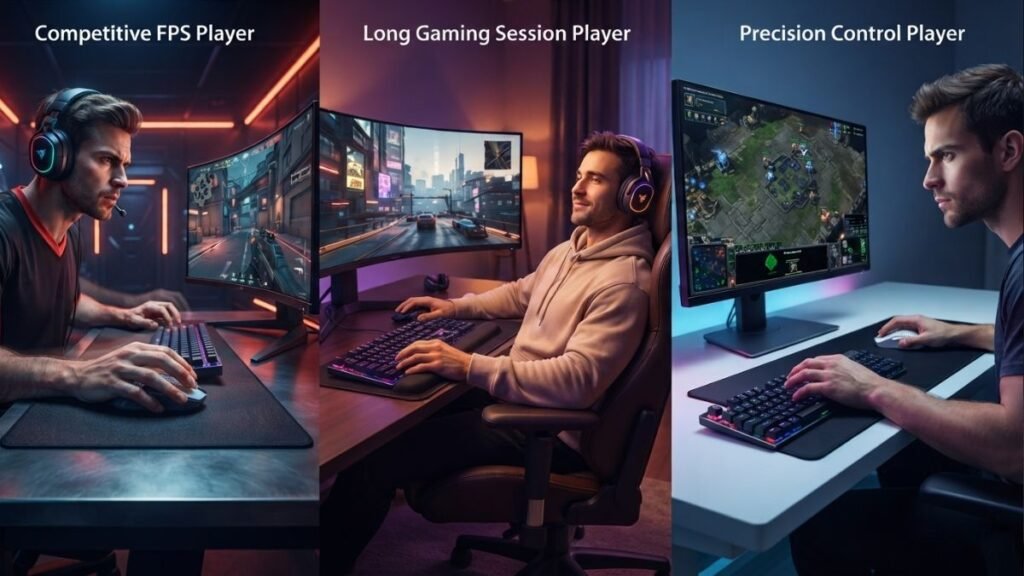
FPS Players and Competitive Gamers
First-person shooter players often prioritize:
- quick reactions;
- precise aiming;
- consistent tracking;
- rapid directional changes.
For these users, claw grip and fingertip grip are commonly preferred because they allow more active finger control and faster adjustments.
Claw grip provides a balance between stability and speed. The partial palm contact helps maintain control while the curved fingers allow quick movements.
Fingertip grip offers even greater freedom because the fingers perform most of the adjustments. This can be useful for players who use lightweight mice and prefer highly responsive movements.
However, competitive performance is not determined by grip style alone. Professional players use different combinations of grips, mouse shapes, sensitivity settings, and techniques depending on their personal preferences.
Casual Gamers
Casual gamers often benefit from prioritizing comfort rather than maximum speed.
For users who play a variety of games, browse the web, and use the same mouse for everyday tasks, palm grip can be a practical option because it provides natural support and reduces hand tension.
Benefits for casual users include:
- comfortable long sessions;
- relaxed hand positioning;
- easier adaptation across different tasks;
- reduced need for constant adjustment.
A comfortable grip can improve the overall experience even when gaming performance is not the main priority.
Strategy and MMO Players
Players who spend long periods in strategy games, simulation games, or MMORPGs often value endurance and comfort.
These games usually involve:
- extended sessions;
- frequent clicking;
- precise cursor placement;
- less emphasis on extremely fast aiming.
A palm grip or relaxed claw grip may work well because these positions provide more support over time.
The most important factor for these players is maintaining a comfortable hand position that does not create unnecessary fatigue.
Users Who Switch Between Gaming and Productivity
Many people use one mouse for both gaming and everyday computer tasks.
In these cases, flexibility becomes more important than optimizing for one specific gaming style.
A hybrid grip is common among these users:
- palm contact during normal computer use;
- claw adjustments during gaming;
- fingertip movements for precise tasks.
A mouse that matches the user’s natural hand position can provide a better overall experience across different activities.
Grip Style and Mouse Weight: Why It Matters
Mouse weight can influence how different grip styles feel.
A heavier mouse often feels more stable, especially with palm grip, because the additional weight can provide a stronger connection between the hand and the device.
A lightweight mouse may feel more responsive for claw and fingertip users because less force is required for quick movements.
General tendencies:
| Mouse Characteristic | Grip Styles That Often Match |
|---|---|
| Larger and heavier mouse | Palm grip |
| Medium-sized balanced mouse | Claw grip |
| Lightweight compact mouse | Fingertip grip |
These are general guidelines rather than fixed rules. Some players prefer heavy mice with fingertip grip, while others use lightweight mice with palm grip.
How Grip Style Works Together With Gaming Mouse Technology
Grip style is only one part of the complete mouse experience. The sensor, tracking accuracy, DPI settings, polling rate, and physical design all influence how the mouse responds.
Technical reviews from publications such as PCMag frequently analyze gaming peripherals based on performance, features, and usability, helping users understand how different hardware choices affect their experience.
For example, a player using fingertip grip may prefer a lightweight mouse with precise tracking because the grip relies heavily on small movements. A palm grip user may place more importance on comfort and shape because the hand remains in contact with the mouse for longer periods.
Understanding both physical ergonomics and technical specifications helps users evaluate gaming mice more effectively. Players interested in the hardware side of mouse performance can also explore how gaming mouse technology affects tracking and responsiveness.
How to Improve Your Gaming Mouse Grip
Finding a comfortable gaming mouse grip style is not only about choosing between palm grip, claw grip, or fingertip grip. Small adjustments in hand position, pressure, and movement technique can significantly change how natural the mouse feels during gaming.
Many players focus on buying new equipment when they experience control problems, but improving the way they interact with their current mouse can often make a noticeable difference.
The goal is not to create a perfectly rigid hand position. A good grip should feel controlled while still allowing natural movement.
Keep Your Hand Relaxed
One of the most important aspects of a good mouse grip is avoiding unnecessary tension.
A common mistake is squeezing the mouse too tightly while playing, especially during competitive moments. Excessive pressure can reduce movement fluidity and create fatigue over time.
A relaxed grip allows:
- smoother mouse movements;
- better finger control;
- reduced hand fatigue;
- more consistent performance.
Your fingers should maintain enough contact to control the mouse, but they should not create constant pressure that limits movement.
Position Your Fingers Naturally
Your finger placement should match your chosen grip style.
For example:
Palm grip:
- Fingers usually rest flatter across the buttons.
- Palm provides most of the support.
- Movement often comes from the wrist and arm.
Claw grip:
- Fingers remain curved.
- The fingertips and front portion of the hand provide more active control.
- The palm provides partial support.
Fingertip grip:
- Only fingertips contact the mouse.
- Small finger movements control adjustments.
- The palm remains mostly elevated.
Trying to force a different finger position without considering your natural hand shape can create discomfort.
Adjust Your Wrist and Arm Position
The way you move your arm affects how your grip feels.
Many players use a combination of:
- wrist movement for small adjustments;
- forearm movement for larger movements;
- arm movement for wide tracking motions.
Players using lower sensitivity settings often rely more on arm movement, while higher sensitivity users may use smaller wrist and finger adjustments.
There is no single correct approach. The important factor is maintaining a comfortable position that allows consistent control.
Test Changes Gradually
If you want to experiment with a new gaming mouse hand position, avoid changing everything at once.
A practical adjustment process:
- Change one element at a time.
- Practice in normal gaming situations.
- Evaluate comfort after several sessions.
- Keep the adjustment only if it improves control or comfort.
A grip that feels unusual at first may simply require adaptation. However, persistent discomfort is usually a sign that the position or equipment may not be suitable.
Use Grip Tape Carefully
Some players use gaming mouse grip tape to improve texture and control.
Grip tape can provide:
- additional friction;
- more consistent finger placement;
- improved control for users whose hands become slippery.
However, grip tape does not fix an unsuitable mouse shape or uncomfortable grip style.
It should be viewed as a small adjustment tool rather than a replacement for proper ergonomics.
Practical Checklist: Finding Your Ideal Grip Style
Before changing your grip, consider these questions:
- Does my hand feel relaxed after long sessions?
- Can I move the mouse without excessive pressure?
- Do my fingers naturally reach the buttons?
- Does the mouse size match my hand?
- Can I make precise movements comfortably?
- Does my grip remain consistent during gameplay?
If most answers are positive, your current grip may already be suitable.
The best gaming mouse grip style is the one that provides comfortable control without creating unnecessary tension. Palm grip, claw grip, and fingertip grip can all be effective when matched with the user’s hand size, mouse shape, and gaming habits.
Conclusion
Choosing between different gaming mouse grip styles is ultimately about finding the balance between comfort, control, and consistency. Palm grip, claw grip, and fingertip grip each provide different advantages, and none of them is automatically better for every player.
The most effective approach is to consider your hand size, mouse shape, gaming habits, and preferred movement style. A comfortable grip allows you to focus on gameplay instead of constantly adjusting your hand position.
Understanding how gaming mouse hand positions work gives you a better foundation for improving your setup and making informed decisions about your gaming equipment.
Frequently Asked Questions About Gaming Mouse Grip Styles
What are the main gaming mouse grip styles?
The three main gaming mouse grip styles are palm grip, claw grip, and fingertip grip. Palm grip places most of the hand on the mouse for stability, claw grip uses a curved finger position for a balance of speed and control, and fingertip grip relies mainly on finger movement for quick adjustments and precision.
Which gaming mouse grip style is best for FPS games?
There is no single best gaming mouse grip style for FPS games. Many FPS players prefer claw grip or fingertip grip because these positions allow faster adjustments and more active finger control. However, palm grip can also work well depending on the player’s hand size, mouse shape, sensitivity settings, and personal preference.
How do I know which gaming mouse grip style I use?
You can identify your gaming mouse grip style by observing how your hand naturally rests on the mouse. If your entire palm touches the mouse, you likely use palm grip. If your fingers are curved while part of your palm touches the mouse, you likely use claw grip. If only your fingertips contact the mouse, you likely use fingertip grip.
Does hand size affect gaming mouse grip style?
Yes, hand size can significantly influence which gaming mouse grip style feels comfortable. Larger hands often work better with larger mice and grips that provide more support, such as palm grip. Smaller hands may prefer claw or fingertip grip because these positions require less palm contact and allow easier control with compact mice.
Can I change my gaming mouse grip style?
Yes, you can change your gaming mouse grip style, but the adjustment usually requires time and practice. A different grip may feel uncomfortable at first because your muscles and movement habits are adapted to your current position. Gradual changes are usually easier than completely changing your grip overnight.
Does gaming mouse grip style affect DPI settings?
Gaming mouse grip style can influence how DPI settings feel, but DPI alone does not determine performance. Players using different grips may prefer different sensitivity levels because their movement patterns vary. Understanding both grip style and DPI settings can help create a more comfortable and consistent setup.
Is gaming mouse grip tape useful for different grip styles?
Gaming mouse grip tape can improve surface texture and provide additional friction, especially for players whose hands become slippery during long sessions. However, grip tape does not change the fundamentals of a gaming mouse grip style and cannot compensate for an incorrectly sized or uncomfortable mouse.